New: Links seamlessly with

AI email assistant for firms and teams

Give every person at your firm a first draft waiting in their own Gmail or Outlook inbox. One team, one bill, and nothing goes out until the person sending it has read it.

Try free with 1-click:
Works best with work email
7 days free trial
Connect your email
30-day money-back guarantee
  • Without
  • With Jace
We help professionals save their time

How Jace works across a firm

Jace is an AI email assistant that works inside each person's own mailbox. At a firm, that means everyone keeps the inbox they already use, the owner manages seats and billing in one place, and every reply is reviewed by the person who sends it.

Everyone keeps their own inbox

Each teammate connects their own Gmail, Google Workspace, Outlook.com or Microsoft 365 account. Jace drafts in that person's style and saves replies to their normal drafts folder.

Invite the team in a minute

The owner opens Settings, then Team, clicks Invite members and types the email addresses. Each invite adds a paid seat, and an invite nobody accepts expires after 7 days.

One bill for every seat

One person pays for the whole team. Seats added or removed mid-cycle are prorated, and the owner can see seats, invoices and the payment method from Manage plan.

Shared rules and voice presets

Team plans let teammates share rules and align signatures and voice presets, so client replies sound like the firm and follow the same routine.

Review before send, by default

Replies are saved as drafts. Automatic sending is a separate opt-in setting for a specific label or workflow. If nobody turns it on, nothing leaves the firm without a person sending it.

Labels and Flows for client work

Create an AI label for each client, such as "emails from @harperholdings.com", and set Flows that draft a reply, create a calendar event or post to Slack when a matching email arrives.

What to check before rolling it out

  • Email is encrypted in transit and at rest.
  • Jace does not train AI models on your email content and does not sell your data.
  • Each person connects their own account and can revoke access from Google or Microsoft at any time.
  • Jace follows SOC 2 and CASA Tier 3 controls. Details are on the security page.
  • Check your firm's policy on third-party email apps before connecting firm accounts.

A good fit if

  • Your firm runs on Gmail, Google Workspace or Microsoft 365, and each person works their own inbox.
  • Partners, consultants or account managers spend hours a day on client email that needs context from earlier in the thread.
  • You want one owner to manage seats and billing instead of everyone expensing their own tool.

Probably not the right tool if

  • Your firm doesn't allow third-party apps to access mailbox content.
  • Several people need to work one shared inbox with assignments and an audit trail. A shared-inbox tool fits that better.
  • You need email filed into a document management system such as iManage or NetDocuments. Jace has no built-in filing for those.

Let Jace draft. You review and send.

Watch how Jace transforms a chaotic inbox into an organized, productive workspace.

Connect your email

Securely link your email inbox to get started.

Connect your inbox

Jace onboards itself

Jace uses your email context to prepare drafts in your voice. Check the wording and details before sending.

Personalize your drafts

Review and send

Review the prepared drafts, edit as needed, and send when ready.

You review and send

Write less, achieve more

AI Email Drafts

Reply drafts in your voice, ready for your review

You're trying to respond to an important email... but it takes forever to check attachments, remember Slack discussions, and review previous conversations.
Now you get intelligent drafts that include all the context automatically - attachments analyzed, calendar checked, Slack reviewed.

Review the draft, check the details, then send.
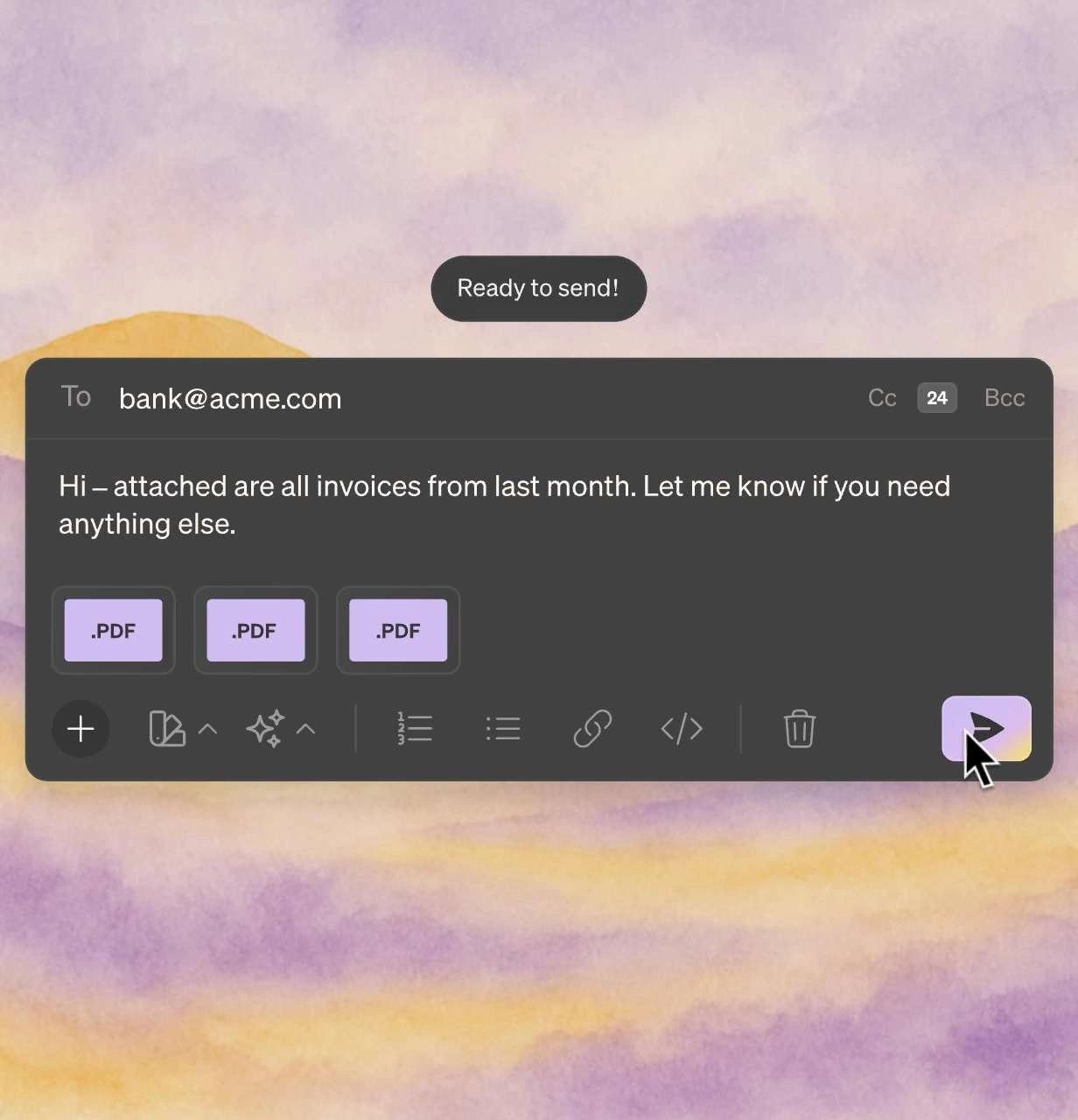
AI email drafts in Jace

Smart Rules

Your personal email assistant.

You're managing business emails... but you constantly need to CC people, use templates, or create calendar events.
Now you can set custom rules that automatically handle CCs, apply templates, and trigger actions based on who you're emailing.

Always CC my manager when we close finalize contracts.
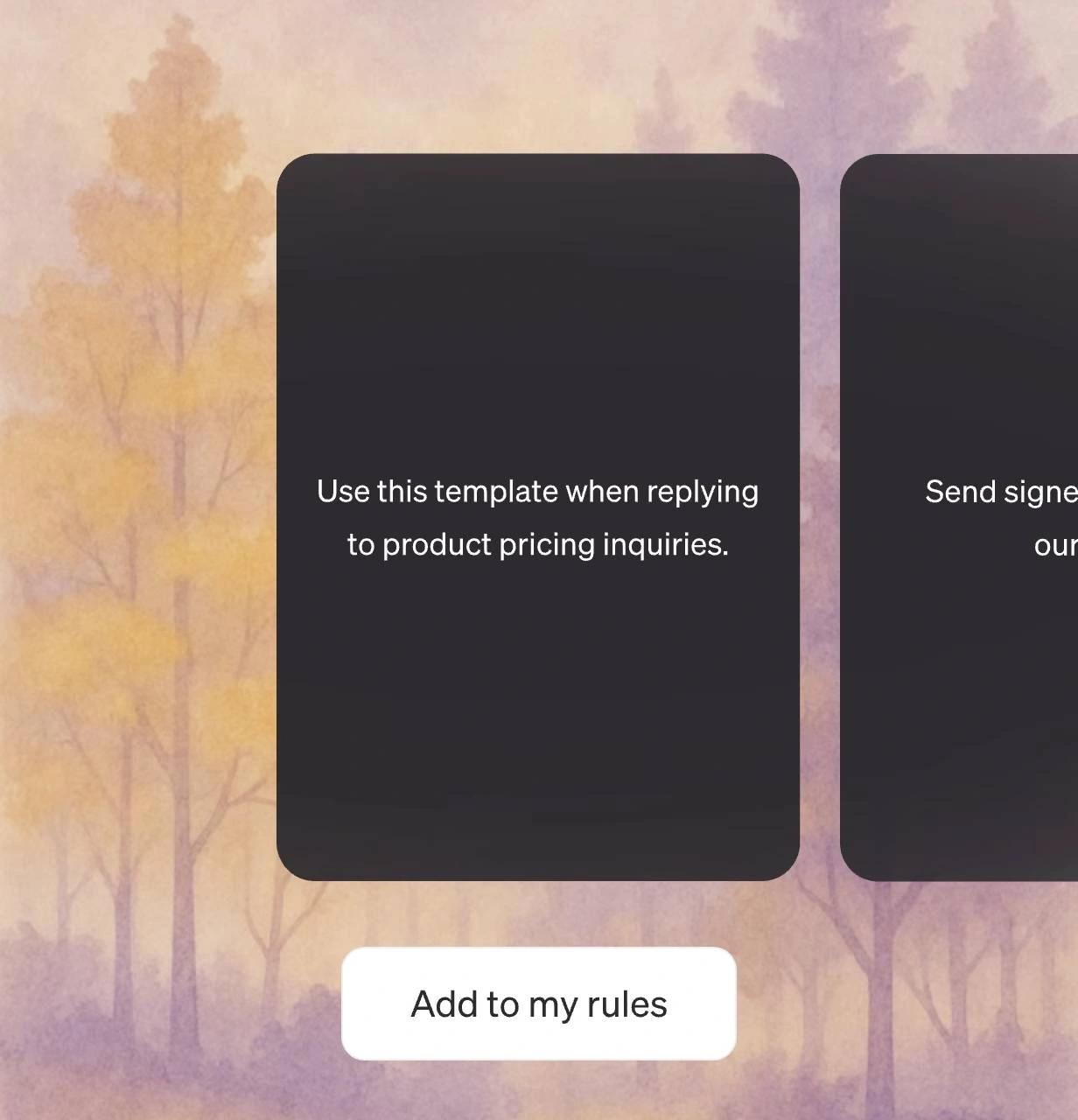
Smart rules in Jace

Business Integrations

Email in. Task done.

You receive customer requests and feedback... but you have to manually create tickets, send Slack updates, and notify your team.
Now actions happen automatically when emails arrive - tickets created, Slack notifications sent, documents saved.

Complete work across all your tools without leaving email.

Business integrations in Jace

AI Labels

See what matters instantly.

You get 100+ emails daily... but scanning subject lines to find urgent messages wastes valuable time.
Now AI automatically labels emails by type and priority - "urgent client," "partnership," "internal updates."

Focus on what's important without reading every subject line.
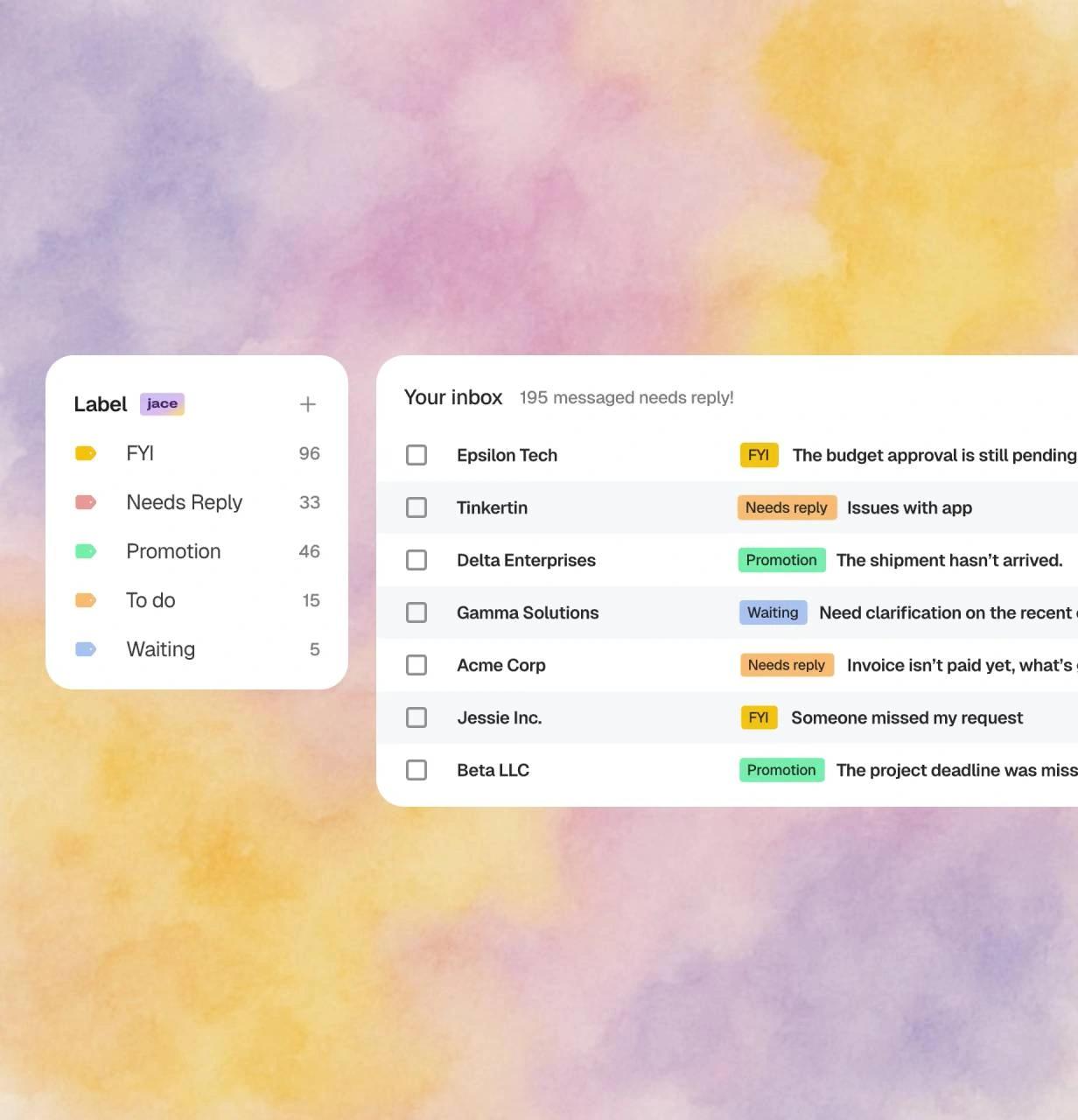
AI labels in Jace

AI Chief of Staff

Ask anything. Get it done.

You need business information or want to complete tasks... but searching through emails, docs, and tools takes forever.
Now ask your AI assistant anything about your business and get instant answers plus actions completed.

Chat with Jace to fetch data, create docs, and automate tasks.
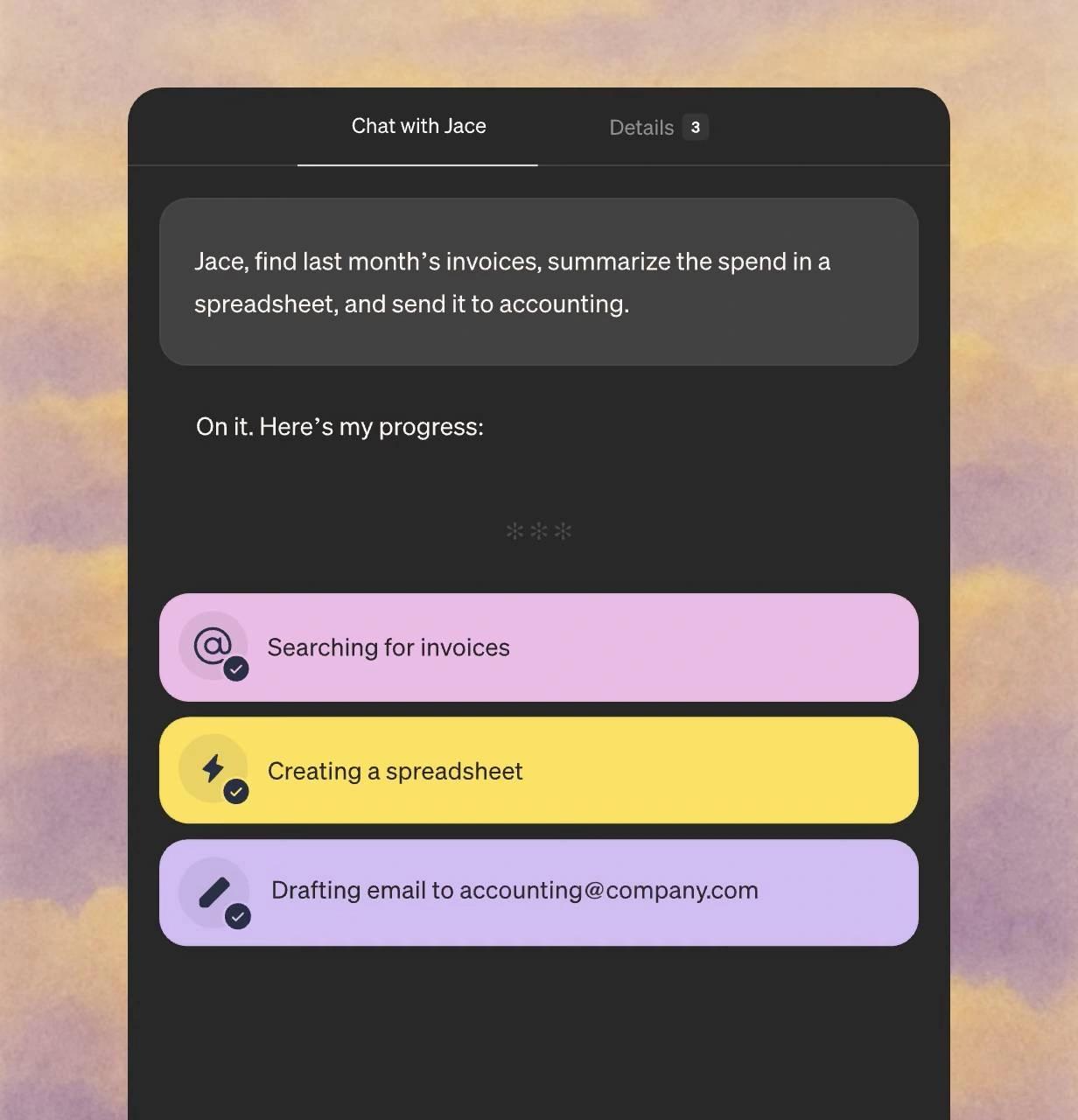
Chatting with Jace about your inbox

See Jace in action

Watch how Jace handles an email in the example below.

Jace has been a game-changer for our business operations. The platform is intuitive and has become an essential tool for our daily operations. I highly recommend it to any business leader looking to enhance their productivity.

Stacey Helbig

Jace has entirely reshaped the way I approach email. It saves me over an hour a day - and the feature list keeps growing. Additionally, I use Superwhisper to chat with the email agent, so I rarely have to touch my keyboard.

Josh Graham
Founder at instantvoiceover.ai

I'm impressed by how good the generated replies are. It's just like myself. And I hardly ever need to edit them. I'm saving hours a week on email.

Darius Foroux
Author of "Do It Today"

I love how Jace adapts to my unique tone, allowing for a truly personalized experience. The custom instructions feature is powerful, letting me fine-tune how Jace responds.

Carsten Falborg
Head of Product at Available.dk

Start free, then scale with monthly credits

Most popular
Pro Plan

$50 $40

for 20,000 credits monthly, billed yearly
For teams and power users

20,000 credits monthly included

Higher credit tiers available up to 2,400,000 credits monthly (pricing varies)

Connect up to 8 inboxes with unlimited calendars

Chat with 3 years of email history

Custom integrations and MCPs

Your 7-day free trial included – cancel anytime
Plus Plan

$25 $20

10,000 credits monthly, billed yearly
Perfect for busy professionals

Connect up to 2 inboxes with unlimited calendars

Chat with 1 year of email history

Drafts ready when you open your inbox

Auto-label and organize every email effortlessly

Your 7-day free trial included – cancel anytime
Enterprise Plan

Get in touch

Most powerful model for your business

Reach out to discuss advanced features for bigger teams

White-glove setup

Usage-based pricing

Dedicated Account Manager

Replace 4 tools with one intelligent assistant

Stop paying for multiple subscriptions. Jace consolidates your email workflow into one powerful platform.

Without Jace - Multiple tools
In total
$93/month
vs
With Jace - Single solution
In total
$25/month

Bank-level security for your peace of mind

SOC 2 controls

We follow SOC 2 and CASA Tier 3 controls for handling sensitive data.

Encryption

Your emails are encrypted in transit and at rest

Enterprise-Grade Infrastructure

Built on secure cloud infrastructure

Privacy First

We never train AI models on your data. Your information stays yours.

Secure. Private. Encrypted.

With CASA Tier 3 compliance and industry-leading encryption, your emails stay private, secure, and protected, always.

Questions firms ask about Jace

Still have a question in mind? Contact us

Open Settings, then Team, and click Invite members. Type one or more email addresses and confirm. Each invite adds a paid seat, the person gets an email with a link to join, and they show as active once they accept. Unaccepted invites expire after 7 days, and you can revoke a pending invite at any time.

Every active teammate uses one seat. If you only want to connect a second inbox of your own, you can add it under your own login without a new seat, within your plan's inbox limit.

One person pays for all team members on the plan. Seats added or removed in the middle of a billing cycle are prorated, and invoices and the payment method are managed from Manage plan in Team settings.

Not by default. Jace saves replies as drafts for the person to review, edit and send. Automatic sending is an opt-in setting for a specific label or workflow.

No. Jace works on each person's own mailbox. If several people need to work one shared inbox with assignments and an audit trail, a shared-inbox tool fits that better.

Plus is $25 per user per month, or $20 a month billed yearly, with 10,000 credits a month and up to 2 inboxes. Pro is $50 per user per month, or $40 a month billed yearly, with 20,000 credits a month and up to 8 inboxes. Both start with a 7-day free trial. Each teammate is one seat. Larger teams can talk to sales about the Enterprise plan.