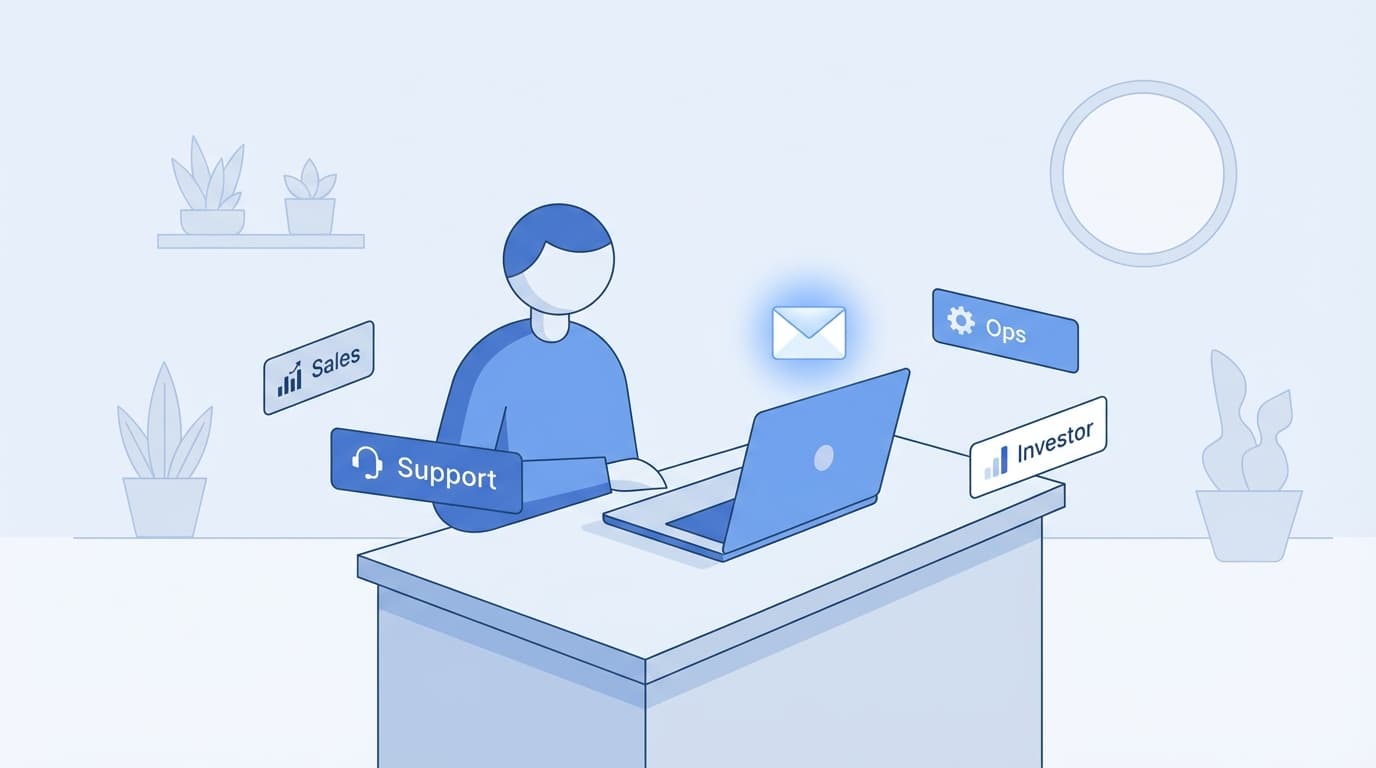
Running a company alone means your inbox is never just an inbox. It is your sales pipeline. Your support queue. Your ops center. Your investor relations desk. And somehow, it is also the place where random cold outreach and password resets live side by side.
Solo founder email management is not about inbox zero. It is about building a system that lets one person handle everything without losing track of what matters.
This article shows you how to build that system. The goal: AI handles the first pass. You stay in control of every send. Nothing goes out without your approval. And you can review everything that needs attention in about 15 minutes a day.
Why Solo Founders Struggle More Than Teams
Founders with assistants or ops teams have a buffer. Someone else triages. Someone else drafts. Someone else follows up.
Solo founders have none of that.
The problem is not just volume. The real killer is context switching. One minute you are replying to a potential customer. The next, you are troubleshooting a user issue. Then you are drafting a polished update for an investor. Then you are confirming delivery logistics with a vendor.
Each of these requires a different tone, a different pace, and a different level of care. And they all land in the same inbox.
Without a system, you either live in your inbox all day, or you let threads slip. Neither works.
The "Team of One" Framework
Here is the core idea: your inbox should function like a team of one. You are still the final decision-maker. But AI acts as your first filter.
Think of it this way:
- AI sorts, drafts, flags urgency, and prepares follow-ups.
- You review, edit, approve, and send.
The split is clear. AI does the legwork. You stay in control.
This is not autopilot. Nothing goes out without you seeing it first. Every send remains review-first and founder-approved.

Setting Up Labels by Role
Most people label emails by topic. Receipts. Newsletters. Travel.
For solo founders, labels should reflect the role you are playing when you reply.
Here are the core labels:
[Inbox]
- Sales
- Support
- Ops
- Investor
- Needs Reply
- Waiting
AI first pass Founder final approval
Each label represents a hat you wear. Sales is customer acquisition. Support is customer success. Ops is internal logistics. Investor is external stakeholders.
Two special labels do extra work:
- Needs Reply is your action queue. Every thread that requires your input lands here.
- Waiting tracks threads where you sent the last message and are awaiting a response.
With this setup, you never have to scan your whole inbox wondering what needs attention. You just open Needs Reply.
Defining Drafting Rules for Each Role
Here is where the leverage kicks in.
Each role should have different drafting behavior. The way you write to a sales lead is not how you write to an investor. And neither is how you respond to a support ticket.
With Jace, you can set context-specific drafting rules for each label.
Examples:
- Sales: Push toward momentum and next steps. Keep the energy forward. End with a clear action.
- Support: Be clear and reassuring. Confirm the issue. Offer a resolution path. Sound human.
- Ops: Reduce ambiguity. Confirm responsibilities. Keep it tight.
- Investor: Polished, concise, high-signal. No fluff. No filler.
When an email lands in your inbox and gets tagged with a role, Jace drafts a reply using the right tone and structure for that role. You review, tweak if needed, and send.
This is not about removing judgment. It is about removing the blank-page problem. You always start with something close to what you would write anyway.
Using "Needs Reply" as Your Command Center
Most founders treat their inbox as a to-do list. That works until it does not.
A better approach: separate what needs action from what is just information.
The Needs Reply label is your command center. It answers one question: what threads require my input right now?
Jace helps by surfacing threads that need a reply and moving them into this label. You do not have to hunt. You open Needs Reply, and the work is waiting.
This is the difference between reactive email and proactive email. You are not scanning. You are executing.
Using "Waiting" to Manage Follow-Ups
You send a proposal. No response. Three days pass. You forget to follow up. The deal dies.
This happens constantly.
The Waiting label fixes it. When you send a message and are waiting on a reply, the thread moves to Waiting. If there is no response after three days, Jace prepares a follow-up draft automatically.
You do not have to track it. You do not have to remember. The system does.
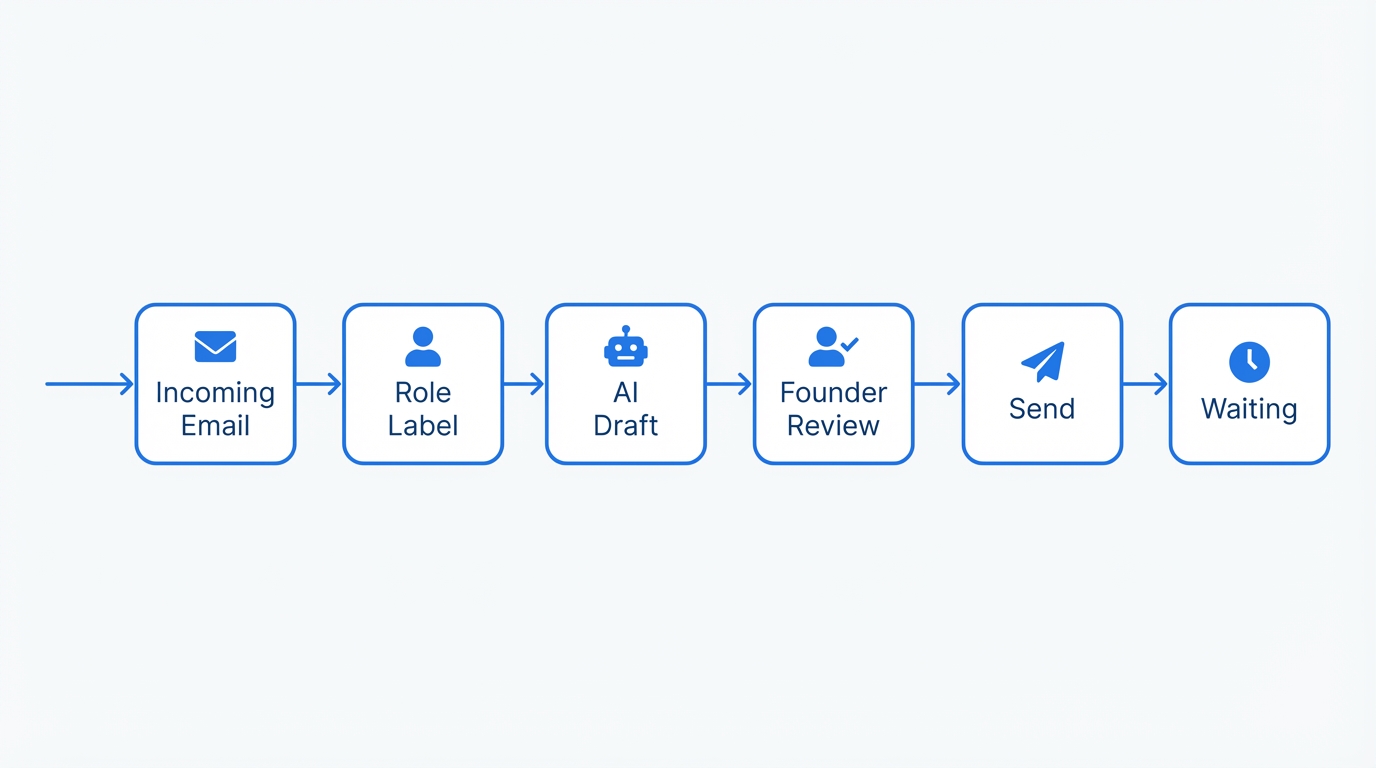
Incoming email -> role label -> AI draft by context -> Needs Reply -> founder review -> send -> Waiting -> follow-up after 3 days
This is one of the highest-leverage behaviors in solo founder email management. Follow-ups close deals. Follow-ups get answers. And most people just forget to send them.
Why 3-Day Automatic Follow-Up Drafts Matter
Why three days?
Too soon feels pushy. Too late loses momentum. Three days is the sweet spot for most professional contexts.
When Jace drafts a follow-up, it is not sending it for you. It is preparing it. You still review. You still approve. But the draft is there, ready when you need it.
This keeps your pipeline warm without requiring you to manually track every thread.
Batch-Review Everything in 15 Minutes
Here is how this all comes together.
Instead of living in your inbox, you batch-review. Once or twice a day, you open Needs Reply and work through the queue.
Each thread has a draft waiting. You read the context, review the draft, tweak if needed, and send. Then move to the next.
Most founders can clear 10 to 20 threads in about 15 minutes using this method.
The key is that you are not starting from scratch. You are not context-switching between roles without support. Every thread is pre-sorted, pre-drafted, and ready for your final call.
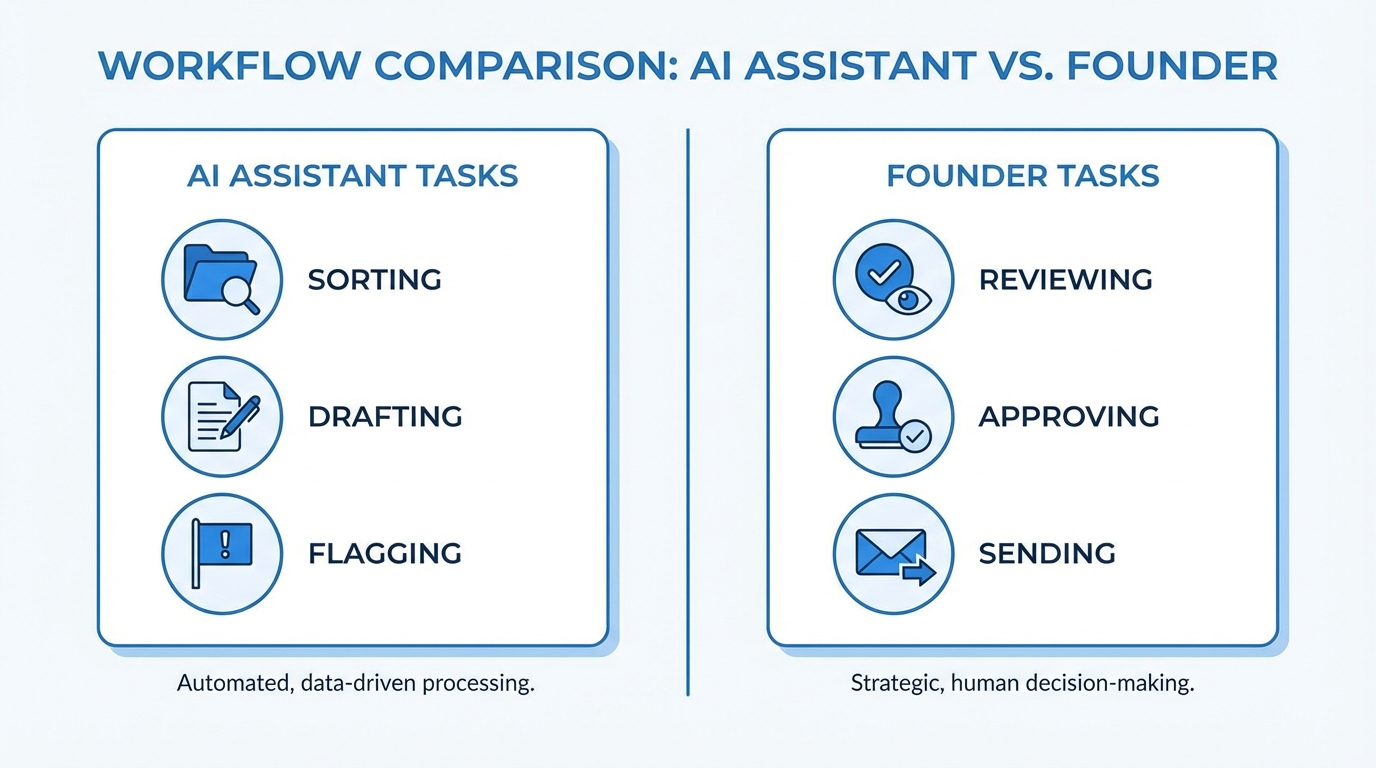
What AI does:
- sorts
- drafts
- flags urgency
- prepares follow-ups
What founder does:
- reviews
- edits
- approves
- sends
Why Review-First Beats Full Autopilot
Some AI tools promise full automation. Set it and forget it. Let the machine handle everything.
For founders, this is a trap.
Your email is your reputation. A bad reply to an investor can damage a relationship. A careless response to a customer can cost you the account. And an aggressive follow-up you did not sanction can feel spammy.
Review-first means you stay in the loop. AI gives you leverage. You keep control.
Jace is built this way on purpose. It drafts. It suggests. It automates the prep work. But you are always the final approver. Every send is your call.
This is not slower. It is smarter. You move faster because the work is pre-done, but nothing slips through that you would not want to send.
A Practical Step-by-Step Starter System
Here is how to set this up:
- Create your role labels. Start with Sales, Support, Ops, and Investor. Add more as needed.
- Create your action labels. Add Needs Reply and Waiting.
- Set up label rules. Tell Jace how to draft for each role. Sales should be forward-moving. Support should be clear and empathetic. Ops should be precise. Investor should be polished.
- Configure the Waiting follow-up. Set Jace to draft a follow-up after three days of no response.
- Build your batch-review habit. Pick two times a day. Open Needs Reply. Review drafts. Send. Done.
- Trust the system. The first week will feel unfamiliar. By week two, you will wonder how you ever worked without it.
The Founder's First Filter
Solo founders do not need an AI that takes over. They need one that takes the first pass.
Jace acts as your first filter. It sorts. It drafts. It flags. It prepares follow-ups. And it hands everything back to you for final review.
You stay in control. You move faster. And your inbox finally works like a team of one.
Solo founder email management is not about doing less. It is about doing the right things, in less time, with more leverage. Jace gives you that leverage without asking you to give up judgment.
One inbox. One founder. Every thread handled.
