The Cost of Speed: Where Fast Email Tools Create Expensive Mistakes
You are two seconds away from confirming the wrong contract amount. Your email client auto-suggests a reply. Your AI drafting tool generates a polished response in under three seconds. You scan it, think it looks fine, and hit send. Three weeks later, the vendor invoices you for $50,000 instead of $15,000, and your email is the receipt they are using as proof.
This is not a failure of attention. This is a failure of architecture. Speed-first email tools optimize for inbox clearing velocity. They do not optimize for decision accuracy. The difference costs you money, trust, timelines, and operational control.
TL;DR
- Fast email tools optimize for reply speed, not decision correctness. In threads involving money, dates, people, or commitments, the unit of work is a decision, not a reply.
- The five expensive email mistakes: wrong recipients, incorrect amounts or dates, missing attachments, broken follow-up loops, and mis-scheduled meetings.
- Speed creates friction reduction. But friction is where you verify amounts, check recipients, confirm dates, and review commitments before they become binding.
- A review-first inbox workflow gives you a decision boundary: drafts surface context, you approve or edit, nothing sends without your explicit confirmation.
- A 10-minute daily routine built around email triage, draft review, and follow-up tracking prevents mistakes before they leave your outbox.
The Hidden Cost Of Speed In Email
Email mistakes do not announce themselves. They reveal themselves later, when rework is expensive and trust is already damaged.
A missed follow-up means a candidate accepts another offer before you close them. An incorrect calendar invite means your VP flies to the wrong city for a board meeting. A wrong attachment means your prospect sees last quarter's pricing deck instead of the current one. A recipient error means your internal financial forecast goes to a vendor instead of your CFO.
The direct cost is measurable: wasted flights, lost hires, broken deals, contract disputes. The indirect cost is harder to quantify: damaged relationships, timeline delays, decision fatigue from fire-drill fixes, and the reputational hit that comes from looking careless.
Speed-first email tools treat every message the same. A reply to a friend about lunch gets the same interaction model as a reply to a vendor about a six-figure contract. One-click responses work for the former. They create liability in the latter.
The problem is structural: inbox overload creates pressure to clear volume. Speed tools reduce friction. But friction is where safety lives. Friction is the moment you double-check the recipient list. Friction is the pause where you verify the dollar amount. Friction is the review step that catches the wrong attachment before it leaves your outbox.
When you remove friction entirely, you remove the decision boundary. And that is where email mistakes cost you real money.
The Five Expensive Email Mistakes Fast Tools Encourage
1. Wrong Recipients: The Email That Should Not Have Left Your Organization
You reply to a thread with twelve people. Your email client suggests "Reply All" by default. You confirm a budget figure that was meant for internal stakeholders. One of the twelve is a vendor. They now have visibility into your internal cost structure, and your next negotiation is compromised before it starts.
Recipient errors are not typos. They are context collapse. Fast tools optimize for reply velocity, not recipient verification. You see names, not organizational boundaries. Email triage happens in milliseconds, and that is not enough time to model who should and should not see each piece of information.
2. Incorrect Amounts Or Dates: The Commitment You Did Not Mean To Make
A vendor thread spans two weeks. The proposed rate is $15,000 per quarter. You type "Confirmed" and hit send. Three days later, they invoice you for $150,000 annually. You re-read the thread. The number was buried in email seven of fourteen. You scanned it. You did not verify it.
Email productivity tools optimize for fast replies. They do not surface decision-critical details from earlier in the thread. You are writing in the moment, but the commitment you are making was negotiated three emails ago. Context switching between inbox triage and email thread context is cognitively expensive. Speed-first workflows skip that step. The cost shows up later, when the vendor has already allocated resources based on your confirmation.
3. Missing Attachments: The Proposal That Went Out Incomplete
You send a follow-up to a prospect. The email references "the updated deck." You do not attach it. The prospect does not follow up to ask. They assume you are disorganized, and they ghost you. You lose the deal, and you do not know why until a mutual contact mentions it six weeks later.
Missing attachments are not about forgetting. They are about workflow fragmentation. You draft the email in one tool, find the file in another, and assume you completed the attachment step because you remember opening the file. Fast email tools do not create decision accountability for attachments. They let you send before you have verified all the pieces are in place.
4. Broken Follow-Up Loops: The Candidate Who Accepted Another Offer
You send an offer to a candidate. You expect a reply within 48 hours. Five days pass. You do not follow up because you are managing inbox overload and you lost the thread in the noise. The candidate assumes you moved on. They accept another offer. You re-open the search two weeks later and realize the follow-up email never happened.
Missed follow-ups are not about intent. They are about email workflow systems that do not track accountability loops. Speed-first tools help you reply fast. They do not help you remember what you are waiting for or when you need to re-engage. Email automation for follow-up reminders exists, but it is usually bolted onto the inbox as an afterthought, not integrated into the decision-making layer.
5. Mis-Scheduled Meetings: The Meeting That Happened At The Wrong Time
You schedule a vendor call via email. You propose Wednesday at 2pm. They confirm. You add it to your calendar. You show up. They do not. You re-read the thread. They confirmed Wednesday at 2pm their time. You are in New York. They are in London. The meeting was seven hours ago.
Calendar scheduling via email is manual decision-making pretending to be automation. You read their availability, check your calendar, propose a time, and translate it into an invite. Speed-first workflows let you send the proposal without creating the calendar draft first. That is where timezone errors, double-bookings, and date misreads happen. Review-first workflows create the calendar event as a draft before the email goes out. You see the conflict before you commit.
A Simple Control Framework You Can Use Today
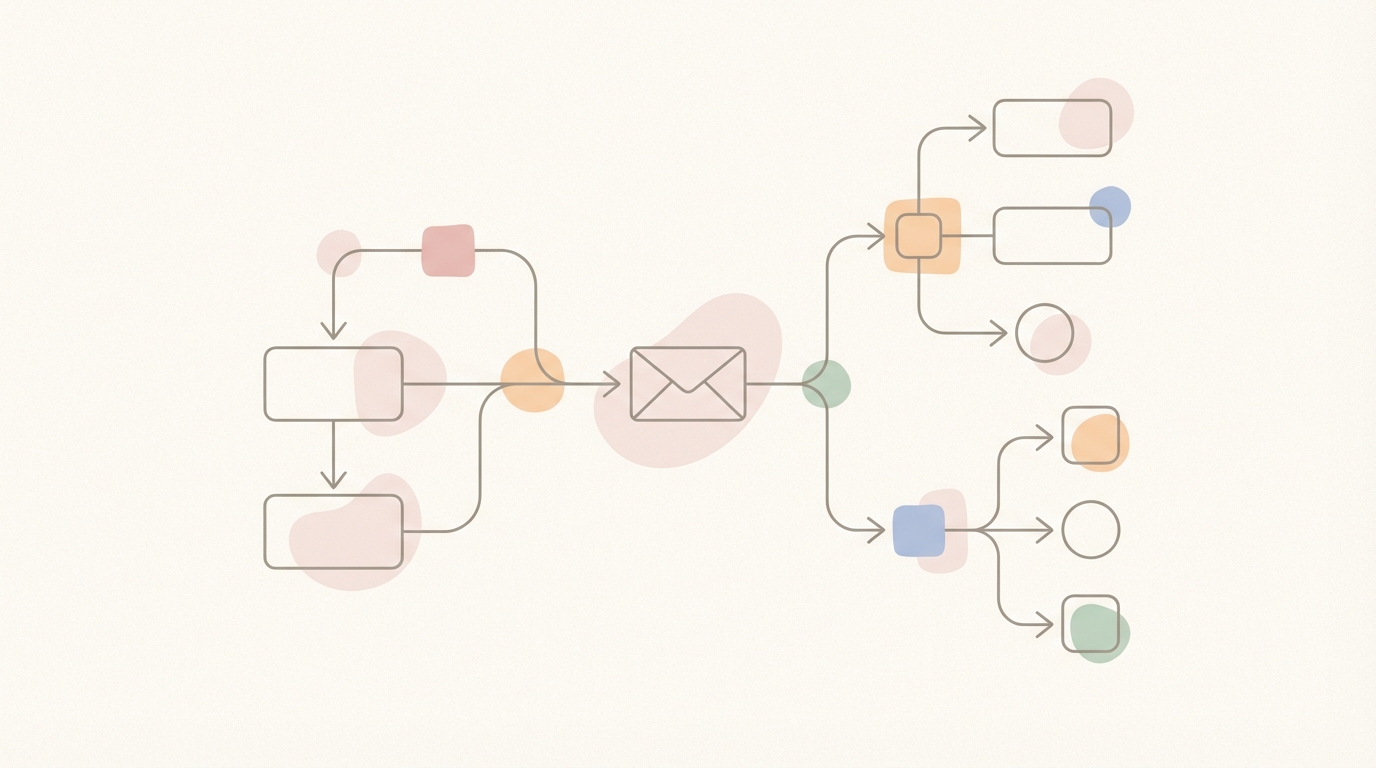
You do not need new software to reduce email mistakes. You need a decision-ready workflow. Here is the framework:
The Four-Gate Email Control System
✅ Gate 1: Triage – Separate signal from noise. Label threads by type: action required, waiting for reply, FYI only. Do not reply during triage. You are sorting, not deciding.
✅ Gate 2: Context – For threads that require action, read the full thread. Identify decision-critical details: amounts, dates, recipients, commitments, attachments. Write them down or highlight them before drafting.
✅ Gate 3: Draft – Write the reply or create the calendar invite as a draft. Do not send yet. Let it sit for 60 seconds. Re-read the draft against the context you pulled in Gate 2.
✅ Gate 4: Review – Check recipients, verify amounts, confirm attachments, validate calendar invites. Ask: if this email is wrong, what is the cost? If the cost is high, add a second review step or ask someone else to scan it.
This framework is manual, and that is the point. Speed-first tools collapse all four gates into one action: send. Control-first workflows separate them. The cost is 60 seconds per high-stakes email. The ROI is avoiding the mistakes that cost hours or days to fix.
How A Review-First Inbox Changes The Game
A review-first inbox does not slow you down. It moves the speed to the right place.
You still get fast drafts. The difference is that drafts do not send automatically. They surface in a review queue. You see the reply, you see the context, and you approve or edit before it leaves your outbox. The decision boundary is explicit.
Here is how it works in practice with Jace:
- You label threads during email triage. Threads labeled "Needs Reply" trigger automatic draft creation.
- Jace reads the full thread, pulls context from the last three years of email history, and generates a draft that matches your writing style.
- The draft appears in your inbox for review. You edit if needed, approve if it is correct. Nothing sends without your confirmation.
- For threads labeled "Waiting," Jace drafts a follow-up reminder after three days if the other party has not replied. You approve or dismiss the follow-up before it sends.
- Calendar scheduling works the same way: you propose a time via email, Jace drafts the calendar invite, you review for timezone and conflict issues, then approve.
Auto-send exists, but it is opt-in per label. By default, the system is review-first. You control what leaves your inbox, and you see the context before you commit.
The workflow is faster than manual email because drafting is automated. It is safer than speed-first tools because approval is required. You get email productivity without sacrificing inbox management control.
A 10-Minute Daily Routine For Safer Email Decisions
You do not need to review every email. You need to review the emails where mistakes are expensive. Here is the daily routine:
Step 1: Triage in batch (3 minutes) Open your inbox. Scan for threads that require action. Label them: "Needs Reply" for action threads, "Waiting" for threads where you are expecting a reply, "FYI" for informational threads. Do not reply yet. You are sorting, not deciding.
Step 2: Review drafts (5 minutes) Open the drafts that were generated automatically for threads labeled "Needs Reply." Read each draft. Check: recipient list, amounts, dates, attachments, commitments. Edit if needed. Approve or delete.
Step 3: Follow-up sweep (2 minutes) Check threads labeled "Waiting." If three days have passed and no reply, review the follow-up draft. Approve if the follow-up is still relevant. Dismiss if the thread is no longer a priority.
Step 4: Calendar reconciliation (optional, 2 minutes) If you scheduled meetings via email, verify that the calendar invites match the email commitments. Check for timezone errors, date conflicts, and missing attendees.
This routine takes ten minutes. You process 20-30 emails. You prevent the five expensive mistakes before they leave your outbox. The ROI is immediate.
Common Mistakes When You Try To Move Faster
Even with a review-first workflow, you can create problems if you skip steps. Here are the patterns that break:
Mistake 1: Replying during triage You open your inbox, see a thread, and reply immediately. You skip context review. You miss the detail that changes your answer. Fix: separate triage from drafting. Label first, reply later.
Mistake 2: Approving drafts without reading the thread You see a draft, scan it, approve it. You did not re-read the thread. The draft references a detail from email five that is now outdated. Fix: read the thread before approving the draft, especially for threads longer than three emails.
Mistake 3: Treating all emails the same You apply the same review rigor to a lunch confirmation as you do to a contract negotiation. You burn cognitive budget on low-stakes decisions. Fix: use labels to separate high-stakes threads from low-stakes threads. Review high-stakes threads carefully. Approve low-stakes drafts quickly.
Mistake 4: Skipping follow-up tracking You send an email and assume the other party will reply. They do not. You forget to follow up. The thread dies. Fix: label threads where you are waiting for a reply. Set a follow-up trigger. Review follow-up drafts daily.
Mistake 5: Letting inbox overload drive decisions You have 200 unread emails. You feel pressure to clear volume. You start approving drafts without review. You reintroduce the mistakes you were trying to avoid. Fix: process inbox in batches. If volume is unmanageable, archive old threads and focus on the last 48 hours.
FAQs About Fast Email Tools And Email Mistakes
Q: Are fast email tools always bad? No. For low-stakes email (scheduling lunch, confirming receipt, thanking someone), speed-first tools are fine. The problem is when you use the same interaction model for high-stakes threads involving money, dates, people, or commitments. The cognitive cost of a mistake is not worth the 30 seconds you save.
Q: What counts as a high-stakes email? Any email where an error creates rework, cost, or trust damage. Examples: contract negotiations, vendor commitments, candidate offers, pricing proposals, internal financial discussions, calendar scheduling with executives, follow-ups on time-sensitive opportunities.
Q: Can I use email automation and still maintain control? Yes. The key is human-in-the-loop design. Automation should draft, not send. You review, you approve, you control what leaves your outbox. Email assistant tools like Jace use this model by default.
Q: How do I know if I am moving too fast? If you are re-reading sent emails and finding mistakes you wish you had caught, you are moving too fast. If you are sending follow-up emails to correct amounts, dates, or recipients, you are moving too fast. If people are confused by your emails, you are moving too fast.
Q: What if I do not have time to review every draft? You do not need to review every draft. You need to review drafts for high-stakes threads. Use labels to separate high-stakes from low-stakes. Review high-stakes carefully. Approve low-stakes quickly. The 80/20 rule applies: 20% of your emails create 80% of your operational risk.
Q: Does review-first mean I reply slower? No. Drafting is automated. Review takes 15-30 seconds per email. You reply faster than manual composition and safer than speed-first tools. The median reply time is the same. The error rate is lower.
Control Beats Velocity

Speed is a feature. Control is an operating system.
Fast email tools help you clear your inbox. Control-first workflows help you make correct decisions. The difference is not about typing speed. It is about the decision boundary between drafting and sending.
Mistakes are not inevitable. They are the predictable outcome of optimizing for the wrong variable. When you optimize for reply velocity, you remove the review step that catches wrong recipients, incorrect amounts, missing attachments, broken follow-ups, and mis-scheduled meetings. When you optimize for decision accuracy, you keep the review boundary and automate everything else.
The framework is simple: triage, context, draft, review. The ROI is immediate: fewer mistakes, less rework, stronger trust, better operational control.
If you are tired of fixing email mistakes after they have already cost you time and credibility, try Jace at https://app.jace.ai/signup.
