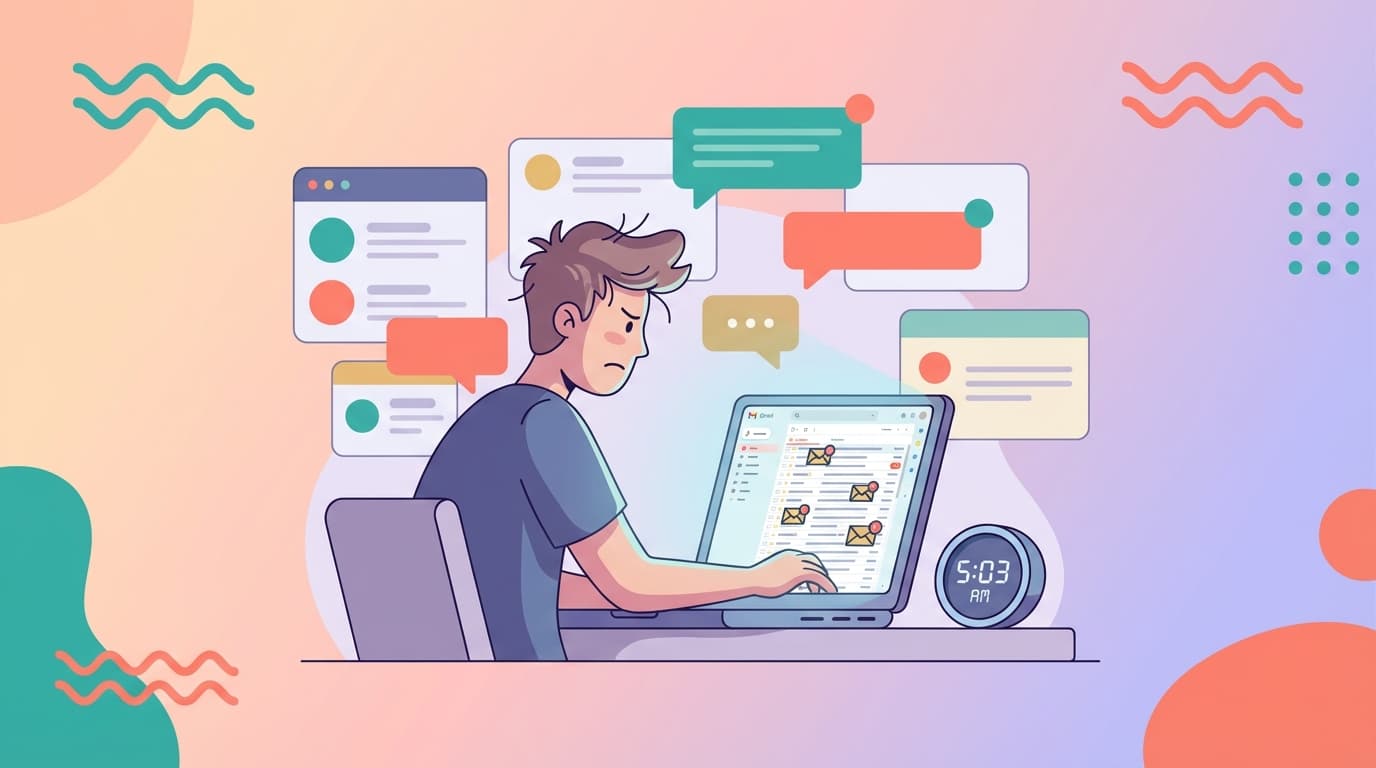
You open your inbox at 7:15 AM. Forty-seven unread emails. Three threads need immediate decisions. Six need follow-ups you forgot yesterday. One might be important, but you're not sure yet.
You have a product meeting in 45 minutes. Your first sales call is at 9. By 9:30, you've read 12 emails and sent two replies, neither of them good.
This isn't a workflow problem. It's a decision-preparation problem.
Most founders triage by reading. They scroll, scan, open threads, skim context, then decide what to do. The bottleneck isn't the email client. It's the cognitive load of rebuilding context and drafting from scratch while the clock runs.
Morning triage should answer one question: what needs a decision today? Not what needs reading. Not what's urgent by subject line. What actually requires you to commit, approve, or send something that changes the thread.
That's where decision-ready drafts change the game. Instead of reading to figure out what to write, you review what's already written and decide: approve, edit, or skip. The time savings aren't marginal. The clarity is structural.
This post walks through a 15-minute morning routine built around reviewing drafts prepared by an inbox agent, not reading threads cold. It's designed for founders managing sales, support, hiring, and vendor conversations without an assistant. No theory. Just a timer-based flow, filters for what matters, and guardrails to catch mistakes before you send.
 Most founders start the day reacting to volume, not making decisions.
The 15-Minute Triage Goal
By the end of 15 minutes, you should know:
- Which threads need decisions today (and have drafts ready to approve or edit)
- Which threads are waiting on someone else (and whether a follow-up draft is ready)
- What's on your calendar that might conflict with email commitments
- Which one action protects the rest of your day from reactive email work
You're not trying to reach inbox zero. You're not trying to read everything. You're trying to batch decisions, not reading.
The output isn't "I've read my email." It's "I've decided what I'm sending, what I'm waiting on, and what I'm ignoring until later."
That's triage.
The Morning Reality
Founders don't have the luxury of ignoring email. You're the closer on sales threads. You're the escalation point for customer issues. You're signing off on vendor invoices and approving hiring decisions.
But you also can't afford to spend 90 minutes crafting replies, rereading threads to remember context, and hunting down attachments to verify details.
The mistake most guides make is assuming you need to read faster or process more threads per minute. That's optimizing the wrong variable.
The real cost is decision-switching. Opening a thread. Reading it. Figuring out what to say. Drafting. Checking your calendar. Rewording. Sending. Then doing it again for the next thread.
By the time you're done, you've spent an hour and you're mentally exhausted before your first real meeting.
What if the drafts were already written? What if follow-ups were already prepped three days after you sent the original email? What if triage was just: read the situation summary, review the draft, approve or edit, move on?
That's what this routine assumes. Jace works on top of Gmail or Outlook and prepares drafts for threads labeled "Needs Reply" or when follow-ups are overdue. Default is review-first: you approve before anything sends. But the prep work is done before you sit down.
Your job in the morning isn't to write. It's to decide.
The 15-Minute Routine (Timer-Based)
Set a timer. Stick to it. The routine works because it forces prioritization and prevents you from spiraling into one thread for 20 minutes.
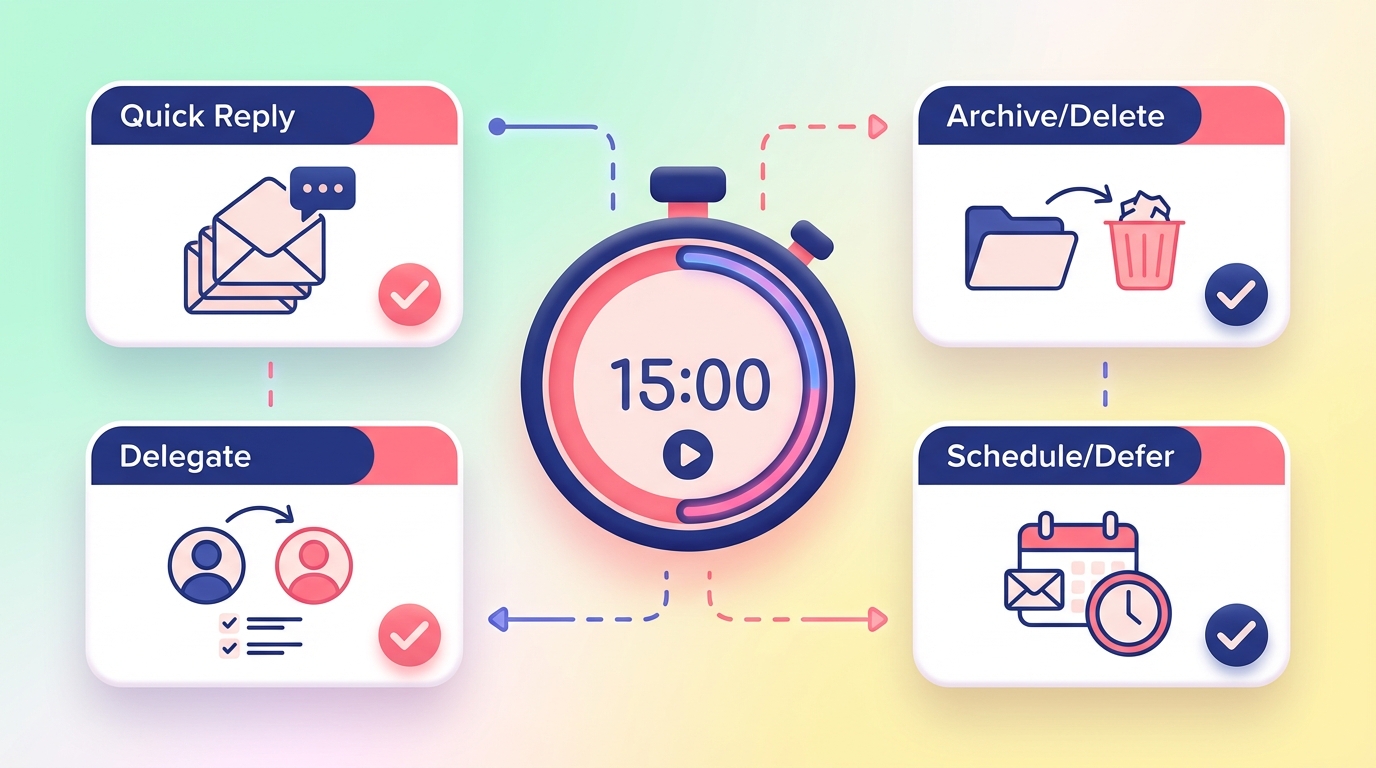 A timer-based routine prevents decision paralysis and inbox spirals.
Minute 0–3: Situation Scan
Open your inbox. Don't read threads yet.
Look for:
- Red flags: customer escalations, angry tone, payment issues, broken commitments
- Calendar conflicts: anything time-sensitive that might require rescheduling
- High-stakes threads: contracts, hiring decisions, partnership negotiations
Your goal here is not to respond. It's to understand what type of morning this is. Is it a normal triage day, or do you have a fire to put out first?
If you see a fire, handle it now (outside the 15 minutes). If not, continue.
Scan for threads with drafts ready. These are the ones labeled "Needs Reply" or threads where Jace has prepared a follow-up draft after three days of no response.
Count them. If you have 12 drafts, you're reviewing roughly one per minute. If you have 4, you'll have time to manually draft one or two additional replies.
Write down (or mentally note):
- Number of decision-ready drafts
- Number of threads waiting on others
- One high-stakes thread that needs extra scrutiny
Minute 3–7: Decision-Ready Draft Review
Open the first draft. Read the situation, not the original thread.
Jace reads the full thread (including quoted replies and up to three years of email history) and prepares a draft based on context. Your job is to verify the draft makes sense given what you know.
Use this decision filter:
Status / Risk / Next step / Question
- Status: What's the situation? (Example: "Customer reported bug on Friday, no update yet.")
- Risk: What happens if this draft is wrong? (Example: "Low – it's a status update, not a commitment.")
- Next step: What does this draft commit you to? (Example: "Promises update by EOD Tuesday.")
- Question: Is there anything you need to verify before sending? (Example: "Check with engineering – can we deliver by Tuesday?")
If the draft is solid, approve it. If it needs a small edit (tone, one detail, timing), edit inline and approve. If it's off, skip it and handle manually later.
Do not rewrite the whole thing during triage. That defeats the purpose.
Move to the next draft. Repeat.
Reviewing drafts is faster than reading threads because the decision is pre-framed. You're not figuring out what to say. You're verifying what's already been said.
Aim to clear 4–6 drafts in these four minutes. That's roughly 40–60 seconds per draft.
Minute 7–11: Open Loops and Follow-Ups (Waiting)
Now shift to threads you're waiting on.
These are threads where you sent something and labeled it "Waiting" (or similar). After three days with no reply, Jace drafts a follow-up for review. Default is three days; you can adjust behavior with rules, but that's the baseline.
Open the follow-up drafts. Ask:
- Is this still relevant, or did they reply elsewhere (Slack, call, in-person)?
- Is three days too soon, or should I wait longer?
- Does the follow-up tone match the relationship?
Approve, edit, or delete the follow-up.
If a thread is still waiting but no follow-up is needed yet, leave it. You'll see it again in a few days.
The goal here is follow-up discipline without manual tracking. You're not maintaining a spreadsheet of who owes you what. The system surfaces it when it's time.
Clear 3–5 follow-ups in these four minutes.
Minute 11–14: Calendar and Commitments Check
Open your calendar. Look at today and tomorrow.
Cross-check with email drafts you just approved:
- Did you commit to a meeting time that conflicts with an existing event?
- Did you promise a deliverable today that you forgot about?
- Did you approve a draft that references "next week" when you're traveling?
If Jace drafted a calendar event (meetings, calls, deadlines), review it now. Calendar drafts require approval before invites are sent, so you have a chance to catch conflicts.
Fix any collisions now. Better to catch it in triage than during the meeting.
Also check: did you approve an email that commits someone else (your co-founder, your engineer) without checking their availability? If yes, send a quick heads-up or revise the draft before final send.
This step takes 2–3 minutes but prevents expensive mistakes.
Minute 14–15: One Action to Protect the Day
You've cleared decision-ready drafts. You've handled follow-ups. Your calendar is clean.
Now pick one action that keeps email from derailing your morning:
- Snooze non-urgent threads until this afternoon
- Label one high-stakes thread for deeper review at lunch
- Set a rule for a recurring type of email (more on this below)
- Block 30 minutes at 4 PM for a manual reply that needs research
Write it down or set a reminder. Then close your inbox.
You're done. Fifteen minutes. Decisions made. No guilt about unread emails. No reactive spiral into low-priority threads.
The Decision Filters (Urgent vs Important, Without the Theory Dump)
Not everything that looks urgent actually is.
Here's a fast filter for triage:
Approve immediately:
- Routine replies with no commitments (status updates, acknowledgments, "got it" emails)
- Follow-ups to threads you control (your sales pipeline, your vendor relationships)
- Calendar confirmations with no conflicts
Edit before approving:
- Drafts that commit you to a specific date, time, or deliverable (verify feasibility first)
- Drafts that include dollar amounts, contract terms, or legal language (double-check numbers and wording)
- Drafts to C-level contacts, investors, or high-stakes relationships (tone matters)
Skip and handle later:
- Threads that need input from someone else before you can respond
- Complex negotiations that require strategy, not just a reply
- Angry or escalated customer emails that need a careful, non-reactive response
Delete the draft:
- Follow-ups to threads that resolved outside email (Slack, phone, in-person)
- Drafts that are technically correct but strategically wrong (timing, tone, recipient)
The goal isn't perfection. It's good-enough decisions in real time, with a safety net for the high-risk stuff.
What to Verify Before You Approve Anything (Risk Hotspots)
Some mistakes are expensive. Approving the wrong draft can cost you a deal, a relationship, or money.
Here's your pre-send checklist for high-stakes drafts:
 Verification before approval prevents costly mistakes in high-stakes threads.
Dates and times:
- Does the proposed meeting time conflict with your calendar?
- Did you account for time zones? (Jace uses your default timezone unless you specify otherwise.)
- Is "next Tuesday" actually next week, or is today already Tuesday?
Dollar amounts:
- Does the invoice total match the contract?
- Did you approve a discount you're not authorized to give?
- Is the payment term correct (net 30, net 60)?
Recipients and CC:
- Is the right person on "To"? (Not CC, not BCC – the actual decision-maker.)
- Did you accidentally CC someone who shouldn't see this thread? (Legal, a competitor, a former employee.)
- If you're BCC'ing someone, is there a reason, and is it appropriate?
Commitments:
- Did you promise a deliverable you can't deliver?
- Did you commit your co-founder or team to something without asking them first?
- Is the timeline realistic, or are you over-promising?
Attachments:
- Did you reference an attachment that isn't attached?
- Is the attached file the current version, or an old draft?
- Is the file named correctly, or does it say "Invoice_DRAFT_v3_FINAL_FINAL.pdf"?
If any of these trigger a red flag, edit the draft or skip it. Better to delay by an hour than send the wrong thing.
Jace supports text-based PDFs, Word docs, images, and text files, so it can read attachments and reference them in drafts. But it's your job to verify the file is correct.
Labels and Rules That Make the Routine Stick
The 15-minute routine works because the prep work happens automatically. You're not deciding what needs a reply. The system is.
Here's how to set it up:
Labels:
- Needs Reply: Apply this label to threads that require a response. Jace will auto-draft a reply for review. You can enable "Call Jace automatically" per label if you want drafts created without manually labeling each thread.
- Waiting: After you send an email, label it "Waiting" if you're expecting a reply. After three days (default) with no response, Jace drafts a follow-up for your review.
You're not managing these manually during triage. You apply them when you send or when a thread arrives that clearly needs a response.
Rules:
Rules are natural language instructions that shape how Jace drafts. They don't apply labels. They don't work retroactively. They just tell Jace how to behave when drafting.
Here are six copy-paste examples:
For sales threads: "When drafting replies to leads or prospects, keep the tone warm but not pushy. Always include a clear next step (meeting link, question, or deliverable). Don't over-explain features – focus on their specific use case."
For customer support: "When a customer reports a bug or issue, acknowledge it quickly and set expectations for follow-up timing. Don't make promises about fixes unless I've confirmed with the team. Keep replies short and empathetic."
For vendor and finance threads: "When replying to invoices or contracts, confirm receipt and flag any discrepancies. Don't approve payment terms that differ from our standard net-30. If the invoice has an error, request a corrected version before I approve."
For internal team emails: "When drafting replies to my co-founder or team, keep it casual and direct. No formality. If I'm committing to a deadline, double-check my calendar first. If something needs a meeting, propose a time instead of saying 'let's chat.'"
For follow-ups: "When drafting follow-ups to threads labeled 'Waiting,' keep the tone friendly but clear. Reference the original request. If it's been more than a week, add a line like 'Let me know if this is still a priority' to give them an out."
For calendar and scheduling: "When proposing meeting times, default to 30-minute slots between 10 AM and 4 PM my time. Avoid Mondays before 11 AM and Fridays after 3 PM. If someone suggests a time outside my working hours, propose an alternative instead of saying yes."
You set these once. They shape every draft moving forward.
Three Founder Scenarios
Here's what the 15-minute routine looks like in practice.
Scenario 1: Sales thread
A prospect replied to your demo follow-up. They're interested but want to know about pricing and implementation timelines.
Jace drafts a reply that references your pricing page, proposes a 30-minute call, and suggests two time slots based on your calendar availability.
You review the draft during triage. The tone is good. The time slots work. But you want to adjust the pricing language to emphasize annual plans over monthly.
You edit one sentence, approve, and send. Forty-five seconds.
Without the draft, you'd spend 5–8 minutes rereading the thread, checking your calendar, copying your meeting link, and rewording the pricing explanation.
Scenario 2: Vendor/finance thread
Your bookkeeper sent an invoice for last month's consulting work. The total looks slightly high.
Jace drafts a reply acknowledging receipt and asking for a breakdown of hours.
You review the draft. The tone is fine, but you remember the contract specifies a monthly retainer, not hourly billing.
You edit the draft to reference the contract and request a corrected invoice. You approve and send.
Later, you verify the contract terms to make sure you're right. The draft bought you time to respond without committing to payment.
Scenario 3: Customer escalation thread
A customer sent an angry email Friday afternoon. Your support lead replied with a temporary workaround, but the customer replied again Monday morning saying it didn't work.
Jace drafts an apology and asks for more details (screenshots, steps to reproduce, etc.). The tone is empathetic but professional.
You review the draft. It's mostly good, but you want to add a line committing to a fix timeline – but only after checking with your engineer.
You skip the draft during triage. You message your engineer on Slack. Thirty minutes later, you come back, edit the draft to include a realistic timeline, and send.
The draft gave you a starting point. You just needed to verify one detail before committing.
Common Mistakes That Break Morning Triage (and Fixes)
Mistake 1: Treating triage as "read everything"
Fix: Triage is decision-batching, not reading. If a thread doesn't have a draft and doesn't need a decision today, skip it. You'll see it again tomorrow if it's still important.
Mistake 2: Editing every draft during triage
Fix: If a draft needs more than two quick edits, skip it and handle it later. Triage is for easy decisions, not complex rewrites.
Mistake 3: Approving drafts without checking commitments
Fix: If the draft includes a date, time, dollar amount, or deliverable, verify it against your calendar, budget, and team capacity before approving.
Mistake 4: Ignoring follow-ups because they feel awkward
Fix: Follow-up discipline is what separates good founders from reactive ones. If the draft feels too soon, delete it. If the tone feels off, edit it. But don't skip follow-ups entirely.
Mistake 5: Using triage time to write new emails from scratch
Fix: Triage is not drafting time. If you need to write a new email that isn't prompted by an incoming thread, block 20 minutes later in the day. Triage is for reviewing and approving, not creating.
Mistake 6: Running over the 15-minute timer
Fix: Set a real timer. When it goes off, stop. Even if you have three drafts left. You can review them at lunch or at 4 PM. Protecting the rest of your morning is more valuable than clearing every draft right now.
FAQ
Q: What if I don't have any decision-ready drafts in the morning?
Then your triage takes 5 minutes instead of 15. Scan for urgent threads, check your calendar, and move on. Not every morning needs a full routine. The value is consistency when you do have drafts.
Q: How do I know which threads get drafts automatically?
Threads labeled "Needs Reply" or threads where you've enabled "Call Jace automatically" for a specific label will get auto-drafted. You can also manually label threads if you want a draft prepared.
Q: What happens if I approve a draft and realize it was wrong after I send it?
You handle it the same way you'd handle any email mistake: send a correction, apologize if necessary, and move on. Review-first drafting reduces mistakes, but it doesn't eliminate them. The goal is better decisions, not perfect ones.
Q: Can I adjust the follow-up timing for the 'Waiting' label?
The default is three days. You can use rules to shape follow-up behavior (tone, urgency, whether to follow up at all), but the timing itself isn't fully customizable in the current system. If three days feels too soon for certain relationships, you can delete the follow-up draft during triage.
Q: What if I'm traveling across time zones?
Jace uses your default timezone unless you specify otherwise. If you're traveling, double-check any drafts that propose meeting times or reference "today" / "tomorrow" to make sure the timing makes sense in your current location.
Q: Can I use this routine if I don't use Jace?
The timer-based structure works regardless of tooling. But without decision-ready drafts, your triage will take longer because you're reading threads and drafting from scratch instead of reviewing pre-written replies.
Q: How do I prevent Jace from drafting replies to certain types of emails?
Use rules. For example: "Don't draft replies to newsletters or automated notifications." Or: "Don't draft replies to internal team threads unless they're labeled 'Needs Reply.'" Rules shape behavior, so be specific.
Q: What's the difference between reviewing a draft and reading an email thread?
Reading a thread means scanning context, deciding what to say, drafting from scratch, and checking details. Reviewing a draft means verifying the draft matches the situation, editing if needed, and approving. The cognitive load is completely different.
Build a Morning Routine That Works
The 15-minute triage routine works because it optimizes for decisions, not reading.
You're not trying to process every email. You're trying to approve decision-ready drafts, manage follow-ups, and catch high-stakes mistakes before they happen.
The bottleneck isn't your inbox. It's the time it takes to rebuild context and draft replies from scratch, thread by thread.
When drafts are prepared before you sit down, triage becomes a decision filter, not a writing session.
Set a timer. Review drafts. Verify commitments. Protect the rest of your day.
That's the routine.
 A predictable morning routine turns email from a time sink into a decision system.
Try Jace
If you're managing sales, support, and operations through email without an assistant, Jace works on top of Gmail and Outlook to prepare decision-ready drafts before your day starts. Review-first by default. No auto-send unless you enable it.
