
Jace vs Outlook Copilot: Feature AI vs Agent Workflow
It's Tuesday at 9:14 AM. You open Outlook and find a thread with 13 messages. The subject line reads "Re: Q1 Vendor Contract - Final Review." The thread started eight days ago. Three people from your side, two from theirs. Someone attached a redlined PDF in message five. A different version appeared in message nine. The actual decision, a conditional approval with two caveats, is buried in message eleven, sent at 11:47 PM on Friday by someone who was CC'd halfway through.
Your job right now: reply with final confirmation and next steps. But before you can write anything, you need to figure out what actually happened. What version are we working from? Who raised the caveats? Were they addressed? What did we agree to?
This is where email AI promises to help. And this is where two fundamentally different architectures diverge.
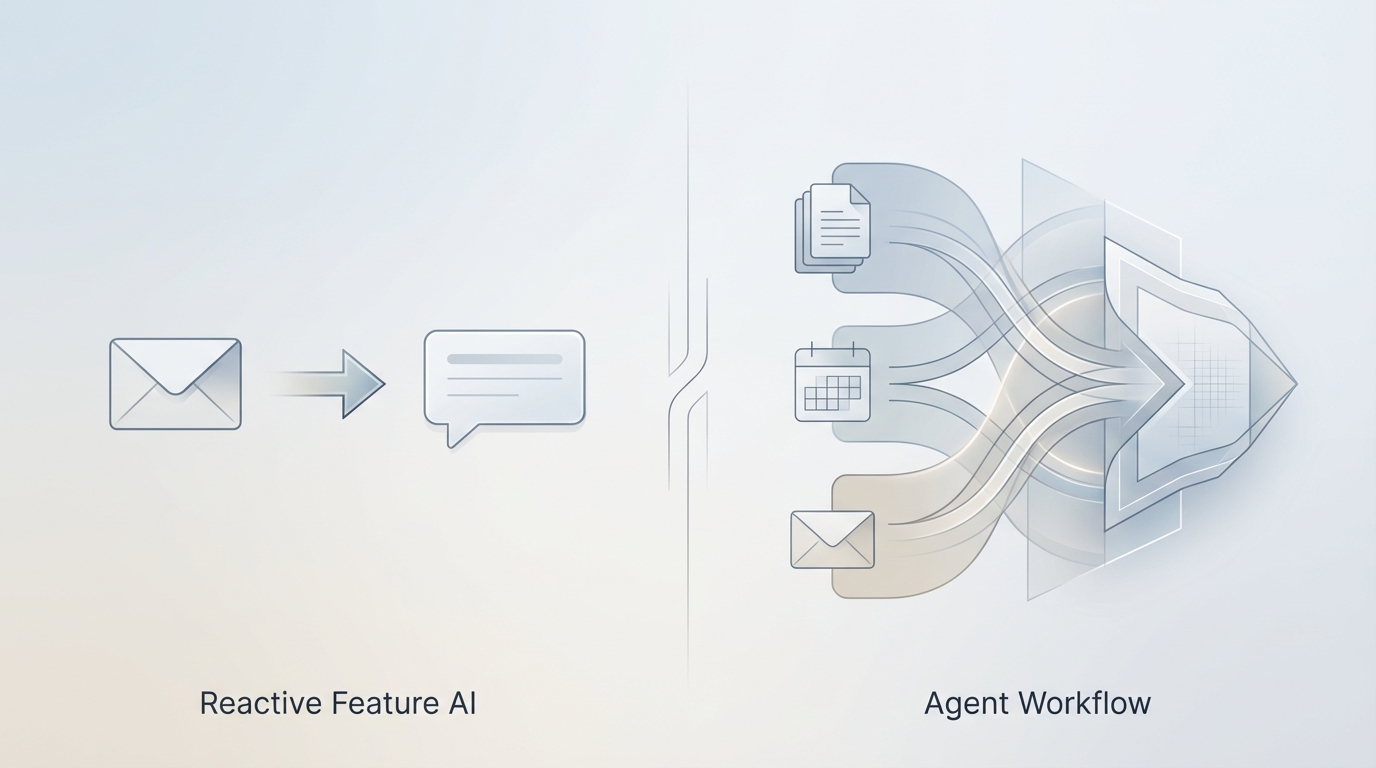
Outlook Copilot is a feature-level AI embedded inside your email client. It helps you write once you know what to say.
Jace is a proactive email agent that prepares decisions and drafts across workflows. It helps you know what to say before you even open the thread.
One assists with writing. The other prepares you to act. That distinction determines everything: how much time you spend reading, how much context you carry in your head, and whether you're ready to decide or still trying to catch up.

What Outlook Copilot Does Well
Before unpacking the differences, let's acknowledge what Outlook Copilot does well. This is not a hit piece. Microsoft has built a genuinely useful AI assistant, and dismissing it would miss the point entirely.
Outlook Copilot excels at inline assistance. When you're composing an email, Copilot can help you draft faster. It suggests completions, rewrites paragraphs for clarity or tone, and generates entire responses based on the message you're replying to. For someone who knows what they want to say but struggles with phrasing, this is valuable.
Copilot also summarizes threads. Open a long conversation, click the button, and get a condensed version of what happened. For threads that are mostly procedural, this saves real time. You don't need to read every back-and-forth to understand the gist.
The integration is native. Copilot lives inside Outlook, which means enterprise users don't need to adopt a new tool, switch contexts, or manage another vendor. It's there, inside the app they already use, backed by Microsoft's security and compliance infrastructure.
For writing assistance inside a single email session, Copilot is a strong, legitimate feature. It does exactly what feature-level AI is designed to do: reduce friction in the moment of composition.
But feature-level AI has limits. And those limits define where the architecture stops.
Where Feature AI Hits a Ceiling
Outlook Copilot operates at the message level. It sees the email you're replying to. It can reference earlier messages in the same thread. But its context is bounded by what's visible in that moment, and its behavior is reactive. It waits for you to act before it helps.
This creates operational constraints that compound over time.
Message-local context. Copilot can summarize a thread, but it doesn't connect that thread to other conversations with the same person, related projects, or previous decisions. If the vendor contract thread references a pricing discussion from three months ago, Copilot doesn't know about it unless that context is explicitly in the current thread. You're still the one carrying institutional memory.
Reactive behavior. Copilot activates when you click a button. It doesn't prepare anything before you open the email. If you have 40 emails waiting for replies, Copilot helps you handle them one at a time, in sequence, after you've already opened each one and decided it needs attention.
No workflow memory. Copilot doesn't remember what you did last week. It doesn't track patterns in how you respond to certain types of requests. It doesn't learn that contract renewals always go to legal first, or that when your CEO is CC'd, the response needs to be shorter and more direct. Every session starts fresh.
No preparation before user action. This is the critical constraint. Copilot cannot do anything until you've already opened the email, read enough to understand it, and decided you want help. The cognitive work of triage, prioritization, and context assembly is still entirely on you.
For a single email, these limits are minor. For an inbox with 80 messages across 25 threads, where five require decisions and three involve attachments, these limits become load-bearing. The AI helps you write, but you're still doing all the work of knowing what to write.
What Changes When AI Becomes an Agent
The word "agent" gets thrown around loosely. Here's what it means in practice: an agent operates proactively, maintains context across sessions, and prepares outputs before the user asks.
Jace is an email agent. It monitors your inbox based on labels and rules you define, reads entire conversation histories, processes attachments, and prepares drafts before you open the thread. The work happens upstream, not in the moment of composition.
Proactive draft preparation. When a new email arrives that matches your criteria, Jace reads it, assembles relevant context, and prepares a draft response. By the time you open the thread, a proposed reply is already waiting. You review, adjust if needed, and approve. The thinking has been done.
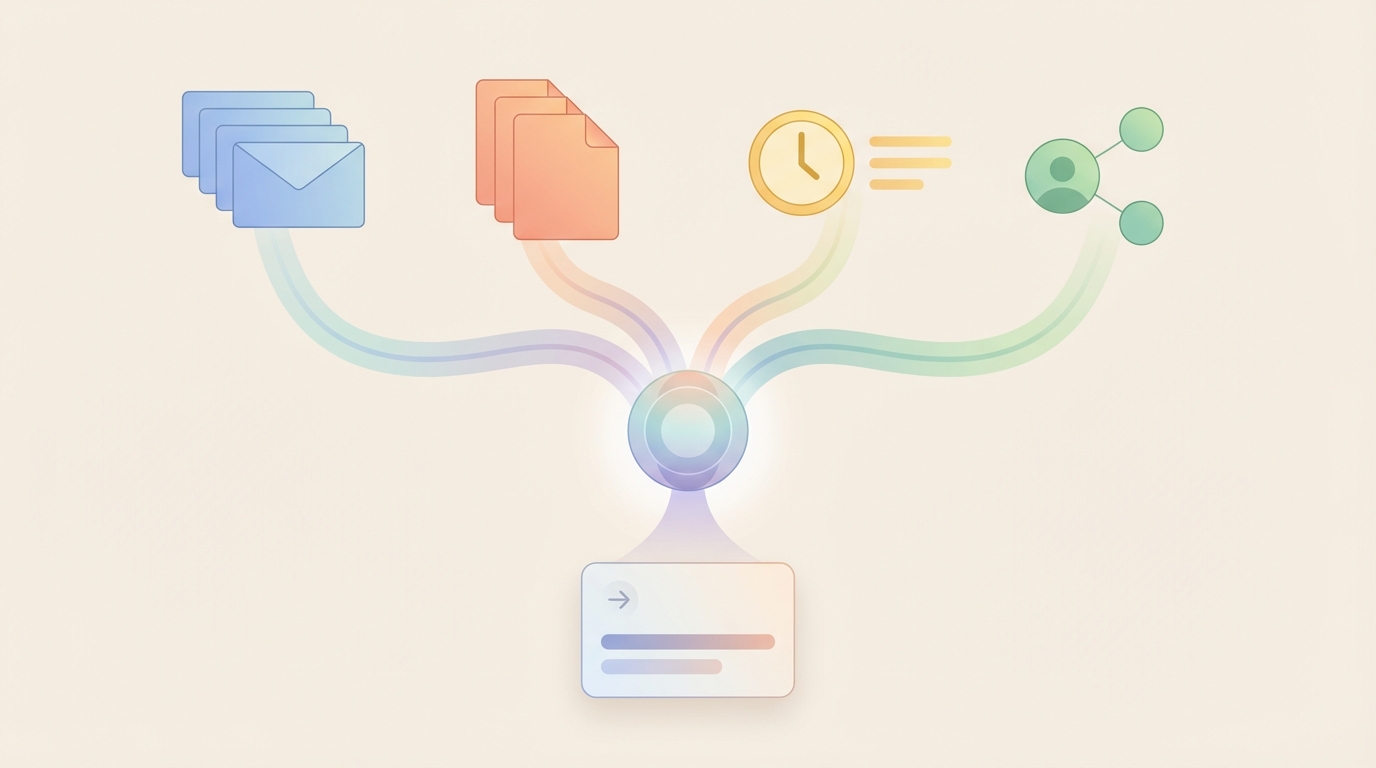
Cross-thread context. Jace doesn't just see the current thread. It can reference prior conversations with the same contact, pull relevant details from related threads, and connect information across your inbox. When someone asks about a decision made two months ago, Jace finds that thread and references it correctly.
Multi-inbox consolidation. Jace connects up to eight Gmail and Outlook accounts in a single view. No switching between clients. No context fragmentation. One inbox, one agent, full visibility across all your email identities.
Attachment processing. Agents can read documents. If someone sends a contract PDF, Jace can extract key terms, compare document versions, and surface changes in the draft. You're not opening attachments to figure out what's inside.
Routing and next-step logic. Agents can recommend actions beyond replying. Should this go to legal? Does this need a calendar invite? Is there a follow-up required in two weeks? Jace can flag these next steps, not just compose text.
Automatic follow-up tracking. When you send an email and mark it with a "Waiting" label, Jace automatically prepares a follow-up draft after three days if no response arrives. You don't need to remember to nudge. The system tracks it for you.
Preparation before user action. This is the core shift. With Copilot, you open an email and then get help. With Jace, you open an email and help is already there. The difference in time is meaningful. The difference in cognitive load is significant.
Comparison Table
| Dimension | Outlook Copilot | Jace |
|---|---|---|
| Scope of context | Current thread, limited cross-thread awareness | Full inbox history, cross-thread connections |
| Proactivity | Reactive (activates on user request) | Proactive (prepares drafts before user opens email) |
| Attachment handling | Limited (summarizes, basic extraction) | Deep (extracts terms, compares versions, surfaces changes) |
| Cross-thread awareness | Minimal | Native (connects related conversations automatically) |
| Workflow preparation | None (no pre-composition work) | Full (drafts ready before you open the thread) |
| Routing suggestions | No | Yes (flags follow-ups, escalations, calendar needs) |
| Learning from user patterns | Session-based only | Persistent rules and style adaptation |
| Human-in-the-loop control | User initiates every action | Drafts require explicit approval before sending |
| Integration scope | Outlook only | Gmail, Outlook, calendar, Google Drive, OneDrive, Slack, Notion |
| Multi-inbox support | Single account per client | Up to 8 Gmail/Outlook accounts in one view |
| Automatic follow-up tracking | None | Auto-drafts follow-ups after 3 days (Waiting label) |
| Enterprise compliance | Microsoft security stack | Enterprise-grade security, no auto-send |
| Ideal use case | Writing faster in known contexts | Handling volume with prepared decisions |
| Cognitive load | Reduced during writing | Reduced before writing begins |
Same Email, Different Tools
Let's make this concrete. Same email, two approaches.
The scenario: A 12-message thread about a partnership proposal. The original email arrived six days ago. Three internal stakeholders are involved. One external contact. A term sheet PDF was attached in message four. A revised version appeared in message eight. The external contact asked for confirmation of two specific terms in message ten. Your CEO replied "Looks good to me" in message eleven. The external contact followed up this morning asking for final written confirmation.
Outlook Copilot flow:
- You open the thread. 47 unread messages in your inbox today, but you start here.
- You click "Summarize" to catch up on the thread. Copilot provides a summary of the conversation.
- You realize you need to check the term sheet. You download the PDF from message eight, open it, find the relevant terms.
- You want to confirm what your CEO approved. You scroll to message eleven, read it, note the wording.
- You start composing. You click Copilot to help draft. It generates a response based on the immediate context.
- You realize the draft doesn't reference the specific terms from the PDF. You manually add them.
- You review, edit, send.
Total time: 12-15 minutes. Most of that time was context assembly, not writing.
Jace agent flow:
- You open your inbox. Jace has already flagged this thread as requiring a decision.
- A draft reply is waiting. It confirms the two terms Jace extracted from the revised term sheet PDF (message eight), references the CEO's approval (message eleven), and proposes next steps.
- You read the draft. The terms are correct. The tone matches how you write to this contact.
- You click approve.
Total time: 2-3 minutes. The context assembly happened before you arrived.
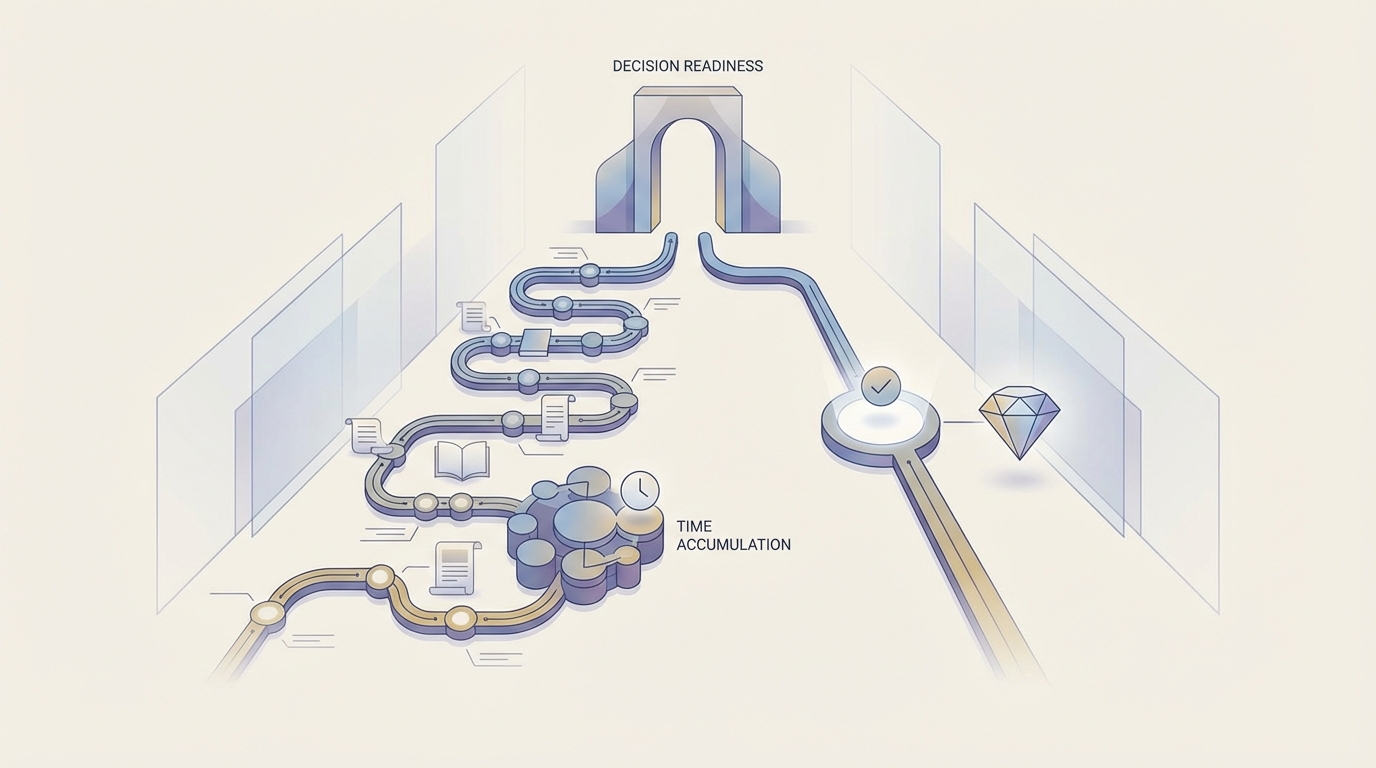
The difference isn't about typing speed. It's about decision readiness. Copilot helps you write once you know what to say. Jace helps you know what to say before you start.
What Jace Does NOT Do
Clarity on limits builds trust. Here's what Jace explicitly does not do:
Jace does not auto-send emails. Every draft requires explicit human approval before it leaves your inbox. You can review, edit, or discard any draft. Nothing goes out without your click.
Jace does not replace human judgment. The drafts are proposals. They're informed by context, history, and your patterns, but they're not decisions. You decide. Jace prepares.
Jace does not act without approval. This is not autonomous AI making commitments on your behalf. It's augmented preparation. The human remains in the loop at every decision point.
For enterprise environments, this matters. Compliance teams need to know that AI isn't sending emails independently. Legal teams need to know that commitments require human sign-off. Operations leaders need to know that the agent is a tool, not an actor.
Jace is designed for environments where trust is non-negotiable. Preparation is automated. Decisions are not.
Why This Difference Matters for Operations Leaders and Founders
If you manage a team, run a company, or handle decision-heavy workflows, the distinction between writing help and decision preparation has operational consequences.
Decision velocity. How fast can you clear your inbox and move on to the next thing? With feature AI, you're still doing the context assembly for each email. With agent AI, context assembly is done before you arrive. That's not a 10% improvement. For complex threads, it's a 70-80% reduction in time-to-decision.
Inbox load. High-volume inboxes create cognitive debt. Every unread email is a small open loop. Feature AI helps you close loops faster once you engage. Agent AI helps you engage faster by preparing the closure in advance. The backlog clears differently.
Operational consistency. When you're tired, distracted, or rushed, your email quality drops. You miss details. You forget to reference the right version. Agent preparation creates a floor. The draft already has the right context, even when your attention is fragmented.
Scaling teams. If your team handles email on your behalf, feature AI helps each person write faster. Agent AI helps the team operate consistently. Drafts follow the same logic, reference the same context, and maintain the same tone. Institutional knowledge gets encoded, not just remembered.
For founders managing investor updates, customer escalations, partnership discussions, and internal operations, the inbox is a decision queue. Feature AI makes the queue move a bit faster. Agent AI makes the queue shorter because decisions arrive pre-assembled.
The Architecture Determines the Outcome
This comparison isn't about which tool is "better." It's about which architecture fits your operational reality.
Outlook Copilot is feature AI. It's embedded inside the client, activated by user action, and bounded by session context. For users who want writing help inside a familiar interface, it delivers.
Jace is agent AI. It operates proactively, maintains cross-thread context, processes attachments, and prepares drafts before you open the email. For users who want decision preparation across complex workflows, it delivers differently.
The question isn't which one has more features. The question is what kind of help you need.
If your inbox is mostly quick replies and your context is usually clear, writing assistance is probably sufficient. If your inbox is full of multi-thread decisions, attachments, and stakeholder coordination, decision preparation changes how you work.
Bottom Line
Outlook Copilot helps you write faster. Jace prepares you to decide faster.
Feature AI reduces friction in the moment of composition. Agent AI reduces friction before composition begins.
Both are legitimate approaches. They serve different needs. The architecture determines the outcome.
For operations leaders, founders, and anyone managing a decision-heavy inbox, the question is simple: do you need help writing, or do you need help knowing what to write?
If it's the latter, an agent might be worth exploring.
If you manage complex inboxes with multi-thread decisions, attachments, and coordination across stakeholders, Jace might fit your workflow. No auto-send. No AI acting without approval. Just prepared decisions, ready when you are.
Internal Links:
