Jace vs Gmail AI: Why an Agent Beats a Chatbot
Every major productivity tool now includes some form of AI assistance, and Gmail is no exception. Google's AI features help you write faster, summarize threads, and manage your inbox more efficiently.
But there's a fundamental architectural difference between what Gmail AI offers and what an autonomous email agent like Jace delivers. Gmail AI is a chatbot bolted onto your inbox. Jace is an agent that operates within it.
That distinction determines everything: how much context the AI understands, how proactively it works, and whether you can trust it with high-stakes communication.
The Core Difference: Passive Assistant vs Active Agent
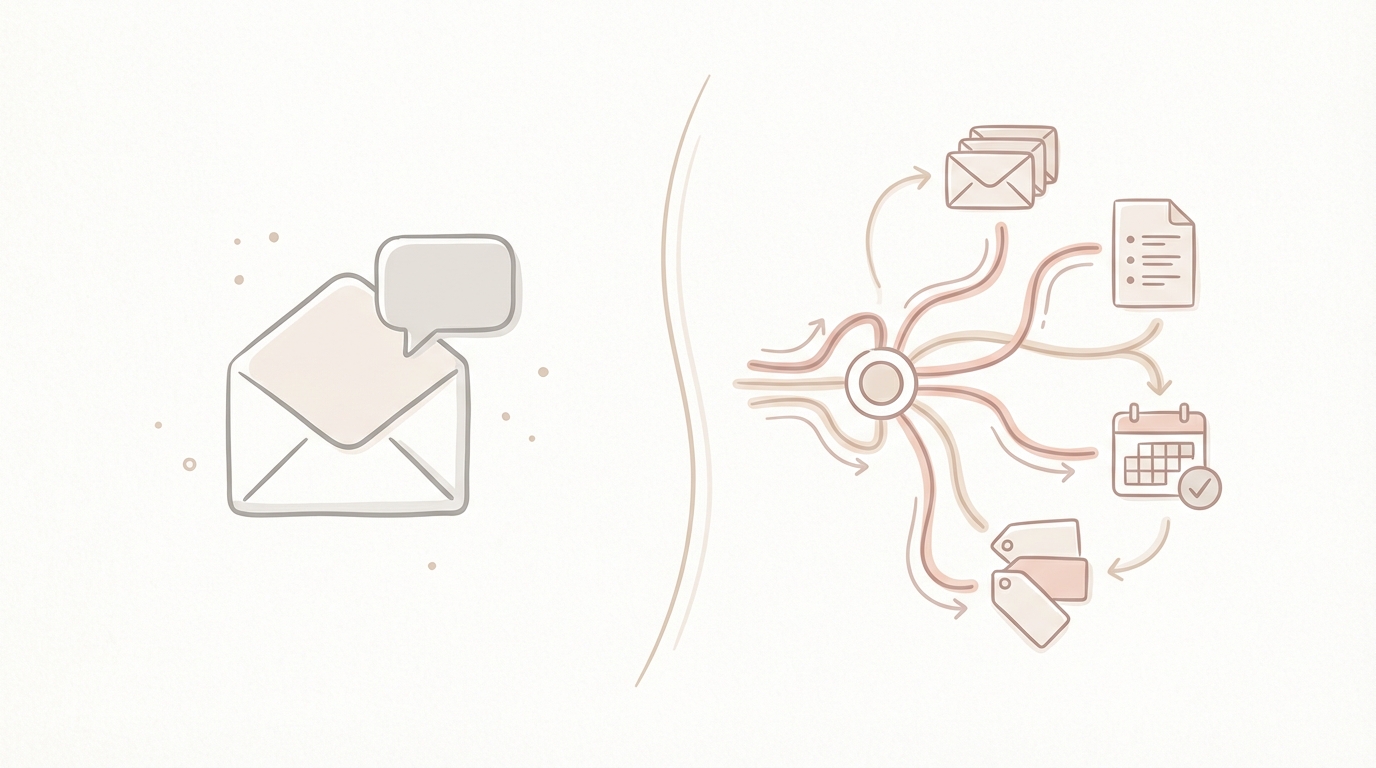
Gmail AI works reactively. You open an email, click a button, and get a suggestion. The AI sees what you show it, responds when prompted, and generates output based on limited context.
Jace works proactively. It monitors your inbox based on rules you define, reads entire conversation histories, processes attachments, and prepares drafts before you even open the thread. It operates as an agent with a defined workflow, not a chatbot waiting for instructions.
This isn't a minor UX difference. It changes what the AI can do for you.
The key distinction: Gmail AI assists when asked. Jace works ahead of you, continuously.
Side-by-Side Comparison: Gmail AI vs Jace
| Feature | Gmail AI | Jace |
|---|---|---|
| Model Type | Passive chatbot | Autonomous email agent |
| Context Scope | Last message only | Full thread history + attachments |
| Execution Style | Requires manual prompts | Drafts proactively on labels/triggers |
| Tone Matching | Generic suggestions | Trained on your writing style |
| Attachment Support | Limited summarization | Full document analysis and reference |
| Workflow Integration | Minimal | Deep calendar, labels, CC/BCC rules |
| Auto-Send Risk | Can send immediately | Never sends without approval |
| Multi-Action Drafts | Single reply only | Reply + forward + calendar in one pass |
Takeaway: Gmail AI helps you type faster. Jace handles the entire email preparation workflow.
Deep Dive: Where the Differences Matter
Context Awareness
Gmail AI: Single-Message Vision
Gmail's AI features typically operate on the last message in a thread or a selected portion of text. When you ask it to help you reply, it sees what's immediately in front of it. Prior context, referenced documents, or related threads from weeks ago don't factor into its response.
For straightforward emails, this works well. "Thanks for sending this over" doesn't require deep context. But professional communication rarely stays simple.
Jace: Full Thread + Attachment Intelligence
Jace reads the entire conversation history before drafting. If a client references a proposal from three months ago, Jace pulls that context. If an email includes a PDF attachment with specific terms or figures, Jace processes the document and incorporates relevant details into the draft.

This matters most when:
- Negotiations span multiple emails over weeks
- Contracts or proposals require specific clause references
- Team threads involve decisions made earlier in the conversation
- Clients expect you to remember details they've already shared
An AI that only sees the last message will miss these connections. An agent that processes full context catches them.
Takeaway: Context depth determines response quality. Single-message AI produces generic replies. Full-thread intelligence produces substantive ones.
Drafting Style and Tone
Gmail AI: Generic Suggestions
Gmail's suggestions tend toward safe, neutral language. They're designed to work for anyone, which means they don't sound like anyone in particular. The output is functional but generic.
For users who send dozens of similar emails daily, this approach creates a challenge: every reply sounds templated. Recipients notice when your communication suddenly shifts from your natural voice to AI-generated boilerplate.
Jace: Structured, Tone-Matched Drafts
Jace learns from your sent emails. It analyzes your typical greeting style, sign-off preferences, paragraph length, and vocabulary choices. When it drafts a reply, the output mirrors how you actually write.
Beyond tone matching, Jace applies structural intelligence:
- Opening lines that acknowledge the sender's key point
- Body paragraphs that address questions in order
- Appropriate level of formality based on recipient history
- Sign-offs consistent with your relationship with the contact
The goal isn't just a faster reply. It's a reply you can send without editing.
Takeaway: Generic AI output requires heavy editing. Tone-matched drafts are ready to send.
Workflow Integration
Gmail AI: Isolated Actions
Gmail's AI operates within the compose window. It can help you write, but it doesn't connect to your calendar, understand your label system, or trigger actions based on email states. Each interaction is standalone.
Jace: Connected Workflow Engine
Jace integrates across your productivity stack:
- Calendar awareness: When scheduling is discussed, Jace checks your availability and suggests times or drafts calendar invites
- Label-based triggers: You can configure Jace to auto-draft replies when emails hit specific labels (e.g., "Client Urgent" triggers immediate draft preparation)
- CC/BCC logic: Jace understands when to loop in team members based on topic, sender, or your defined rules
- Multi-action drafts: A single inbound email can trigger a reply draft, a forward to another team member, and a calendar hold, all prepared simultaneously
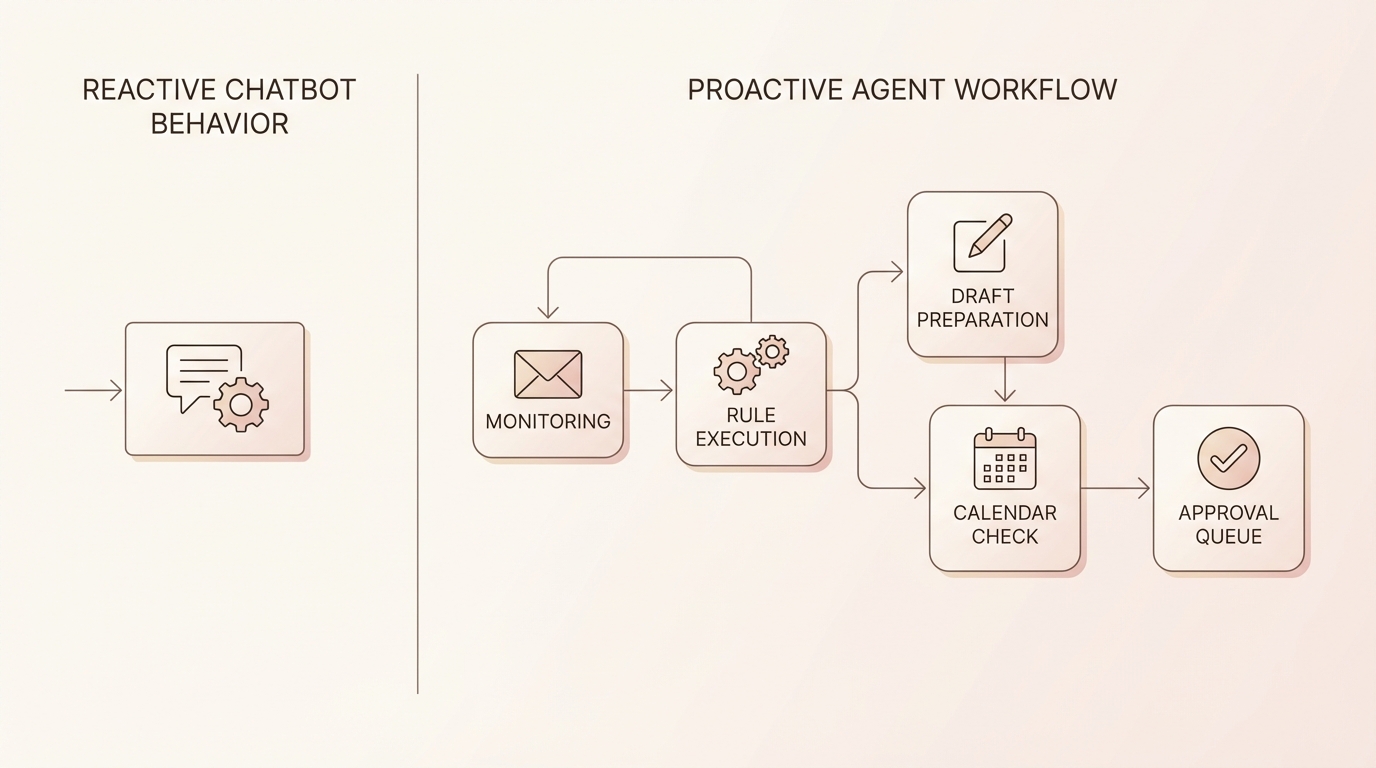
This workflow-level integration shifts email from something you manage manually to a system that handles preparation for you.
Takeaway: Isolated AI actions require constant manual input. Integrated workflows run automatically.
Supervision and Control
Gmail AI: Potential Auto-Send Risk
Some AI email features operate close to the send button. Smart Compose suggestions appear inline as you type. One wrong keystroke can accept and send text you didn't intend.
For casual email, this risk is manageable. For legal correspondence, client negotiations, or executive communication, more control is often preferred.
Jace: Human-in-the-Loop Always
Jace never sends an email without your explicit approval. Every draft sits in a review queue until you confirm it. You can edit, reject, or approve with one click, but the AI never acts autonomously on the send action.
This isn't a limitation. It's a design principle. High-stakes communication requires human judgment at the final step. Jace handles the preparation; you own the decision.
Takeaway: Speed without control creates risk. Jace optimizes preparation while preserving final authority.
Real-World Scenario: Contract Review Thread
Consider a common situation: a client sends a multi-email thread about a contract revision. The latest message references changes discussed two weeks ago and attaches a redlined PDF.
How Gmail AI Handles It:
You open the email and click "Help me write." Gmail AI sees the last message asking you to confirm the changes. It suggests something like: "Thanks for sending this. I'll review and get back to you."
Functional, but generic. Doesn't reference the attachment or prior discussion. You still need to review everything manually and compose the substantive response yourself.
How Jace Handles It:
Before you open the thread, Jace has already:
- Read the full conversation history, including the original terms discussion
- Processed the attached PDF and identified the specific clauses modified
- Drafted a reply that references the changes: "The updated indemnification language in Section 4.2 looks good. I'd like our legal team to review the liability cap adjustment before we finalize."
- Prepared a forward draft to your legal contact with a summary of what needs review
- Flagged the thread for follow-up in three days if no response
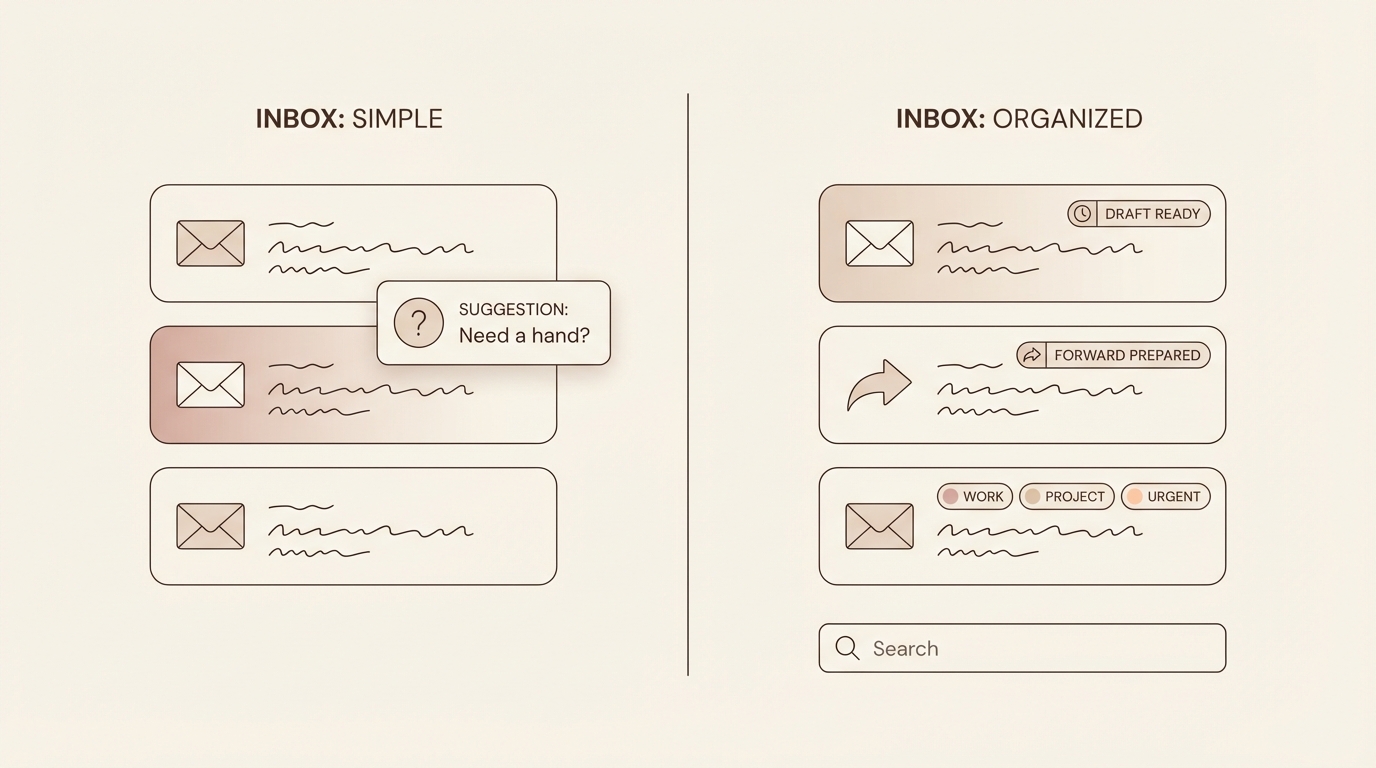
You open your inbox to find the work already done. Review, approve, move on.
Takeaway: Reactive AI requires you to do the analysis. Proactive agents complete the prep work before you arrive.
Who Each Tool Is Built For
Gmail AI: Everyday Email Users
Gmail's AI features work well for:
- Personal email with friends and family
- Simple transactional messages
- Low-volume inboxes where context isn't complex
- Users who want minor speed improvements without changing their workflow
For straightforward, low-context use cases, Gmail AI may be sufficient.
Jace: High-Context Professional Communication
Jace is built for users where email is mission-critical:
Legal teams: Contract negotiations, opposing counsel correspondence, and client updates require precision and full context awareness. Jace processes attachments, maintains tone consistency, and never sends without review.
Sales and account management: Relationship history matters. Jace remembers past conversations, references prior proposals, and drafts follow-ups that demonstrate you're paying attention.
Operations and project management: Multi-stakeholder threads with evolving requirements need an AI that tracks the full conversation, not just the last message.
Executives and founders: High email volume plus high stakes per message. Jace handles the volume while ensuring every reply meets the quality bar.
Takeaway: Choose your tool based on email complexity. Low stakes, low context: Gmail AI works. High stakes, high context: Jace delivers.
What Jace Does Differently
Agent Logic, Not Chat Prompts
Jace operates on rules, labels, and triggers you define. Instead of prompting the AI each time, you configure it once:
- "When an email from a client lands in my inbox, prepare a draft within 5 minutes."
- "If a thread mentions scheduling, check my calendar and suggest available times."
- "For emails from legal@, always CC my general counsel on drafts."
The AI then executes against these rules automatically. You're configuring an agent, not chatting with an assistant.
Tone Training That Learns
Jace doesn't just analyze your writing once. It continuously learns from your sent emails, adapting to shifts in how you communicate with different contacts or on different topics. Your replies to your CEO should sound different than your replies to a vendor. Jace understands that.
CC/BCC Intelligence
Professional email often involves strategic routing. Jace learns your patterns:
- Who gets looped in on client escalations
- When to BCC your assistant on scheduling threads
- Which internal stakeholders need visibility on specific topics
These aren't rules you have to write. Jace infers them from your behavior and applies them to drafts.
Proactive, Not Reactive
The fundamental difference: Gmail AI waits for you to ask. Jace works ahead of you.
When you open your inbox in the morning, drafts are already prepared. Threads are already summarized. Calendar conflicts are already flagged. The prep work is done before you arrive.
Making the Switch
Moving from reactive AI suggestions to an autonomous email agent requires a mindset shift. You're not just getting a faster way to type. You're delegating the entire email preparation workflow to a system designed to handle it.
Gmail AI offers incremental convenience with minimal setup. Jace offers significant time savings with initial configuration.
For users processing 50+ emails daily where precision matters, the ROI on that configuration time is measured in hours saved per week.
Conclusion
Gmail AI is a chatbot. It responds when prompted, sees limited context, and produces generic output. For low-context use cases, it may be sufficient.
Jace is an agent. It operates proactively across your full inbox, processes complete thread histories and attachments, learns your tone and workflow patterns, and prepares drafts before you ask. For professional communication where context and precision matter, the difference is significant.
The question isn't whether AI can help with email. It can. The question is whether you want an assistant that waits for instructions or an agent that handles the work.
Discover how Jace helps high-volume professionals save time at jace.ai - or explore a demo.
