Jace vs Built-in AI Features in Gmail: Control vs Convenience
The trade-off between speed and precision for the modern founder.
For the solo founder or micro-team lead, the inbox is more than a communication tool. It is where deals are closed, support is escalated, and vendor contracts are negotiated. As AI becomes a standard feature within email platforms, a fundamental choice emerges: do you prioritize the convenience of built-in tools, or the control of a dedicated inbox agent?
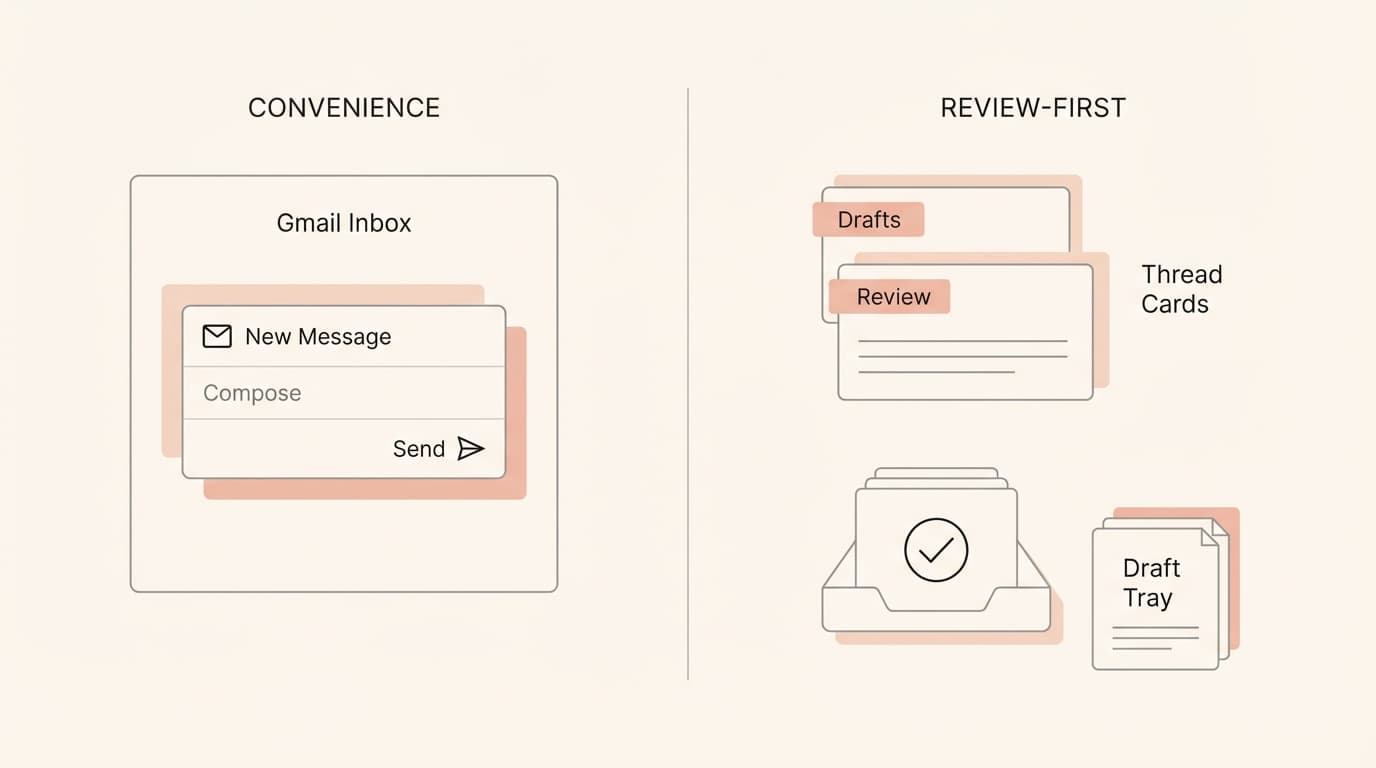
[GENERATE IMAGE: Minimalist line-art scene showing a founder inbox split into two philosophies: left side “convenience inside Gmail” as a simple compose card, right side “review-first drafts + labels” as thread cards with a draft tray and a checkmark. 16:9.]
TL;DR: At-a-Glance
- Built-in AI in Gmail is best for rapid, short-form replies where the stakes are low.
- Built-in AI in Gmail offers high convenience for users who prefer native AI writing assistance inside their existing compose flow.
- Built-in AI in Gmail provides a zero-setup experience for basic drafting needs.
- Jace is best for high-stakes threads involving attachments, complex history, and external integrations.
- Jace provides a review-first safety net, ensuring no email is sent without explicit human approval by default.
- Jace uses natural language rules to maintain consistent tone and logic across different business functions.
- Choose Built-in AI if you only need help rephrasing a quick "thank you" note.
- Choose Jace if you are managing a business where a wrong date, amount, or recipient has real consequences.
The Real Problem: Convenience isn’t the same as control
Imagine a typical Tuesday morning for a founder. Your inbox contains a sales thread with a PDF proposal attached, a support escalation featuring a screenshot of a bug, a vendor contract waiting for a signature, and a scheduling conflict for a board meeting.
In this environment, the bottleneck isn't how fast you can type. The bottleneck is the cognitive load of making decisions. When you use a tool optimized for convenience, the goal is to reduce the friction of "doing." But in business, friction is often where the safety lives. A tool that suggests a quick reply might save you ten seconds, but if it misses a detail in a PDF attachment or fails to account for a previous agreement buried three years deep in the thread, the cost of that convenience is a significant increase in operational risk.
[GENERATE IMAGE: Minimalist line-art “risk hotspots” diagram: amounts, dates, recipients (To/CC), attachments (PDF/doc), and calendar invite icons floating around a draft card. 16:9.]
Defining the Two Models
Built-in AI features in Gmail These are native capabilities integrated directly into the Gmail interface. They are designed to be accessible and fast, focusing on in-context writing assistance. Because they are part of the platform, they require no additional setup and provide a seamless experience for users who want to stay entirely within the native UI.
Inbox agent on top of Gmail/Outlook (Jace) Jace is an agent that works on top of your existing email provider. It doesn't replace Gmail or Outlook; it acts as an intelligent layer. It is optimized for founders who need a "review-first" workflow, where the agent gathers context from threads, attachments, and even other tools like Slack or Notion to prepare a draft that is ready for a final human check.
The Control Framework
To understand which approach fits your workflow, we can look at four primary axes of control.
1. Initiation: Prompt-driven vs. Label-triggered
Built-in features often require you to initiate the action—you click a button to "Help me write" or refine a draft. Jace operates on a label-triggered model. By applying a label like "Needs Reply" or setting a label to "Call Jace automatically," you create a predictable trigger. For a founder, this means the work starts the moment the email arrives, not just when you decide to sit down and prompt the AI.
2. Context: Full Threads, Attachments, and History
A convenience-first model might look at the most recent messages. Jace is built to read full threads, including quoted replies, and can import up to three years of email history. This ensures that if a vendor mentions a "previous discount" from 2024, the agent has the context to verify it. Furthermore, Jace reads attachments like PDFs (text-based) and Word docs (.docx), which are often where the actual "work" of a business thread lives.
3. Approval Boundary: Human-in-the-Loop
The default posture of Jace is review-first. While auto-send is an available opt-in feature per label, the system is designed to prepare drafts for your review in the Jace UI. This creates a hard boundary between the AI's suggestion and the actual outgoing communication, which is critical when dealing with clients or legal vendors.
4. Predictability: Explicit Rules vs. Black Box
Most built-in AI operates as a "black box"—you give it a prompt and hope for the best. Jace allows you to create natural language rules (e.g., "Always use a formal tone for emails from the legal domain"). These rules are behavior-only and require your approval to save, ensuring the agent's logic aligns with your business standards over time.
[GENERATE IMAGE: Minimalist line-art 2x2 grid showing “Control vs Convenience” with icons: label tag, draft tray, checkmark approval, and a generic sparkle icon for convenience. 16:9.]
Head-to-Head Comparison
| Dimension | Built-in AI features in Gmail | Jace (inbox agent on top of Gmail/Outlook) | Who it favors |
|---|---|---|---|
| Works on top vs. built-in | Built-in to the Gmail UI | Works on top of Gmail and Outlook | Gmail (Convenience) |
| How work starts | Manual prompt or button click | Label-triggered (e.g., "Needs Reply") | Jace (Control) |
| Review-first default | Yes, usually requires manual insertion | Yes, drafts appear in Jace UI for review | Jace (Control) |
| Auto-send | Native UI behavior | Opt-in per label; default is draft-only | Jace (Control) |
| Thread depth | Native context limits | Reads full threads including quoted replies | Jace (Control) |
| History import | Native platform access | Up to 3 years of history imported | Jace (Control) |
| Attachments | Native support | Supports PDF, .docx, images, text files | Jace (Control) |
| Follow-up drafts | Manual reminders | "Waiting" label drafts follow-up after 3 days | Jace (Control) |
| Rules | General system instructions | Natural language rules; behavior-only | Jace (Control) |
| Calendar | Native event creation | Drafts events/updates for user approval | Jace (Control) |
| Integrations | Google Workspace ecosystem | Slack, Notion, Drive, OneDrive (Search/Draft) | Jace (Control) |
| Recipient risk | Native suggestions | Human review of To/CC/BCC on every draft | Jace (Control) |
Where Convenience Wins (Gently)
Where built-in Gmail AI can be convenient For the casual user, having a "Help me write" button directly in the compose window is undeniably fast. If you are sending a low-stakes internal note or a quick confirmation to a friend, the zero-setup nature of built-in features is a narrow edge. It lives where you already are, requiring no secondary interface.
Where that convenience becomes risk for founders The risk for a founder is that convenience encourages speed over accuracy. When a tool is built into the "Send" flow, it is easy to click "Insert" and "Send" without the rigorous review that a high-stakes business email requires. For a founder managing sales and support, the "convenience" of a built-in tool can lead to missed nuances in a contract or an incorrect CC on a sensitive thread.
[GENERATE IMAGE: Minimalist line-art showing a “fast convenience” path turning into a warning triangle near a recipients (To/CC) card and an amount/date card. 16:9.]
Where Jace Wins
Jace is built specifically for the operational needs of a business owner. Here are the core differentiators:
- Label-Triggered Drafts: You don't have to "ask" Jace to work. By using labels like "Needs Reply" or enabling "Call Jace automatically" on specific folders, the drafting process happens in the background.
- The "Waiting" Mechanism: If you send an email and add the "Waiting" label, Jace monitors the thread. If no reply arrives within 3 days, it automatically drafts a follow-up for your review.
- Review-First Default: Every action Jace takes is a draft first. Whether it's an email or a calendar invite, it waits for your "OK" in the Jace UI.
- Granular Auto-Send: While Jace defaults to drafting, you can explicitly enable auto-send for specific, low-risk labels. This gives you a "control boundary" that you can expand as you trust the system.
- Natural Language Rules: You can teach Jace your preferences. Rules like "Always highlight the due date in the summary" or "Use a brief, professional tone for vendor inquiries" ensure the agent acts as an extension of your own judgment.
- Deep Context: By reading full threads and up to 3 years of history, Jace avoids the "hallucinations" that occur when an AI lacks the full story of a relationship.
Three Founder Workflows
A) Vendor Invoice and Payment Terms
- Scenario: A vendor sends a PDF invoice with updated payment terms buried on page 3.
- The Risk: A convenience-focused AI might summarize the email body but miss the change in the attachment, leading you to agree to terms that hurt your cash flow.
- The Jace Solution: Jace reads the PDF attachment and the full thread history. It drafts a reply noting the change in terms and asks for your review.
- Limitation: You must still manually verify the specific bank details on the invoice before payment.
B) Contract Negotiation with Stakeholder CC
- Scenario: You are negotiating a contract. The client CCs their legal counsel halfway through the thread.
- The Risk: An AI might fail to notice the new recipient and draft a reply that is too informal or reveals internal negotiation points not meant for the counsel.
- The Jace Solution: Jace identifies the full recipient list. Because it is review-first, you see exactly who is on the "To" and "CC" lines before the draft is ever sent.
- Limitation: Jace does not provide legal advice; you must ensure the contract language meets your requirements.
C) Support Escalation and Scheduling
- Scenario: A high-value client sends a screenshot of a bug and asks for a call "sometime Thursday afternoon."
- The Risk: A built-in tool might suggest a time without checking your actual availability or might create a calendar invite without a meeting link.
- The Jace Solution: Jace reads the screenshot, checks your Google Calendar for Thursday afternoon, and drafts both a reply and a calendar event (including a Google Meet link) for your approval.
- Limitation: You must verify that the "Thursday afternoon" slot doesn't conflict with personal commitments not listed on your work calendar.
[GENERATE IMAGE: Minimalist line-art “review-first loop”: thread stack → draft tray → human checkmark → sent folder. Include a small calendar draft card for the support call. 16:9.]
Safety Rules You Can Copy
You can implement these rules in Jace today to improve your control:
- "Highlight the total amount and due date for my review on any emails involving invoices or contracts."
- "Use a formal, concise tone for any emails sent to domains ending in .gov or .legal."
- "When summarizing a thread for Slack, use three sections: Decisions Made, Open Questions, and Action Items."
- "For follow-up drafts on the 'Waiting' label, keep the message under three sentences and include one clear question."
Common Mistakes to Avoid
Not reviewing recipients (To/CC/BCC) Even with an agent, you are responsible for who receives the email. Always double-check the recipient list in the Jace UI before hitting send. Instead, do this: Make it a habit to look at the "To" field first on every draft.
Assuming perfect accuracy on numbers and dates AI can occasionally misread a handwritten date or a complex table. Instead, do this: Treat the agent's extracted numbers as "suggestions" that require a quick visual confirmation.
Expecting OCR on scanned PDFs Jace does not currently support scanned PDFs that require Optical Character Recognition. Instead, do this: If a vendor sends a blurry photo of a contract, handle that thread manually.
Forgetting stakeholder context on long threads On threads with 20+ replies, the "vibe" of the conversation can shift. Instead, do this: Use Jace's summary feature to catch up on the full history before approving a draft.
Letting summaries become re-tellings A summary should help you make a decision, not just repeat what was said. Instead, do this: Use rules to tell Jace to focus on "Action Items" rather than "Conversation History."
[GENERATE IMAGE: Minimalist line-art showing a draft card with highlighted fields: amount, date, recipient list, and an attachment icon, plus a magnifier icon indicating “review.” 16:9.]
FAQ
Does Jace send emails automatically? By default, no. Jace is a review-first system that prepares drafts for your approval. Auto-send is an opt-in feature that you must explicitly enable on a per-label basis. You are always in control.
Do I need to switch from Gmail/Outlook? No. Jace works on top of your existing accounts. You can continue using your preferred email app, and Jace will sync your drafts and actions in the background.
What triggers auto-drafts? Drafts are triggered by labels. Applying the "Needs Reply" label or any label where you have enabled "Call Jace automatically" will prompt the agent to start working.
How does ‘Waiting’ work? When you apply the "Waiting" label to an outgoing email, Jace starts a 3-day timer. If the recipient hasn't replied by then, Jace drafts a follow-up message for you to review.
What attachments are supported? Jace can read PDFs (text-based), Word documents (.docx), images, and text files. It does not currently support Excel files (.xlsx), encrypted PDFs, or scanned documents requiring OCR.
How does calendar scheduling stay safe? Jace never sends a calendar invite directly. It creates a draft event or update in the Jace UI. You review the time, date, and attendees before the invitation is sent to the other party.
Conclusion
For a founder, the choice between built-in AI and an inbox agent isn't just about features—it's about where you want the "human-in-the-loop" to stand. Built-in tools offer a quick path to a finished sentence, but Jace offers a structured path to a finished decision. By combining label-triggered drafting with a strict review-first policy, Jace ensures that you stay in control of your business, even as your inbox grows.
Try Jace for review-first inbox workflows
