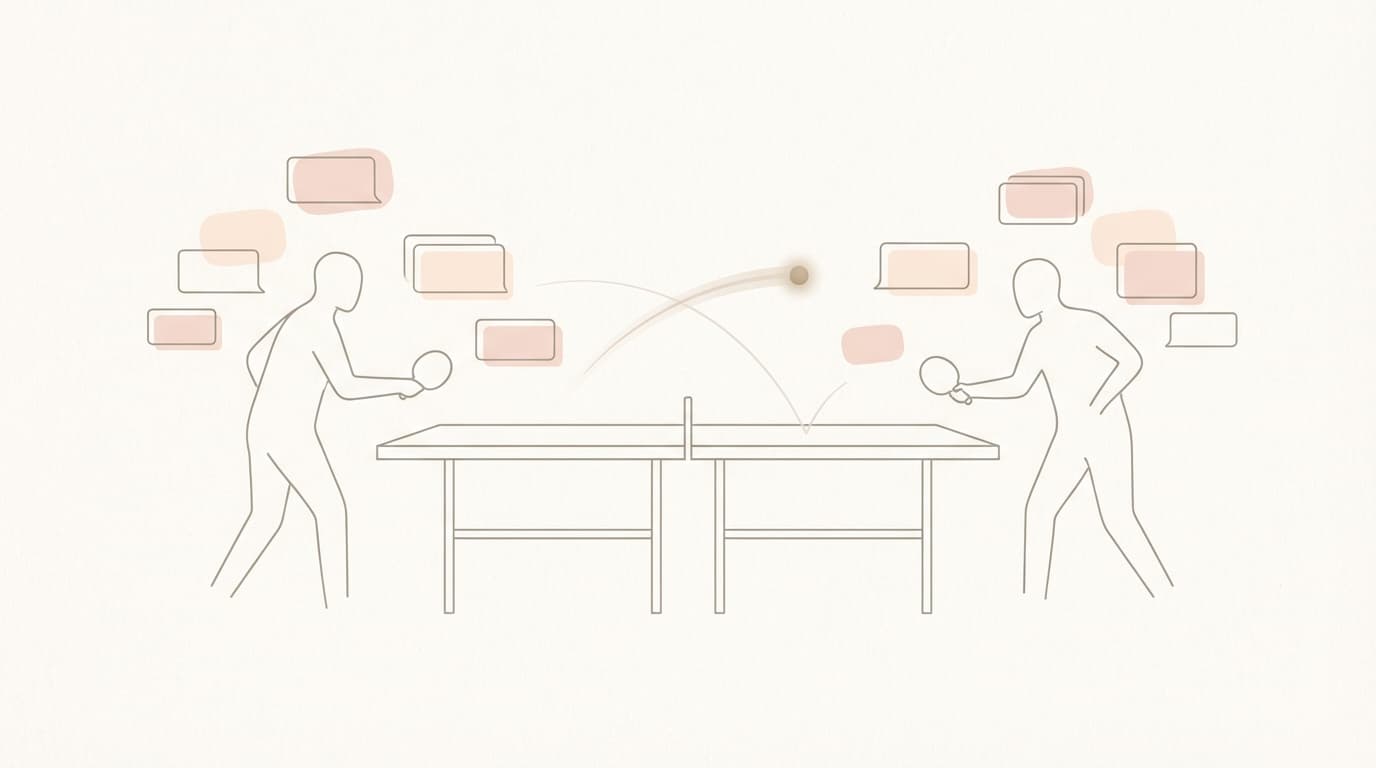
Jace for Customer Success: Stop the Client Ping-Pong
The thread you're staring at right now
A SaaS customer on an annual contract worth $12k ARR has a billing dispute. The thread started nine days ago and now has eight messages from five different people.
Message one: the customer's CFO says they were charged twice. Message two: your CS rep says they're looking into it. Message three: your finance team gets CC'd and confirms a partial refund was issued three days ago. Message four: the customer says they haven't received it. Message five: the customer adds a new issue entirely. The export feature is broken. Message six: product gets CC'd and says it's a known bug with a fix coming next week. Message seven: the customer's legal team asks for invoice copies for an internal audit. Message eight: the customer's CFO replies asking for a timeline on all open items by the end of the week.
There are attachments. Two invoice PDFs and one screenshot of the export bug.
Eight messages. Five stakeholders. Two issues that have nothing to do with each other except that they're tangled in the same thread. One customer waiting for answers.
Your job: figure out the status, determine who owns what, and write the next reply.
This is not a hypothetical. This is a Tuesday.
The real bottleneck is not typing
Customer success email management fails at a specific point, and it's not where most people think. The bottleneck is not writing the reply. Writing takes five minutes. The bottleneck is everything that happens before you start typing.
You need to reconstruct context. Who said what. When. What was promised. What was delivered. Whether the partial refund actually cleared or is still processing. Whether the product bug affects this specific customer's use case or just looks like it does. Whether legal's request for invoice copies is urgent or routine.
This context assembly is invisible work. It doesn't show up in metrics. It doesn't feel like "real" work because you're just reading. But it takes twenty minutes before you write a single word.
Then there's the decision layer. Not just what to say, but what to do. Should you loop in finance again? Should the product bug be escalated or is the "fix next week" answer sufficient? Should legal get a separate thread or does bundling everything keep the customer happier?
For customer success teams, this is compounded by several factors unique to the role.
Escalations rarely arrive clean. They accumulate. What started as a billing question picked up a product bug and a compliance request along the way. You're not responding to one issue. You're triaging three.
Ownership is ambiguous. Finance issued the refund. Product acknowledged the bug. Legal asked for documents. But the customer sees one company, and they expect one answer. You own the thread even though you don't own the solutions.
SLA risk is invisible until it's not. The thread sat for two days while people were CC'd. No one dropped the ball individually, but collectively, the customer is waiting longer than they should.
Tone consistency matters more than speed. A rushed reply that contradicts what finance said creates more work than a delayed reply that gets it right.
Attachments contain information you need. The invoice PDFs show the exact charges. The screenshot shows the exact error. Ignoring them means guessing.
Email overload isn't about volume. It's about the cognitive cost of context reconstruction multiplied by the number of threads demanding it.
What templates and rules do well
Templates and rules-based tools deserve credit where it's due.
For predictable situations, they work. A customer asks how to reset their password. A template response with clear steps handles this perfectly. No context assembly required. No judgment call needed. Copy, paste, send.
Acknowledgment messages work well too. "Thanks for reaching out. We're looking into this and will get back to you within 24 hours." A template handles this cleanly.
Routing is another strength. If the sender domain matches a known enterprise customer, flag it as high priority. If the subject line contains "cancel," route to retention. These condition-action pairs work reliably for predictable patterns.
Rules-based systems can reduce noise. Filtering newsletters, auto-archiving notifications, sorting by sender. This is useful work.
But rules have a ceiling.
Rules cannot evaluate context that spans multiple messages. They see the latest message, not the history. A customer who was polite in message one and frustrated by message five looks the same to a filter checking for angry keywords.
Rules cannot parse attachments. The invoice PDF that proves the customer was charged correctly sits unopened because rules don't read documents.
Rules cannot adapt when the thread changes direction. A billing question that becomes a product complaint is still tagged "billing" because the original subject line matched a pattern.
Templates prepare replies for situations you've seen before. They don't prepare decisions for situations that require judgment.
The gap between inbox triage and inbox resolution is where templates stop helping. For a deeper comparison of rules-based versus agent-based approaches, see how Jace differs from rules-based tools.

A practical triage system for customer success
Before layering on any tool, the underlying system needs to be clear. Complicated label hierarchies create more overhead than they solve. Simple works better.
Three labels are enough for most CS teams:
| Label | Meaning | Next Step |
|---|---|---|
| Needs Reply | Thread requires your response. The ball is in your court. | Write and send a reply. Then move to Waiting or close. |
| Waiting | You replied. Now waiting for the customer or an internal team. | Check back if no response after 3 days. Follow up or close. |
| Review | Escalation, sensitive issue, or needs manager input before reply. | Loop in the right person. Move to Needs Reply once unblocked. |
Two principles make this work.
Touch once, decide once. When you open a thread, decide what it needs and apply the label. Don't open it, skim it, and plan to come back later. Later never has more time than now. If you can't decide what it needs, it's Review. If you can decide but can't act, it's Waiting. If you can act, it's Needs Reply, and you should reply before closing it.
Close loops deliberately. Threads don't close themselves. A thread moves from Needs Reply to Waiting after you reply. It moves from Waiting to closed after you confirm resolution. It moves from Review to Needs Reply after the blocker clears. Every label change is a decision. Make it consciously.
This system works without any AI. It's a behavior pattern, not a feature. The labels are placeholders for attention states. Needs Reply means you owe something. Waiting means someone else owes something. Review means the situation is blocked.
The system breaks down when context assembly takes too long. You can't apply the right label if you don't understand the thread. You can't write the right reply if you don't know what happened. You can't decide if something is Review-worthy if you're still figuring out who said what.
Email prioritization starts with understanding. Labels organize threads you've already understood. They don't help you understand faster.
How Jace helps customer success teams
Jace is an email agent that prepares decisions for your approval. It reads full threads, parses attachments, understands context, and drafts replies that you can review, edit, and send. Nothing sends without your approval. Human-in-the-loop is the default, not an option you have to enable.
Full-thread and attachment understanding
Consider the billing dispute thread. Eight messages, two invoice PDFs, one screenshot.
Jace reads all of it. Not just the latest message. The full history. Including the attachments.
The invoice PDFs matter. They show the exact line items, the charge dates, the refund status. A reply that says "we issued a partial refund" is different from a reply that says "we issued a $347 partial refund on December 12th covering the duplicate API usage charge."
The screenshot matters. The export bug has a specific error message. A reply that says "we're aware of the issue" is different from a reply that says "we're aware of the export timeout affecting CSV downloads over 10MB and the fix is scheduled for December 28th."
Context-aware drafts include this specificity because Jace can read what's attached, not just what's written.
For customer success email management, attachments are often where the facts live. Contracts have the actual terms. Screenshots have the actual errors. Invoices have the actual amounts. An agent that can't read them is working blind.
Drafts for approval
Jace drafts replies. It does not send them.
When you open a thread, you see a suggested reply based on the full context. You read it. You edit if needed. You click send if it's ready. Or you rewrite it entirely. The decision is yours.
This is what human-in-the-loop means practically. The agent handles context assembly. The agent handles draft composition. The human handles judgment and approval. Nothing goes out that you didn't review.
Jace prepares drafts for your approval by default. Any sending automation, if enabled, is explicitly configured by the user.
For escalations like the billing dispute thread, approval is essential. The agent might draft a reply that addresses the refund, the export bug, and the legal request in one coherent message. That's useful. But you still need to verify the refund amount, confirm the bug fix timeline with product, and decide whether legal needs a separate follow-up. Judgment stays with you.
Follow-up drafts based on rules
Threads labeled Waiting represent open loops. Someone owes a response, and they haven't sent it.
Rules let you set follow-up conditions. Three days after a thread is labeled Waiting, Jace drafts a follow-up. "Just checking in on this. Let me know if you need anything else from our side."
You don't have to remember to check. You don't have to scan your Waiting label manually. The draft appears. You review it. You send it if appropriate.
This is where follow-up reminders become actionable. A reminder that says "follow up on 12 threads" creates work. A draft that says "here's a follow-up message ready to send" saves work.
For customer support inbox workflow, this matters. Waiting threads are where deals stall, where customers feel ignored, where renewals start looking risky. Automated follow-up drafts keep loops from going cold without requiring you to track them manually.
AI labels and rules
AI labels categorize threads based on semantic meaning and intent, not just keywords or sender metadata.
For example, a label called "Escalation Risk" automatically applies when a customer expresses frustration about response times or mentions evaluating alternatives. Even if they don't write "I want to cancel," the label catches sentiment shifts like "I've been waiting since Tuesday" or "this is the third time I've asked."
This early detection lets you intervene before threads escalate formally.
Rules attached to AI labels create persistent behavior. Threads labeled Escalation Risk can route to a senior CSM automatically. Threads labeled Billing Question can trigger a follow-up check after resolution. The labels are semantic, but the rules are consistent.
Integrations
Email is not the only place where context lives.
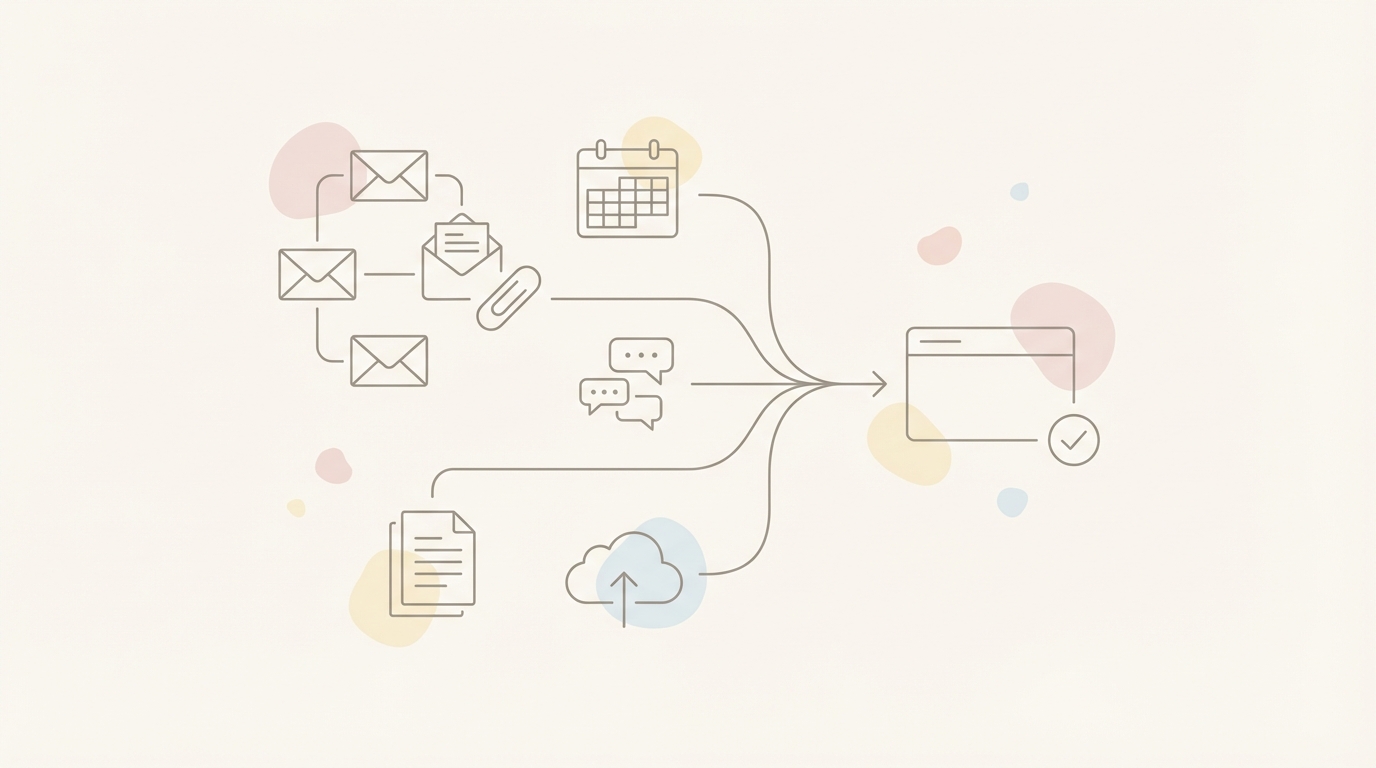
Jace connects to Google Calendar with read and write access. When a customer asks to schedule a call, Jace proposes times directly in the draft based on your actual availability. No tab switching to check your calendar. No back-and-forth with outdated slots.
Jace connects to Slack for search and send. If the product team discussed the export bug in a channel, Jace can find that context and reflect it in your reply. "The engineering team confirmed the fix is on track for next week's release."
Jace connects to Notion for search. If you have a runbook for handling billing disputes, Jace can reference it when composing drafts. Consistency without memorization.
Jace connects to Google Drive and OneDrive for file access. When legal asks for invoice copies, Jace can find the right PDFs and attach them without you hunting through folders.
These integrations matter for CS because context lives everywhere. The Slack channel where engineering posted the bug status. The Notion page with the refund policy. The Drive folder with the customer's contract. Accurate thread summaries require all the context to be accessible.
Multi-account support
Jace Pro supports up to eight connected email accounts.
For CS teams, this matters. You might have a personal inbox, a team alias, a support queue, and a VIP customer channel. Switching between four Gmail tabs is overhead. Unified access means context flows across accounts.
A customer emailing your personal address about an issue they also reported to support is the same customer. Seeing both threads in context prevents duplicate work and conflicting responses.
Multi-account is not a shared inbox. Each account stays separate for access control and privacy. But you can see and draft across accounts without logging in and out.
Same escalation, different outcome
Return to the billing dispute thread. Eight messages, five stakeholders, two issues, three attachments.
Flow A: Templates and rules
You open the thread. The latest message is legal asking for invoice copies. A template for "document request" might help, but you need to address the unresolved refund and the product bug too.
You read backward through the thread. Finance said refund issued. Customer said not received. You check the invoice PDFs to verify the amount. You read the screenshot to understand the export bug. You check Slack to see if product gave a timeline. You open the customer's contract in Drive to confirm their entitlements.
Context assembly takes fifteen minutes. Now you write a reply addressing three issues for three different stakeholders in one thread. You write it from scratch because no template covers this combination.
Total time: twenty-five minutes. Most of it invisible.
Flow B: Jace
You open the thread. Jace has already read all eight messages, both invoice PDFs, and the screenshot. The draft addresses the refund status with the specific amount from the invoice. It summarizes the product bug with the timeline from the Slack discussion. It offers to attach the requested invoices from Drive.
You read the draft. You verify the refund amount looks correct. You confirm the product timeline matches what you heard. You approve the attachments.
Total time: six minutes. Most of it judgment, not assembly.
The difference is not that Jace wrote the reply for you. The difference is that Jace assembled the context so you could decide faster.
Safety and trust boundaries
Customer success involves sensitive information. Contract values. Billing details. Internal escalations. Trust matters.
Jace drafts replies. It does not send them without approval. This is the default behavior, not a setting you have to find and enable.
Jace is SOC2 Type 1 certified and CASA Tier 3 compliant. Data handling follows standard enterprise security practices.
The human-in-the-loop design is intentional. Drafts prepare decisions. Approval confirms them. The agent handles work. The human retains authority.
When you don't need Jace
If your inbox is simple, you might not need this.
Low volume with predictable patterns. Straightforward questions with template answers. Few attachments. Single-threaded conversations without CC sprawl. These inboxes work fine with rules and templates.
If you spend five minutes on context assembly for every reply, you're within the range where simpler tools suffice.
The question is whether that describes your inbox or an idealized version of it. Most CS teams handle escalations, multi-stakeholder threads, and attachment-heavy conversations regularly. But some don't.
If templates cover 90% of your replies and the remaining 10% are rare enough to handle manually, you've already solved the problem.
When you need Jace
You need Jace when the bottleneck is context, not typing.
Full-thread understanding means you see the complete history without reading every message yourself. Attachment understanding means invoices, screenshots, contracts, and documents inform the drafts automatically.
AI labels mean threads get categorized by meaning, not just metadata. Frustrated customers surface before they escalate formally. Billing questions cluster regardless of subject line variations.
Follow-up drafts mean Waiting threads don't go cold. Rules trigger drafts after three days, five days, whatever interval you set. The draft appears ready for review.
Integrations mean context from Calendar, Slack, Notion, and Drive flows into the drafts. The meeting time you proposed actually matches your availability. The bug status you quoted actually matches what engineering said.
Multi-account means you see the full picture across personal inboxes, team aliases, and support queues without tab switching.
If your threads are long, your attachments are relevant, your stakeholders are many, and your context is scattered, this is where Jace helps. Inbox organization becomes decision preparation.
Bottom line
Customer success loses time to context assembly, not typing. Rules automate sorting. Templates automate phrasing. An agent automates understanding so you can decide faster.
Templates help you write faster. Jace helps you decide faster.
Start with drafts
Jace drafts replies for your approval. Nothing sends without you.
If your inbox has threads like the billing dispute, eight messages deep with attachments and multiple stakeholders, start with Jace and see how decision preparation changes your workflow.
Human-in-the-loop is the default.
Frequently asked questions
Does Jace send emails automatically by default?
No. Jace drafts replies and waits for your approval before sending. Human-in-the-loop is the default behavior. You always see the draft before anything goes out.
Can Jace read attachments like invoices and screenshots?
Yes. Jace reads PDFs, documents, spreadsheets, and images attached to email threads. For customer success, this means invoice amounts, contract terms, error screenshots, and other attachment-based facts can inform the drafts directly. No more guessing what's in a file you haven't opened.
Does it work with Gmail and Outlook?
Both. Jace connects to Gmail and Outlook via OAuth. Drafts sync directly into your email client. You can review and send from Jace or from your native inbox, whichever you prefer.
How do follow-up drafts work without risky automation?
Follow-up drafts are triggered by rules you set. For example, three days after a thread is labeled Waiting, Jace drafts a follow-up message. The draft appears for your review. You decide whether to send it, edit it, or skip it. The automation is in the drafting, not the sending. The approval stays with you.
