Jace AI vs Superhuman: Who Helps You Hit Inbox Zero Faster?
You want inbox zero. You've heard about Superhuman. You've heard about Jace. Both promise to make email faster. But they take completely different approaches to get you there.
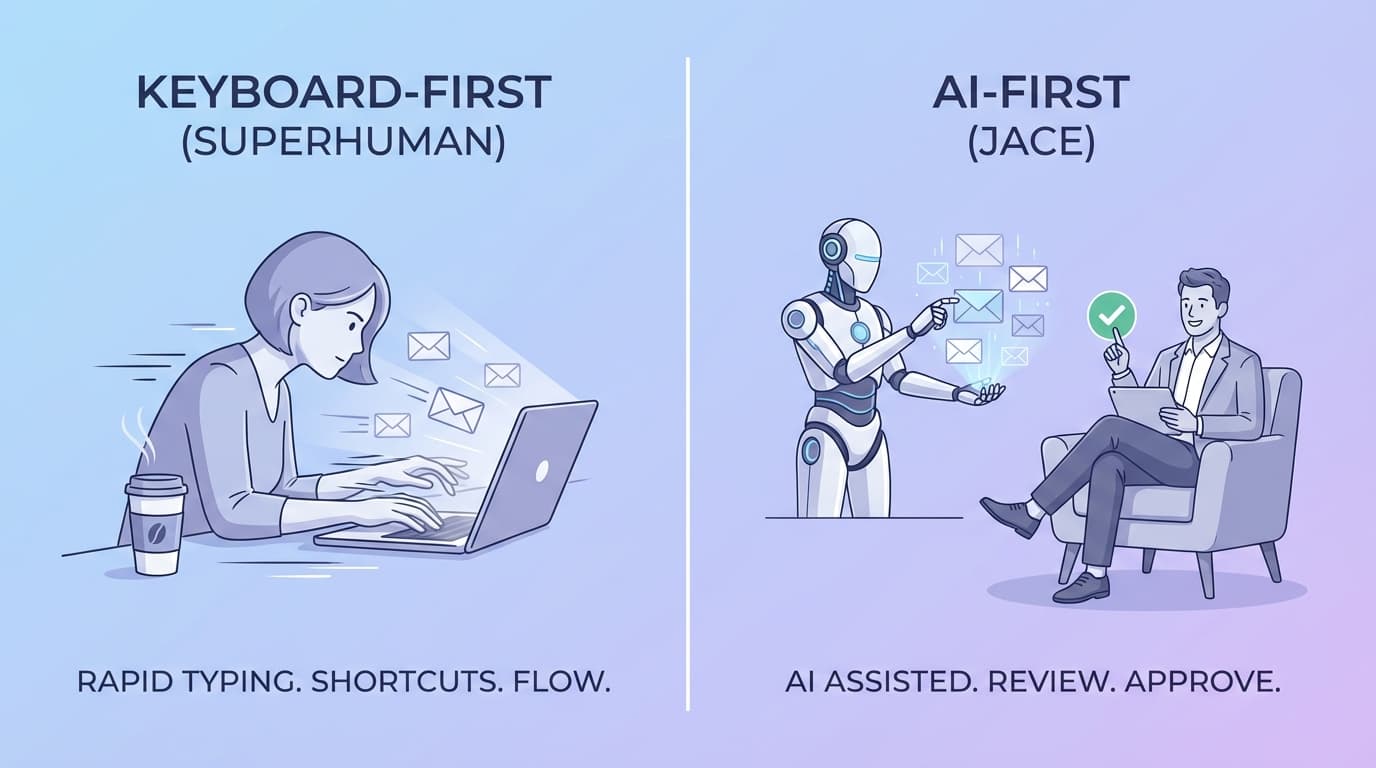
The real question isn't which tool is "better." It's whether you want to type faster or skip typing altogether.
Here's an honest comparison through the lens of speed-to-reply, context awareness, and workflow fit.
The Speed Test: Processing 10 Emails
Let's say you have 10 emails to handle. Reading, deciding what to do, and replying. How does each tool approach this?
Superhuman: Keyboard Shortcuts + Fast UI
Superhuman is built for speed typists. Everything is optimized around keyboard shortcuts:
- J/K to navigate between emails
- E to archive
- R to reply
- Cmd+Shift+D to schedule send
The interface is blazing fast. No loading spinners. Instant search. If you're already a fast typist and love keyboard control, you'll fly through your inbox.
But here's the thing: you're still writing every reply yourself. Superhuman makes the mechanics faster, not the thinking.
Time to process 10 emails: 15-25 minutes (depending on complexity and your typing speed)
Jace: AI Reads, Drafts, You Approve
Jace takes a fundamentally different approach. Instead of helping you type faster, it drafts replies for you.
When you open your inbox:
- Emails are already read and understood
- Draft replies are waiting for your review
- You approve, edit, or regenerate with one click
The AI learns your writing style, pulls in relevant context, and handles the cognitive load of figuring out what to say. Your job becomes reviewing and approving rather than composing from scratch.
Time to process 10 emails: 5-10 minutes (review and approve pre-written drafts)
Context IQ: Remembering Who You're Talking To
Email context matters. When someone references "that proposal from last month" or "the issue we discussed," you need to find that information fast.
Superhuman: Manual Search Through History
Superhuman has excellent search. Type a name or keyword, and results appear instantly. The "Insights" feature shows you recent interactions with a contact.
But the work is still on you. You're the one remembering what was discussed, finding the relevant thread, and piecing together the context.
Jace: Auto-Pulls Relevant Threads, Files, and Calendar
Jace automatically surfaces context before you even ask:
- Previous email threads with this contact appear alongside the current email
- Attached files from past conversations are referenced when relevant
- Calendar events with this person inform the AI's responses
When your AI assistant drafts a reply, it already knows what you've discussed before, what meetings you have scheduled, and what files you've shared. No manual searching required.
Who It's For: Two Different Email Personalities
This is where the decision gets personal.
Superhuman Is For: Power Users Who Love Keyboard Control
You'll love Superhuman if you:
- Already type 80+ WPM and want to go faster
- Enjoy the satisfaction of keyboard shortcuts
- Prefer writing your own emails (just more efficiently)
- Want a premium, polished interface
- Are willing to pay $30/month for speed
Superhuman is a Ferrari. Beautiful, fast, and rewarding for skilled drivers.
Jace Is For: Executives and Founders Drowning in Email
You'll love Jace if you:
- Spend 2-3+ hours daily on email
- Wish you had an executive assistant handling your inbox
- Want high-quality replies without the writing effort
- Deal with complex, context-heavy conversations
- Value time saved over keyboard mastery
Jace is a self-driving car. You set the destination, it handles the driving.
The Real Difference: Typing vs. Thinking
Superhuman optimizes the typing part of email. Navigate faster, compose faster, send faster. The cognitive work - deciding what to say - remains yours.
Jace optimizes the thinking part of email. The AI handles comprehension, context-gathering, and drafting. Your work becomes reviewing and approving.
For someone processing 50-100 emails daily, this distinction matters enormously. Superhuman might cut your email time from 3 hours to 2 hours. Jace might cut it from 3 hours to 45 minutes.
Making the Choice
Ask yourself one question: Where do you spend most of your email time?
If you spend it navigating, searching, and mechanically composing, Superhuman will feel like a superpower.
If you spend it figuring out what to say, finding context, and writing thoughtful replies, Jace will feel like hiring an assistant.
Both tools deliver on their promise. They're just solving different problems.
Ready to skip typing altogether? Try Jace free for a week and see how much time you save when AI handles your inbox.
