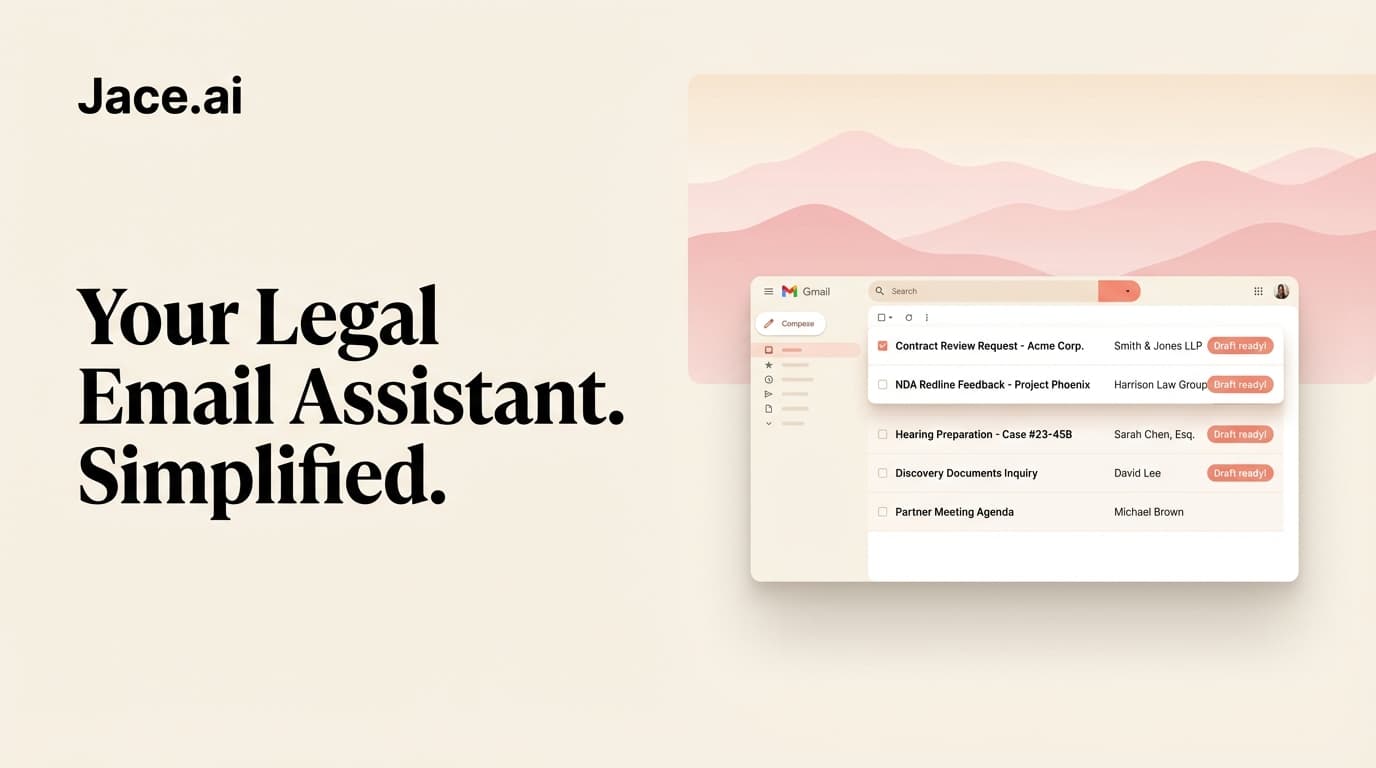
Jace AI for Legal Teams: Precision Email Management for Law Firms and In-House Counsel
The average attorney spends 2.5 hours per day on email. For partners managing client relationships, associates juggling document review, and in-house counsel fielding requests from every department, that number climbs higher. Every message demands precision. Every reply carries professional liability. And every attachment - whether a 40-page contract redline or a single-paragraph amendment - requires careful attention.
Legal email is not like other email. The stakes are higher, the language more exacting, and the margin for error essentially zero. Generic AI tools that work fine for marketing teams or sales ops simply do not cut it when a misplaced word could alter contractual obligations or damage client trust.
Jace AI was built for professionals who need accuracy over speed tricks. It reads your full thread history, analyzes attachments, and drafts responses that match your tone - but never sends a single message without your explicit approval. For legal teams seeking operational efficiency without compromising precision, this distinction matters.
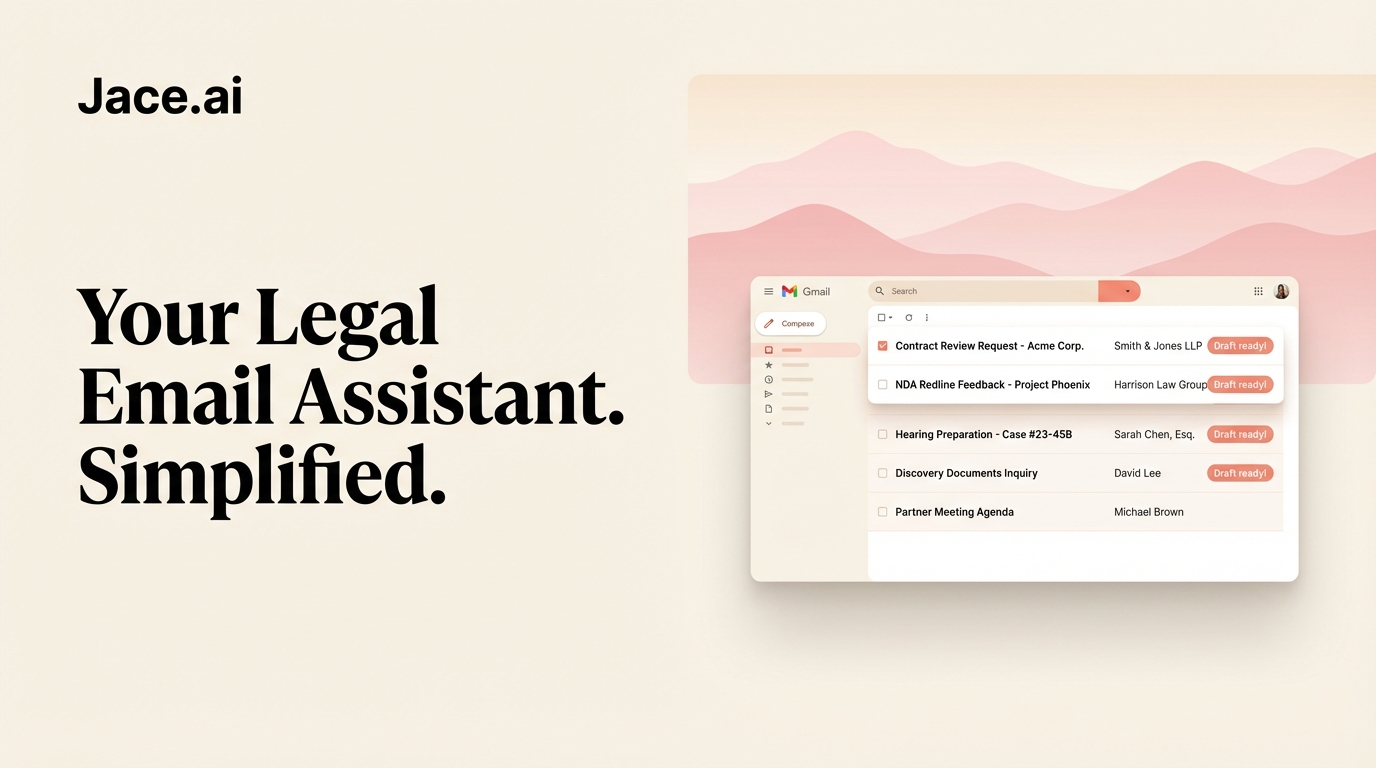
The Legal Email Problem: Volume, Complexity, and Liability
Triage Takes Too Long
Law firm inboxes do not sort themselves. Client inquiries arrive alongside court notifications, opposing counsel replies, internal memos, and vendor communications. Each category demands different response times, different levels of formality, and different escalation paths.
Most attorneys develop personal systems - mental priority lists, color-coded folders, rules that mostly work. But these systems break down during busy periods. A critical deadline notice gets buried beneath routine correspondence. An urgent client request sits unread while you work through less important threads.
The problem is not laziness or disorganization. The problem is that manual triage does not scale. When your inbox receives 150 messages per day and each one requires a judgment call, something will slip through.
Attachments Require Context
Legal work lives in attachments. Contracts, briefs, discovery documents, settlement agreements - the substance of legal practice arrives as PDFs and Word documents, often nested within email chains that provide critical context.
Reading a redlined contract without understanding why it was sent, who sent it, and what the prior conversation established is inefficient at best and risky at worst. Yet most email tools treat attachments as isolated files, forcing attorneys to reconstruct context manually every time.
When a client forwards a vendor agreement asking "thoughts on Section 4.2?", the path to a useful response requires:
- Understanding the client's business relationship with the vendor
- Reviewing prior correspondence about this specific deal
- Reading Section 4.2 in the context of the full agreement
- Drafting a response that matches your established tone with this client
That workflow, repeated dozens of times per day, consumes hours.
Tone Control Is Non-Negotiable
Legal communication operates within narrow stylistic bounds. A message to opposing counsel requires different register than an internal update to your team. Client-facing emails demand precision without coldness. Responses to aggressive counterparties must be firm without escalating conflict.
Getting tone wrong creates problems. An overly casual reply to a sophisticated client undermines confidence. An unnecessarily aggressive response to opposing counsel poisons future negotiations. A confusing internal message wastes colleague time and invites follow-up questions.
Most AI writing tools produce generic, one-size-fits-all output. They lack the contextual awareness to understand that your tone with Partner A differs from your tone with Client B, or that messages about litigation matters should read differently than messages about transactional work.
How Jace Solves Each Problem
Full-Thread Awareness: Context Without Reconstruction
Jace reads your entire email thread before drafting a response. Not just the most recent message - the full conversation history, including every reply, forward, and CC.
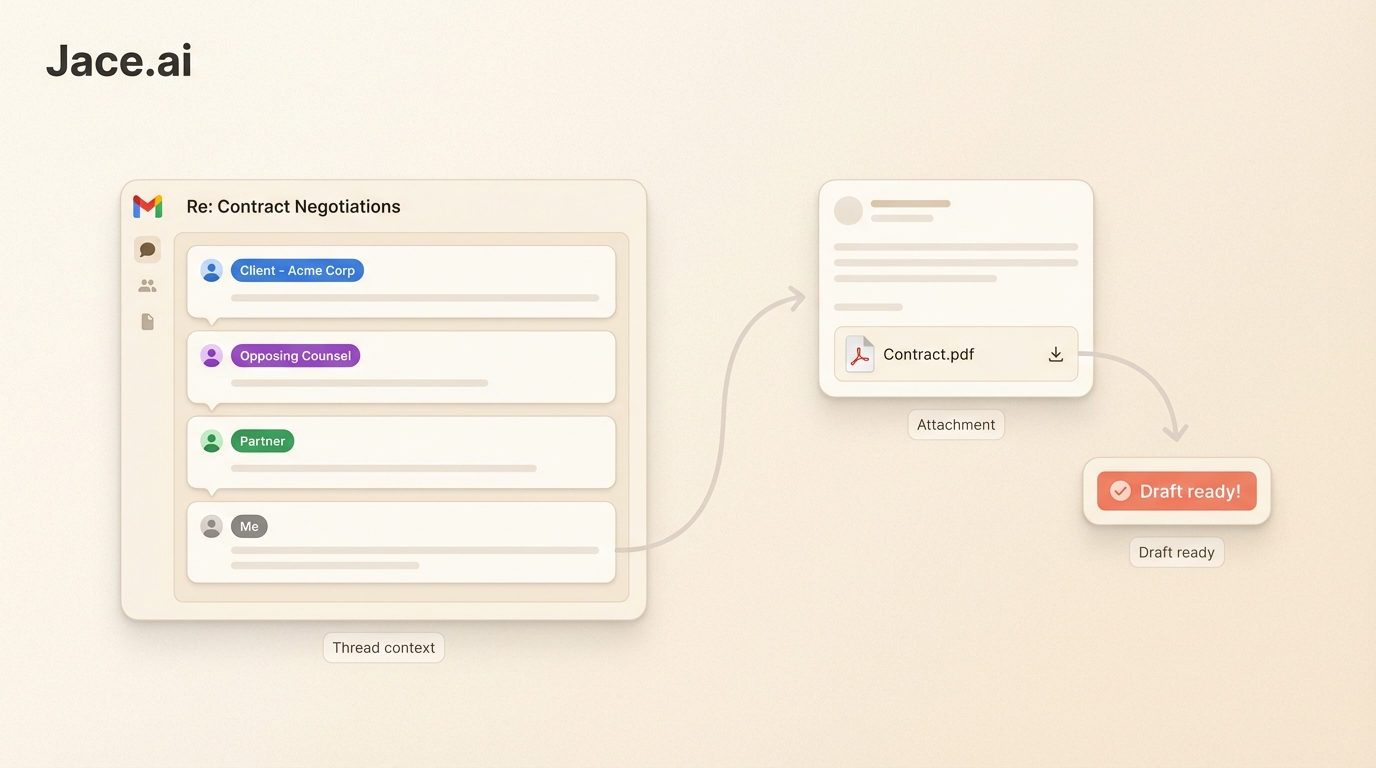
When opposing counsel sends a three-line response to a month-long negotiation, Jace understands the context. It knows what positions have been taken, what concessions have been offered, and what language has been used throughout the exchange. Your draft arrives informed by history, not operating in isolation.
This matters for legal work because legal positions accumulate. A reply that contradicts something you wrote six emails ago creates problems. A draft that misses a commitment made earlier in the thread creates bigger problems. Full-thread awareness prevents both.
Attachment Parsing: Documents in Context
Jace reads attachments. PDFs, Word documents, Excel spreadsheets - the formats that legal work actually uses. When a client sends a contract asking for your review, Jace analyzes the document alongside the email requesting the review.
This enables responses that directly address what was asked. Instead of drafting a generic "I'll take a look" reply, Jace can prepare a substantive response that references specific sections, identifies potential issues, and outlines next steps.
For legal document automation workflows, this capability integrates naturally. Jace does not replace your document management system or contract review tools. It works alongside them, handling the email layer that connects document work to client communication.
Label-Based Triage: Automatic Organization
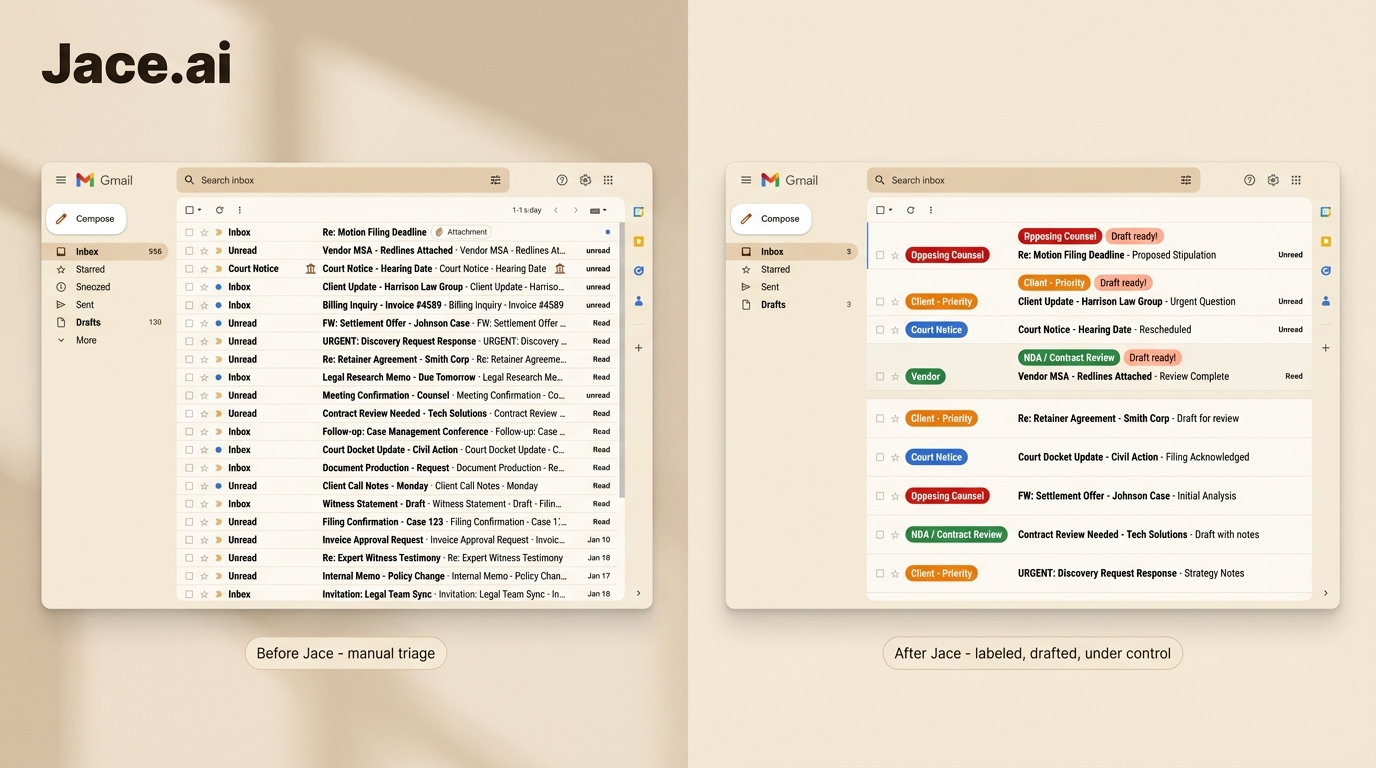
Jace uses intelligent labeling to organize incoming mail before you see it. Messages from clients, opposing counsel, courts, and internal colleagues can be automatically categorized and prioritized based on rules you define.
You can create labels for:
- Specific matters - All correspondence related to the Smith acquisition
- Client tiers - Priority handling for top-revenue clients
- Sender categories - Court notifications get flagged differently than vendor inquiries
- Subject patterns - Anything containing "deadline" or "urgent" surfaces immediately
Labels trigger automatic behaviors. High-priority messages can be marked for immediate attention. Routine correspondence can be batched for end-of-day review. Spam from legal marketing vendors can be filtered without manual intervention.
This is legal email triage that actually scales. Instead of making 150 individual prioritization decisions per day, you make categorical decisions once and let the system apply them consistently.
Tone Matching: Your Voice, Every Time
Jace learns how you write. It studies your sent messages and adapts to your style - the level of formality you use, the phrases you prefer, the structure you follow.
When drafting a response, Jace matches the appropriate tone for each recipient. Formal and precise for client communications. Direct and efficient for internal messages. Measured and professional for opposing counsel.
You can also create explicit rules for tone control:
- "Always use formal salutations with clients from [Law Firm X]"
- "Keep internal messages under 100 words when possible"
- "Never use contractions in correspondence about litigation matters"
These rules layer on top of learned patterns, giving you fine-grained control over how Jace represents you in writing.
Review-First Drafting: Nothing Sends Without Approval
Jace never sends an email automatically. Every draft requires your explicit approval before transmission.
For legal work, this is essential. AI-assisted drafting provides efficiency gains only when it reduces attorney time - not when it introduces new risks. An email assistant that might send an inaccurate response is not an efficiency tool; it is a liability.
Jace presents drafts for review. You can edit, approve, or discard. The AI handles the initial work; you retain final control. This workflow model means you capture the time savings of automated drafting without accepting the risk of automated sending.
Legal-Specific Workflows
Calendar-Aware Follow-Ups
Jace integrates with your calendar to understand scheduling context. When drafting responses that involve meeting requests, deadline discussions, or availability questions, Jace knows your actual schedule.
This prevents the back-and-forth of manual calendar checking. When a client asks "when can we discuss the brief?", Jace can draft a response with actual available times rather than vague promises to "check your calendar and get back to them."
For attorneys managing depositions, hearings, client meetings, and internal conferences, calendar awareness turns scheduling emails from time sinks into one-click approvals.
Draft Forwarding With Commentary
Legal work often requires forwarding correspondence to colleagues with context. "FYI - see the client's position on indemnification" or "Please review before I respond" are routine additions to forwarded threads.
Jace handles draft forwarding with editable commentary. When you need to loop in a colleague, Jace prepares the forward with appropriate framing based on who you're forwarding to and why.
CC and BCC Rules
Law firm correspondence often follows CC protocols. Partners may need visibility on certain client matters. Billing contacts may require copies of engagement-related emails. Compliance may need oversight on specific transaction types.
Jace supports CC and BCC rules that automatically suggest (never automatically add) appropriate recipients based on message characteristics. When you draft a response to a client matter that falls under a partner's oversight, Jace suggests including them. You approve or decline.
Language Handling
Legal teams working across jurisdictions often correspond in multiple languages. Jace automatically detects the language of incoming messages and drafts responses in the same language, maintaining professional quality across linguistic boundaries.
For firms with international clients or cross-border practices, this capability eliminates the friction of manual translation or language switching.
Real-World Scenarios
Scenario 1: NDA Redline Review
Situation: A client forwards a vendor's redlined NDA with the message "They pushed back on our standard terms. What do you think?"
Without Jace: You open the attachment, review 15 pages of markup, cross-reference the original NDA you sent, recall the client's risk tolerance from prior conversations, and draft a response summarizing key issues and recommendations. Total time: 45 minutes.
With Jace: Jace reads the email, analyzes the redlined document, and reviews prior correspondence with this client about this vendor relationship. It drafts a response that identifies the three most significant changes (liability cap reduction, expanded indemnification, modified termination rights), explains the risk implications in language calibrated to this client's sophistication level, and recommends specific negotiation positions. You review, make one minor edit, and approve. Total time: 12 minutes.
Scenario 2: Contract Clause Summary
Situation: In-house counsel receives a message from the CFO: "Legal review needed on the attached software license. Specifically concerned about Section 8 - data handling."
Without Jace: You open the agreement, locate Section 8, read it in context of surrounding provisions, draft an explanatory email for a non-legal audience, and translate technical language into business implications. Total time: 30 minutes.
With Jace: Jace reads the CFO's request, opens the attachment, identifies Section 8 and related provisions, and drafts a plain-English summary focused on the specific data handling concerns raised. The draft includes a risk assessment and recommended next steps (approve as-is, request modifications, or escalate). You review for accuracy and approve. Total time: 8 minutes.
Scenario 3: Forwarding to Internal Counsel
Situation: An associate receives detailed client feedback on a transaction document that requires partner input before responding.
Without Jace: You read the client email, identify the key issues requiring partner guidance, draft a forward to the partner summarizing the situation and requesting input, wait for response, then draft a client reply incorporating partner direction. Total time: Variable, often 20+ minutes of active work plus waiting time.
With Jace: Jace analyzes the client message and drafts a forward to the partner with concise framing: key client concerns, relevant prior context, and specific questions for the partner. When the partner responds, Jace drafts the client reply incorporating their guidance. You review both messages and approve. Active time: 6 minutes.
Scenario 4: Opposing Counsel Response
Situation: Opposing counsel sends a lengthy email disputing your client's interpretation of a settlement term, citing specific contract language and prior correspondence.
Without Jace: You review their arguments, pull the original settlement agreement, search your email history for the prior correspondence they referenced, formulate your counter-position, and draft a measured but firm response. Total time: 60+ minutes.
With Jace: Jace reads the full thread history, opens the attached settlement agreement, locates the disputed provisions, and drafts a response that addresses each of opposing counsel's points with specific references to contract language and prior communications. The tone matches your established pattern with this particular counterparty - professional, direct, neither aggressive nor conciliatory. You review for strategic alignment and approve. Total time: 15 minutes.
What Jace Won't Do Without Your Permission
Clarity about limitations matters for legal teams evaluating AI tools.
Jace does not provide legal advice. It drafts email responses based on context and your patterns. Legal judgment remains yours.
Jace does not access systems outside your email and calendar. It cannot query your document management system, practice management software, or billing platform directly. It works with what arrives in your inbox.
Jace does not send messages automatically. Every draft requires approval. There is no scenario where Jace transmits correspondence without your explicit action.
Implementation for Legal Teams
Getting Started
Jace connects to your existing email (Gmail or Outlook). Setup takes minutes, not days. There is no complex integration project, no IT infrastructure changes, and no training period before the system becomes useful.
For law firms concerned about data handling, Jace processes email content to generate drafts but does not store client communications beyond what is necessary for the current session. Standard security practices apply.
Building Your Rule Set
Most legal teams benefit from defining explicit rules that reflect their communication standards:
- Tone rules by recipient category
- CC/BCC protocols by matter type
- Label definitions for automatic triage
- Language preferences by jurisdiction
These rules can be added incrementally. Start with basic triage labels, add tone rules as patterns emerge, and refine based on experience.
Measuring Impact
Legal teams tracking email efficiency typically see:
- 60-70% reduction in time spent on routine correspondence
- Faster response times to client inquiries
- More consistent tone and quality across team members
- Reduced "dropped ball" incidents from missed or buried messages
The value compounds over time as Jace learns your patterns and as your rule set matures.
The Precision Difference
Generic AI email tools optimize for speed. They generate quick responses that sound approximately correct and assume users will catch errors before sending.
For legal work, approximately correct is not good enough. A contract summary that misses a key provision creates risk. A client response that strikes the wrong tone damages relationships. An internal forward that lacks necessary context wastes colleague time.
Jace prioritizes precision. Full-thread awareness means drafts reflect complete context. Attachment parsing means document-related responses address actual content. Tone matching means every message sounds like you wrote it. And review-first workflow means nothing goes out without your approval.
For legal teams that cannot afford errors but also cannot afford to spend half their day on email, that precision difference matters.
Legal teams looking to reduce operational overhead - without losing precision - can integrate Jace into their inbox in minutes. Try Jace at jace.ai
