Writing fewer emails sounds like productivity advice from someone who doesn't run real projects.
You need fast replies to keep vendors on track. You need updates to prevent client escalations. You need confirmation threads to avoid the "$12,000 misunderstanding" that comes from assuming everyone is aligned.
So the advice to "just send fewer emails" feels useless. The real question is: how do you reduce email volume without creating silence, confusion, or dropped threads?
This guide explains the hidden drivers of email overload and gives you a practical framework to reduce back-and-forth without slowing decisions, missing deadlines, or losing context.
The Real Reason Projects Slow Down
Email volume is not the root problem. It's a symptom.
Projects slow down when:
- Ambiguity forces clarifying follow-ups. "What's the timeline?" "Which version?" "Who owns this?"
- Context is scattered across threads. You waste 20 minutes hunting for the original attachment, the vendor's pricing, or the stakeholder's approval.
- Decisions aren't explicit. A thread ends with "sounds good" but no owner, no deadline, and no next step.
- Follow-ups slip. You expected a reply by Tuesday. It's Friday. You forgot to chase it.
Each gap creates another email. A vague reply triggers three clarifying questions. A missing deadline creates a "just checking in" thread. A lost attachment means "can you resend the PDF?"
The real cost is not the reply itself. It's the latency. A project that should close in two emails takes nine, spread across five days, because each reply is missing one piece of the decision.
More emails is often a failure of decision clarity.
Why AI Writing Tools Often Increase Email Volume
AI writing assistants optimize for speed of reply. You get a polished draft in seconds. You send it. You move on.
But speed-first tools can create a new problem: more back-and-forth.
Here's the trap:
- The tool drafts a reply based on the most recent message, not the full thread.
- It doesn't check attachments, previous agreements, or decision history.
- It optimizes for tone and grammar, not decision completeness.
- You send a fast, polite reply that's missing the context the recipient needs.
The result: one email turns into three. You answer the surface question, but you don't answer the underlying decision. The recipient writes back with clarifying questions. You reply again. They loop in a colleague. Now you're in a five-person CC chain.
This is not a criticism of writing tools. It's a structural issue: if the assistant doesn't pull full context, the first draft will be incomplete. Faster replies don't reduce email volume if each reply is missing half the decision.
The Fewer-Emails Framework
Fewer emails comes from decision clarity, not speed.
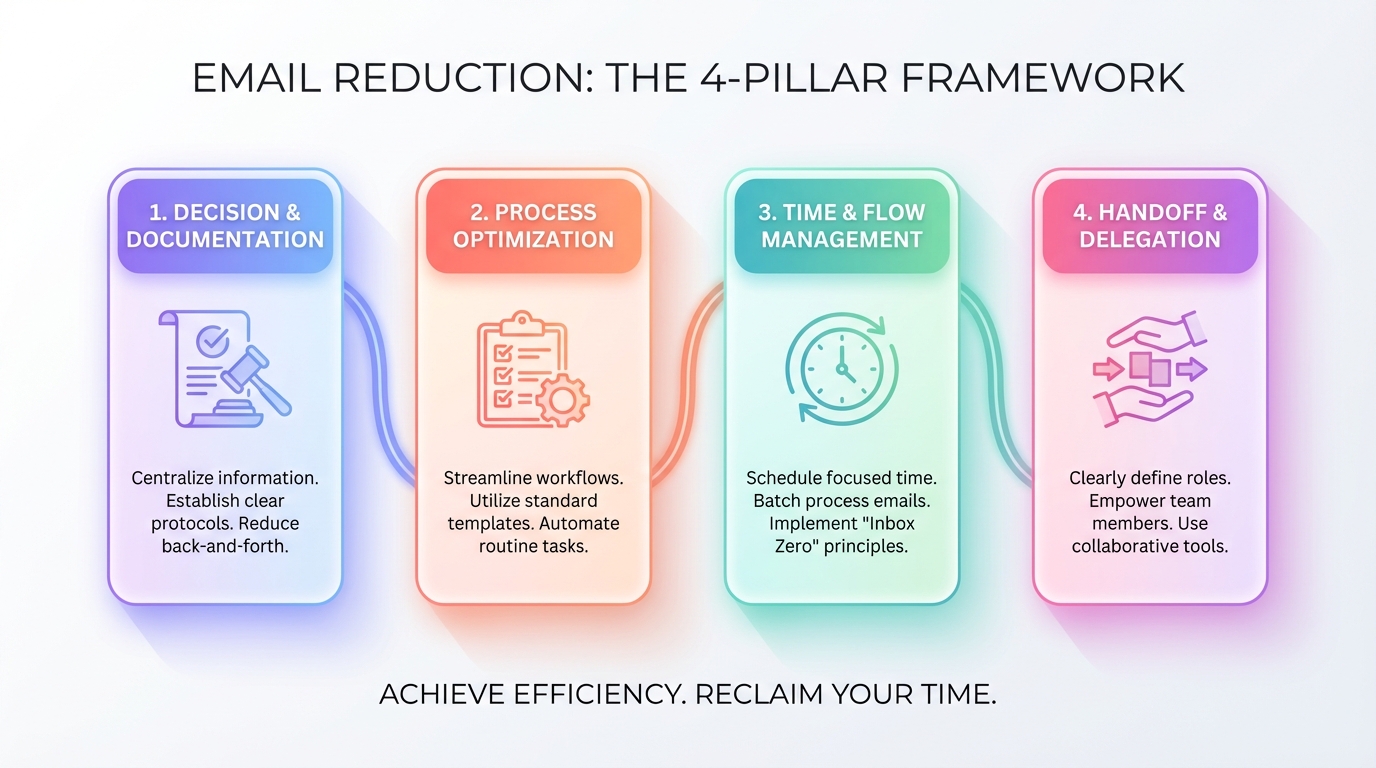
Here's a four-part framework you can apply to any project thread:
Make One Email Carry the Full Decision
Every reply should close the loop or move the decision forward. Not halfway. Fully.
Checklist:
- Include all relevant context (dates, amounts, version numbers, prior agreements).
- Attach the file they need, even if you already sent it two weeks ago.
- State the decision explicitly: "We're moving forward with Option 2."
- If you're asking a question, frame it as a binary choice or a short list of options with a deadline.
- Anticipate the follow-up question and answer it in the same email.
Example: Instead of "Let me know your thoughts," write: "Do you want to proceed with the $8,500 package (includes onboarding) or the $6,200 package (self-serve setup)? I need your decision by Thursday so we can lock the start date."
Convert Threads Into Explicit Next Steps
Threads often die because no one knows who owns the next action.
Checklist:
- End with a clear next step: "I'll send the contract by end of day Tuesday."
- If you're waiting on someone, name them: "Waiting on Sarah's approval."
- If the decision is multi-step, list the sequence: "Step 1: you approve. Step 2: I send to legal. Step 3: we schedule kickoff."
- Use section headers in longer emails: Decision, Open Questions, Action Items.
Close Loops Before They Go Stale
Follow-ups slip because you rely on memory. A thread sits in your inbox for three days. By the time you remember, the vendor has moved on or the client is frustrated.
Checklist:
- Mark threads that need a follow-up with a consistent label or system.
- Set a follow-up trigger: if no reply in 3 days, send a polite nudge.
- Keep the follow-up short and specific: "Checking in on the pricing approval. Still aiming for a Friday decision?"
- Close completed threads explicitly: "Thanks, all set on my end."
Reduce CC Noise With Structured Handoffs
CC churn happens when ownership is unclear. Someone loops in a colleague. That colleague loops in their manager. Now six people are replying to a thread that only needs two decision-makers.
Checklist:
- When handing off, state exactly what the recipient needs to do: "Alex, can you review the timeline in the attached draft and confirm by Wednesday?"
- Remove people from CC once their input is complete: "Thanks for the feedback, Jane. I'll take it from here."
- Avoid "reply all" when only one person needs to see your response.
- Use BCC for large distribution lists where replies should go only to you.
What This Looks Like With Jace
This framework is easier to execute when the inbox agent pulls full context and drafts decision-ready replies.
Here's the workflow:
Label a thread "Needs Reply." The agent reads the full conversation, including quoted history, attachments (PDFs, Word docs, images, text files), and up to three years of email history with that contact.
Review the draft. The system prepares a response that includes the missing context: prior agreements, relevant dates, attached files, and explicit next steps. You approve or edit before sending. Nothing sends without your action.
Set behavior with rules. You can add instructions like: "When replying to vendor threads, always include Decision, Open Questions, and Action Items sections." Rules are natural language, behavior-only, and apply to future drafts.
Close loops with the "Waiting" label. If you're expecting a reply and don't get one within three days, the system drafts a follow-up. You review and send.
Optional: draft calendar invites to avoid scheduling ping-pong. If the thread is about scheduling, the agent can propose a calendar draft with two or three time slots, pulling from your availability. You review the invite before it goes out.
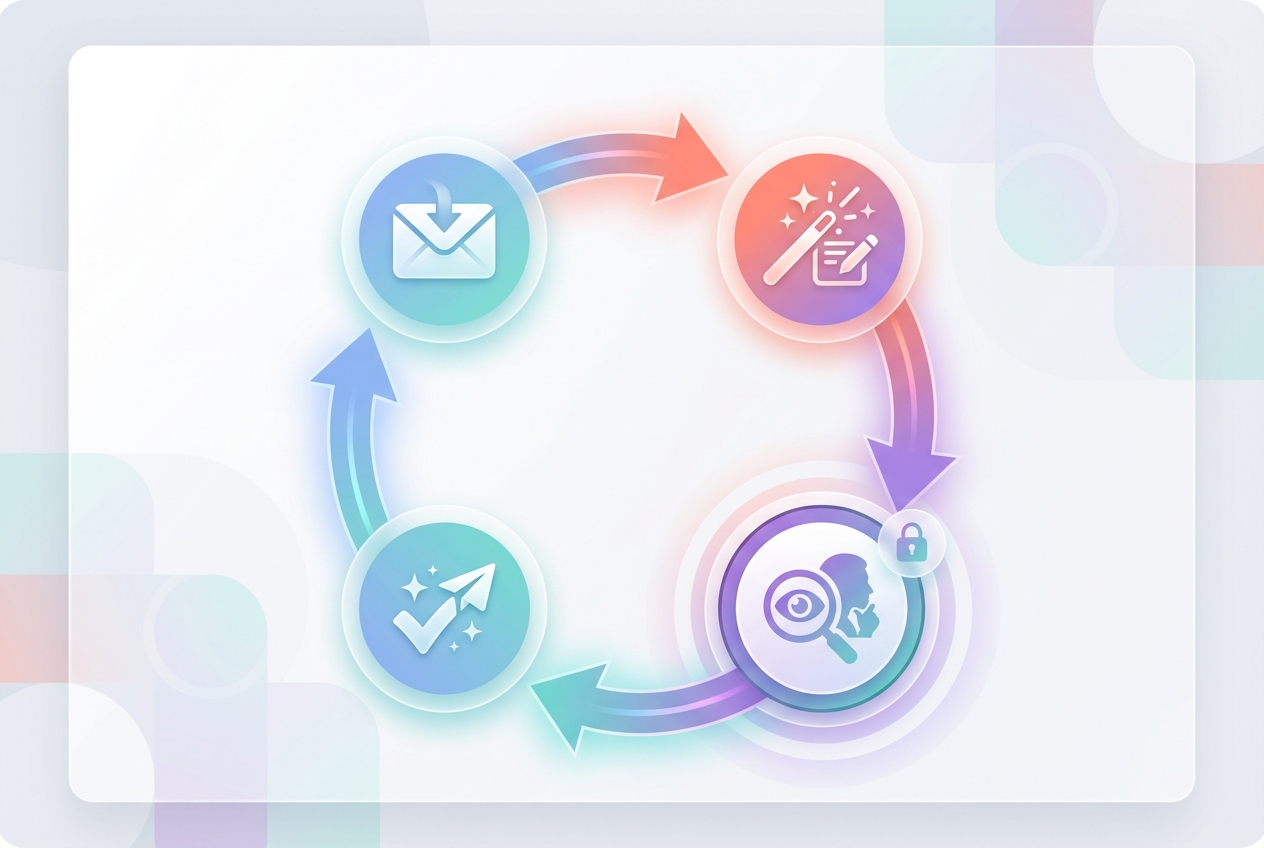
The control boundary is always human approval. Drafts appear in the Jace interface for review. If you enable "Sync drafts to your email" in Advanced Settings, drafts also appear in your Gmail or Outlook drafts folder. Either way, you click Send.
Copy-Paste Templates
Here are six templates you can reuse to reduce email volume:
1. Decision Request (with options and deadline)
Subject: Decision needed: Vendor package by Thursday
Hi Sarah,
We need to finalize the vendor package by Thursday to lock the March start date.
Two options:
- Option A: $8,500 (includes onboarding, 3-month support, dedicated account manager)
- Option B: $6,200 (self-serve setup, email support only)
Let me know by Thursday 3pm. If I don't hear from you, I'll assume we're going with Option A.
Thanks, [Your name]
2. Status Update (prevents follow-ups)
Subject: Status update: Contract with Acme Corp
Quick update so you don't need to chase me:
- Contract signed on Monday
- Payment processed Wednesday
- Kickoff call scheduled for March 12 at 2pm
- I'll send the onboarding doc by end of week
No action needed from you. I'll loop you in if anything changes.
[Your name]
3. Handoff Email (owner, due date, risks)
Subject: Handoff: Marketing copy review
Alex,
Handing this off to you for final review.
What I need: Review the attached marketing copy and confirm it matches the brand guidelines.
Deadline: Wednesday, March 5 by 5pm (we go to print Thursday morning).
Potential issue: The tagline on page 3 might conflict with the legal disclaimer we added last month. Flagging it now in case you want to loop in legal.
Let me know if you need anything from me.
[Your name]
4. Clarification Email (1-2 questions only)
Subject: Quick clarification on the pricing
Hi Tom,
Just want to confirm before I finalize the proposal:
- Does the $12,000 quote include the setup fee, or is that separate?
- Is the payment due upfront or split across two invoices?
Let me know and I'll get the final version over to you by end of day.
Thanks, [Your name]
5. Follow-Up (polite, specific)
Subject: Following up: Approval for vendor contract
Hi Sarah,
Checking in on the vendor contract I sent last Thursday. We're aiming to finalize by end of this week to stay on schedule for the March kickoff.
Let me know if you need anything from me to move this forward.
Thanks, [Your name]
6. Meeting Scheduling (proposes 3 slots, timezone, agenda)
Subject: Let's schedule: Q1 Planning Review
Hi team,
Let's get 45 minutes on the calendar for Q1 Planning Review.
Proposed times (all times EST):
- Tuesday, March 11 at 10am
- Wednesday, March 12 at 2pm
- Thursday, March 13 at 11am
Agenda: Review Q1 goals, identify blockers, align on priorities for March.
Reply with your preference and I'll send the invite.
[Your name]
Common Mistakes That Create More Emails
Mistake 1: Answering only the surface question. Instead: Anticipate the follow-up and answer it in the same reply.
Mistake 2: Ending with "Let me know your thoughts." Instead: Ask a specific question with a deadline: "Do you prefer Option A or B? I need your decision by Friday."
Mistake 3: Assuming they remember the prior conversation. Instead: Restate the key context in every reply, even if it feels redundant.
Mistake 4: Sending a reply without re-reading the full thread. Instead: Open the thread, scroll to the top, confirm you're answering the actual question.
Mistake 5: Using "reply all" when only one person needs to see it. Instead: Reply directly to the decision-maker and remove unnecessary CCs.
Mistake 6: Forgetting to follow up when you don't get a reply. Instead: Set a reminder or use a system that tracks "waiting for reply" threads.
A Simple Operating Rhythm for Teams
Here's a lightweight weekly cadence to reduce email volume without losing control:
Daily email blocks (2x per day)
- Process email twice daily: once mid-morning, once mid-afternoon.
- Batch replies. Review drafts. Send.
- Close completed threads with a final confirmation.
Label discipline
- "Needs Reply" for threads requiring a response.
- "Waiting" for threads where you're expecting a reply.
- "FYI" for informational emails that don't need action.
Review-first drafts
- Use an inbox agent to prepare decision-ready drafts.
- Review for accuracy, tone, and completeness before sending.
- Verify dates, amounts, recipients, and commitments.
Weekly sweep (Friday afternoon)
- Close any open "Waiting" threads with a polite follow-up.
- Archive completed threads.
- Clear out FYI emails.
This rhythm keeps projects moving without living in your inbox.
FAQs
How do I send fewer emails at work without missing important threads?
Use a system that tracks which threads need replies and which are waiting on others. Process email in batches (twice daily), close loops before they go stale, and make each reply decision-complete so you don't create follow-up rounds.
Will AI writing make me send more emails?
Only if the tool drafts replies based on the most recent message instead of the full thread. Speed-first tools can increase back-and-forth because they optimize for fast replies, not decision clarity. Look for agents that pull full context (thread history, attachments, prior agreements) before drafting.
How do I reduce back-and-forth in email threads?
Make one email carry the full decision. Include all relevant context, attach necessary files, state decisions explicitly, and anticipate follow-up questions. Structure longer emails with headers: Decision, Open Questions, Action Items.
How do I stop follow-ups from slipping?
Label threads that need follow-ups and set a trigger (for example, if no reply in 3 days, draft a polite nudge). Use a system that tracks "waiting for reply" threads so you don't rely on memory.
Can this work with Gmail/Outlook without switching clients?
Yes. Jace works on top of Gmail and Outlook. It's available as a standalone web app and as a Chrome extension for Gmail. Drafts can sync to your native Gmail or Outlook drafts folder if you enable that setting. You stay in your existing email client.
What should I verify before sending an AI-assisted draft?
Always verify: dates, amounts, recipient list, commitments, and attachments. Confirm the draft answers the actual question and includes the context the recipient needs. Check that the tone matches the relationship and the thread history.
Final Thought
Fewer emails is not about writing less. It's about writing complete decisions the first time.
The framework is simple: pull full context, answer the underlying question, state the next step, and close the loop before it goes stale.
This works whether you're drafting manually or using an inbox agent to prepare decision-ready replies for review.
The goal is not speed. It's clarity.
Try Jace for decision-ready email drafting: jace.ai
