You don't need a second account. You need a second context layer.
TL;DR
- This is for founders, operators, and consultants running work and personal life through one inbox who are tired of context bleeding and embarrassing mixups.
- The problem is not one inbox vs two: it's the lack of separation logic that prevents personal threads from affecting work decisions (and vice versa).
- Separate contexts, not accounts: use labels as lane markers and rules as behavior shaping to keep work and personal threads distinct.
- Review-first drafts act as the safety boundary, catching wrong recipients, wrong tone, and wrong commitments before they leave your inbox.
- Daily triage by label prevents constant context switching; "Needs Reply" batching keeps you in one lane at a time.
- "Waiting" label prevents missed follow-ups in both lanes; calendar integration stops personal time from getting booked by work (or vice versa).
- A small ruleset (6-10 natural language rules) prevents 90% of embarrassing cross-contamination errors.
- The cost of two inboxes is lost history, constant switching, and forwarding that still leaks context.
- The fix is a context layer that makes one inbox behave like multiple, without losing control.
Why Two Inboxes Is Not the Real Fix
Most advice tells you to separate personal and work email by creating two accounts. One for clients, one for family. One for vendors, one for the dentist. It sounds clean in theory. In practice, it creates three new problems.
Lost history. You forward a work thread to your personal account because you need to handle it over the weekend. Now the history is fragmented. When your client replies Monday morning, the context is back in the work inbox, but your draft notes are in personal. You spend ten minutes reconstructing what you already wrote.
Constant switching. You check work email. Three minutes later, you remember you need to confirm your kid's doctor appointment. You switch to personal. While you're there, you see a dinner invitation from a friend. You reply. You switch back to work. A vendor has emailed. You reply. Your brain is now toggling between two inboxes, two mental states, and two sets of unfinished threads. The cognitive cost is higher than the separation benefit.
Context still leaks. Your work inbox receives a thread where someone CCs your personal address. Your personal inbox receives a school email that includes a shared Google Doc also accessible from work. A family member forwards you an article that mentions a potential client. You forward it to work. Now you have a hybrid thread that exists in both inboxes, and you are manually managing sync.
The problem is not the number of accounts. The problem is the lack of separation logic inside the inbox itself.
You don't need more inboxes. You need contexts that don't bleed.
The Separation Model
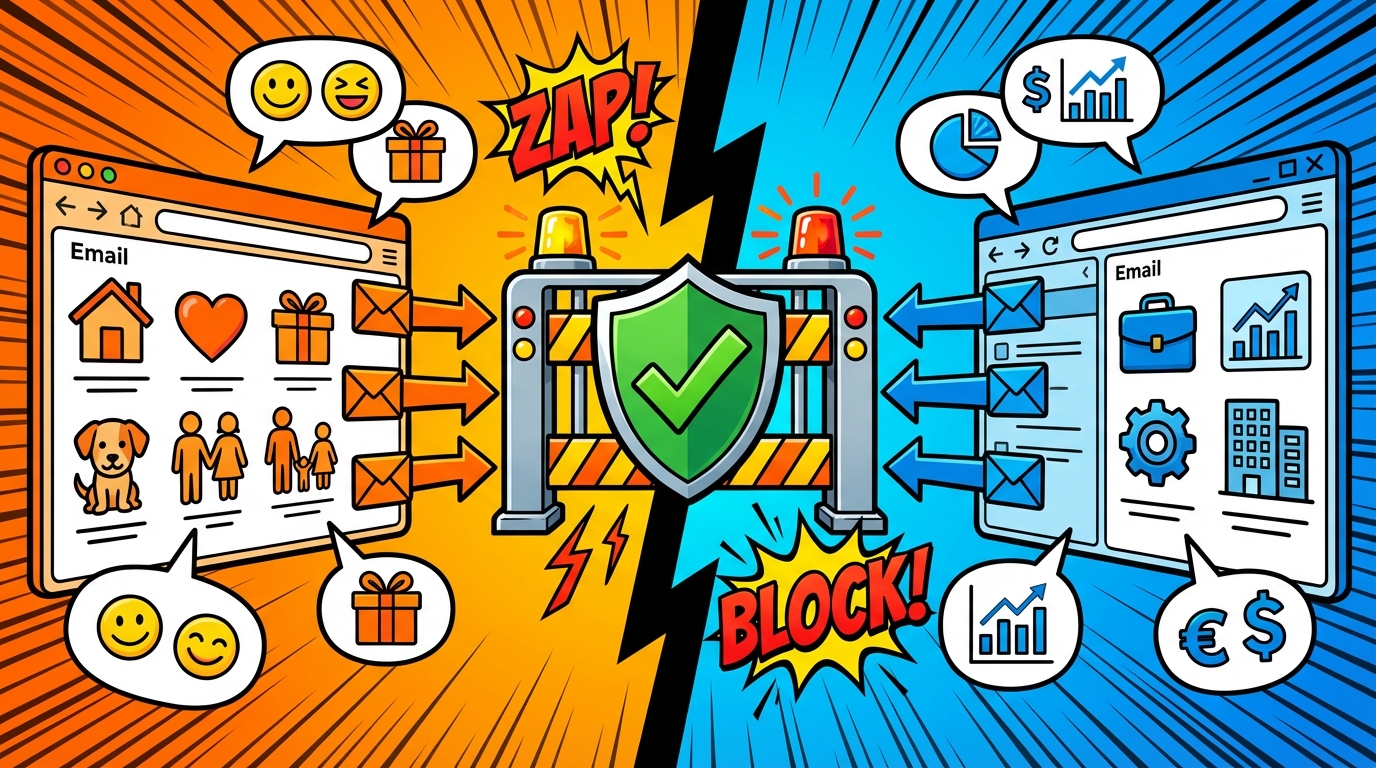
A single inbox with separated contexts works like lanes on a highway. Both lanes share the same road, but the rules keep traffic from colliding.
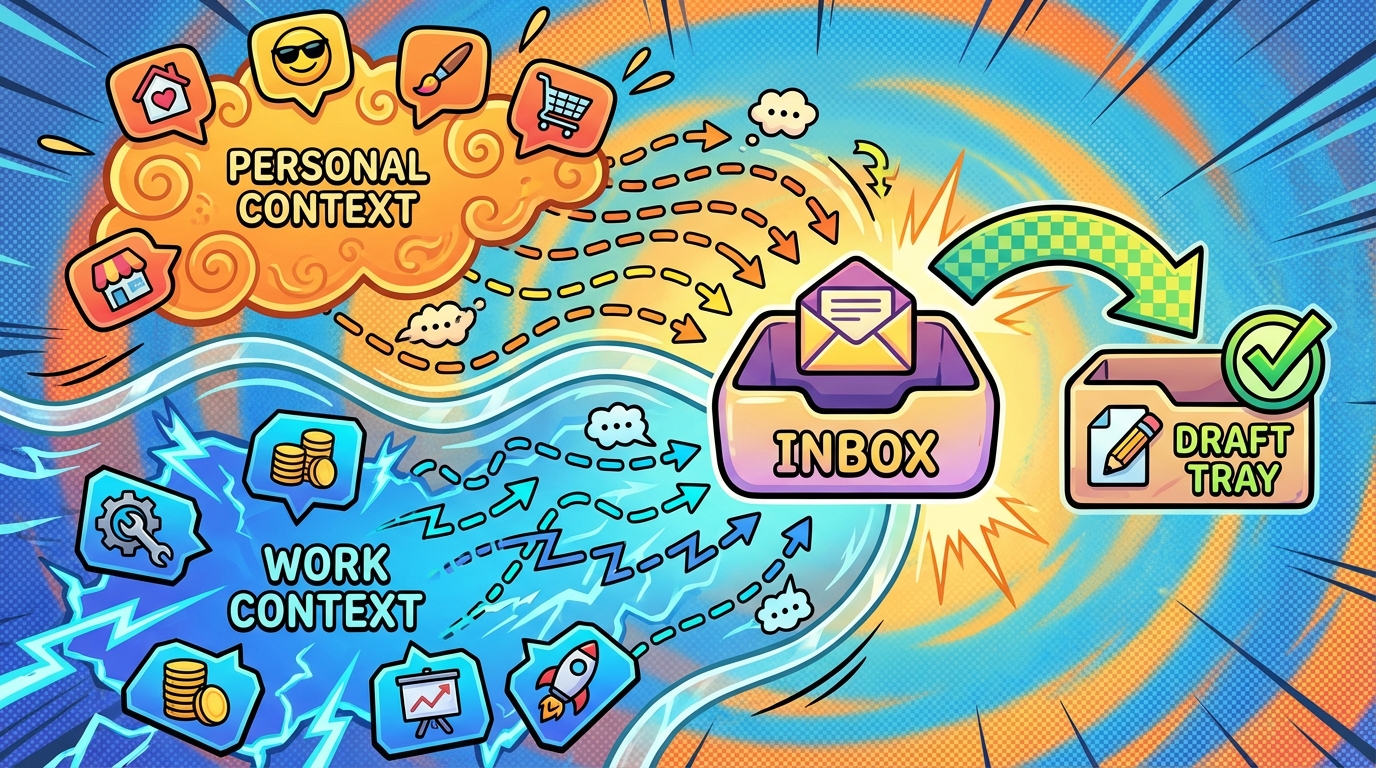
Contexts as lanes. Every thread is either Work or Personal. Not both. If a thread involves both (rare), you handle it in the lane that carries the highest risk.
Labels as signals. A label is not a folder. It does not hide the thread. It marks the context so you can triage by lane. "Work - Needs Reply" and "Personal - Needs Reply" are two distinct queues. You process one at a time, which prevents tone bleed and mental context switching.
Rules as behavior shaping. Rules are natural-language instructions that shape how drafts are prepared. A rule might say: "For Work threads, always use a formal sign-off. For Personal threads, use a casual close." Another rule might say: "Never send a Work thread between 8 PM and 8 AM unless explicitly urgent." Rules prevent you from accidentally sending a curt vendor reply to your spouse or a warm emoji-filled message to a board member.
Review-first drafts as the safety boundary. The agent prepares a draft. You review recipient, tone, and commitment before it leaves. This is the control point that catches cross-contamination. If a Personal thread gets drafted with Work tone, you see it. If a Work thread is about to go out with the wrong attachment, you catch it. The draft does not send until you approve.
This model does not require two accounts. It requires one inbox with logic.
The Practical Workflow
Here is how you use a single inbox with separated contexts in daily practice.
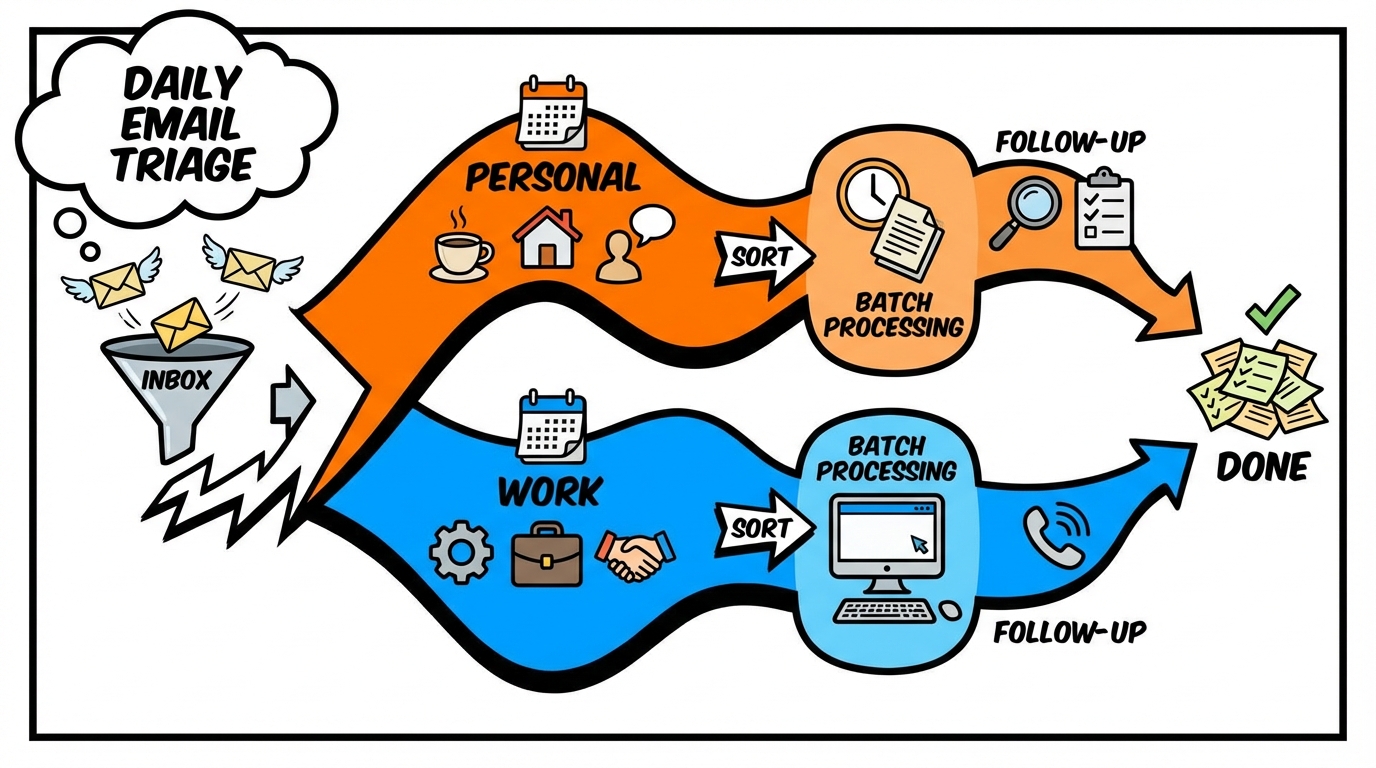
Daily triage using labels. You open your inbox. You scan for new threads. Instead of replying immediately, you apply a label: "Work - Needs Reply" or "Personal - Needs Reply." This takes five seconds per thread. You are not making decisions yet. You are marking lanes.
"Needs Reply" batching to avoid constant context switching. Once triage is done, you process one lane at a time. You open "Work - Needs Reply" and handle all work threads in one session. Your tone, your mental model, and your decision-making context stay consistent. Then you switch to "Personal - Needs Reply" and handle family, admin, and social threads. You are not toggling every three minutes. You are staying in one lane until it is cleared.
"Waiting" to prevent missed follow-ups in both lanes. You send a reply and you are waiting for someone else to respond. You apply the "Waiting" label. If they do not reply within three days, a follow-up draft is prepared automatically. This works for both Work and Personal. You do not lose track of the vendor who has not sent the invoice or the friend who has not confirmed dinner plans. Both lanes have systematic follow-up.
Calendar scheduling safety so personal time does not get booked by accident. A client asks for a meeting. The agent checks your calendar before proposing a time. Your kid's soccer game is blocked as "Personal - Busy." The draft proposes a work slot that does not conflict. The reverse is also true: if you are scheduling a dentist appointment, the system does not suggest a time that overlaps with a board call. Calendar context separation prevents double-booking across lanes.
This workflow does not add steps. It removes the cognitive cost of mentally tracking which thread belongs to which context.
A Copy-Paste Ruleset
Rules are written in natural language. They shape how the agent drafts replies and prevents cross-contamination. Here are eight example rules you can adapt.
Rule 1: Work tone. "For any thread labeled Work, use a professional tone. Avoid exclamation marks, emojis, and casual sign-offs. Use 'Best regards' or 'Thanks' as the closing."
Rule 2: Personal tone. "For any thread labeled Personal, match the sender's tone. If they are casual, be casual. If they are formal (e.g., school admin), stay polite but concise. Use 'Best' or 'Thanks!' as the closing."
Rule 3: Prevent evening work sends. "Do not send any thread labeled Work between 8 PM and 8 AM in my timezone unless I explicitly mark it urgent. Save as draft instead."
Rule 4: Attachment safety check. "Before drafting a reply with an attachment, confirm that the attachment matches the thread context. If the thread is Work, do not attach anything from a Personal thread. Flag mismatches for review."
Rule 5: Recipient verification for similar names. "If I am replying to a thread and the recipient's name is similar to someone in another context (e.g., 'Alex' in Work vs 'Alex' in Personal), always show both email addresses in the draft for manual confirmation."
Rule 6: Calendar boundary enforcement. "When proposing meeting times for Work threads, exclude all time blocks labeled Personal. When proposing times for Personal threads, exclude all time blocks labeled Work."
Rule 7: Commitment escalation. "If a draft includes a commitment (e.g., 'I will deliver this by Friday'), flag it in the draft summary so I can verify the timeline before sending."
Rule 8: Subject line clarity for mixed threads. "If a thread starts in one context (e.g., Personal) and shifts to another (e.g., Work), suggest starting a new thread with a clear subject line to separate the contexts."
These rules are not automation scripts. They are instructions that shape the agent's drafting behavior. You review. You approve. You stay in control.
Scenarios
Here are three real situations where context separation prevents mistakes.
Scenario 1: Personal admin thread arrives during a work crunch.
It is 2 PM on a Wednesday. You are in the middle of drafting a proposal for a high-stakes client. Your inbox pings. It is a thread from your insurance company asking you to confirm your home address for a policy renewal.
Without separation: You open the thread. You start typing a reply. Halfway through, you realize you need to find the policy number, which is in another email from six months ago. You search. You get distracted by two other personal threads. You switch back to the proposal draft, but your brain is now split between insurance admin and client strategy. The proposal takes 20 minutes longer than it should.
With separation: The insurance email arrives. You apply the label "Personal - Needs Reply" and close it. You finish the proposal draft without context switching. Later, you batch-process Personal threads. You open the insurance email, confirm the address, and send. Total time: two minutes. No cognitive bleed.
Scenario 2: A vendor email lands while you are on family logistics.
It is Saturday morning. You are coordinating weekend plans with your spouse via email. Your inbox pings. It is a vendor asking for approval on an invoice.
Without separation: You read the vendor email while still in "family logistics" mode. You skim it. It looks fine. You reply: "Looks good, go ahead!" You send it. Monday morning, you realize the invoice included an extra line item you did not approve. You now have to send a correction email and renegotiate. The vendor is confused. You look careless.
With separation: The vendor email arrives. You see it is Work. You apply the label "Work - Needs Reply" and return to family logistics. Monday morning, you process Work threads. You open the vendor email with full attention. You catch the extra line item. You draft a reply: "Can you remove the additional consulting fee? Once adjusted, I will approve." You send. The vendor corrects it. No mistake.
Scenario 3: A thread that becomes mixed (work + personal) and how to resolve it safely.
A colleague emails you about a work project. Midway through the thread, they add: "Also, are you still planning to come to my birthday dinner next Friday?"
Without separation: You reply to the whole thread. You address the work question and the birthday question in one email. Now the thread is hybrid. Future replies about the work project will include the birthday context. If your colleague forwards the work portion to a manager, the birthday mention is still there. It is awkward and unprofessional.
With separation: The thread arrives. You see it has shifted from Work to Mixed. You reply to the work portion in the thread and propose starting a new thread for the birthday. Draft: "Thanks for the update on the project. Timeline looks good. Separately, I will send you a quick note about the dinner plans." You send the work reply, then draft a separate Personal email about the birthday. The contexts stay separated.
Common Mistakes and How to Prevent Them
Wrong recipient. Mistake: You draft a candid update for your spouse about a stressful client. Autocomplete suggests the client's name instead. You send it. Prevention: Rules flag any draft where the recipient's name appears in both Work and Personal contexts. The draft shows both email addresses for manual confirmation.
Wrong tone. Mistake: You reply to a terse vendor email while still in "family logistics" mode. You use emojis and casual language. The vendor interprets it as unprofessional. Prevention: Labels trigger tone rules. Work threads get formal tone. Personal threads match the sender's tone. The draft reflects the correct context before you review.
Wrong time commitments. Mistake: You agree to a Friday deadline in a Work thread without checking your calendar. Friday is blocked for a family event. You now have a conflict. Prevention: Calendar integration checks availability before drafting time commitments. If a proposed deadline conflicts with a Personal block, the draft flags it for review.
Missed attachments. Mistake: A client asks for the revised contract. You draft a reply and attach a file. It is the wrong contract from a different client. You send it. Prevention: Attachment safety rules verify that the attached file matches the thread context. If you are replying to Client A and the attachment was last used in a Client B thread, the draft flags it.
Quick lane check before sending:
Before you approve any draft, run this five-second checklist:
- Recipient: Is this the correct person for this context?
- Tone: Does the tone match the lane (Work formal, Personal casual)?
- Commitment: Did I verify the timeline against my calendar?
- Timezone: If scheduling, is the proposed time in the correct timezone for the recipient?
- Attachment: If attaching, does the file match the thread context?
This checklist catches 90% of cross-contamination errors before they leave your inbox.
FAQ
Q: Do I need two separate email accounts to use this system? No. This system works inside one inbox. Labels mark the context. Rules shape behavior. Drafts provide the safety boundary. You do not need to manage multiple accounts or forward threads between them.
Q: What if a thread legitimately involves both work and personal context? Rare, but it happens. If a thread is genuinely mixed (e.g., a friend who is also a vendor), handle it in the lane that carries the highest risk. If the stakes are professional, treat it as Work and apply Work rules. If it is primarily social, treat it as Personal.
Q: How do I prevent my calendar from getting double-booked across work and personal? Block personal commitments (dentist, school events, family time) as "Busy" on your calendar. When drafting replies for Work threads that involve scheduling, the agent checks your calendar and excludes those blocks. The reverse is also true: when scheduling Personal events, Work blocks are excluded.
Q: Can I automate replies, or do I always have to review? The default is review-first. The agent prepares a draft. You approve before it sends. This is the safety boundary that prevents wrong recipient, wrong tone, and wrong commitment errors. You can configure certain low-risk scenarios (e.g., auto-reply to newsletter confirmations), but high-stakes threads always require review.
Q: How long does it take to set up this system? Initial setup: 15 minutes. You create two labels (Work, Personal) and write 6-10 rules in natural language. After that, the system runs on autopilot. Daily triage (applying labels to new threads) takes 2-3 minutes per day.
Q: What if I accidentally apply the wrong label to a thread? You can change the label at any time. If you labeled a thread as Personal and it is actually Work, relabel it. The agent will re-draft based on the correct context. No history is lost.
Q: Does this system work if I already have filters or folders set up? Yes. Labels and rules work on top of existing Gmail or Outlook setups. You do not need to dismantle your current system. Labels are additive. They mark context without hiding threads.
Q: How does this handle threads where I am CC'd but not the primary recipient? If you are CC'd on a Work thread, apply the Work label and use "FYI" or "Archive" if no reply is needed. If a reply is needed, draft as Work. Same logic for Personal threads. The label determines the context, regardless of whether you are in the To or CC field.
Conclusion
You do not need two inboxes. You need two context layers inside one inbox.
The fix is not more accounts. It is separation logic: labels that mark lanes, rules that shape behavior, and review-first drafts that catch mistakes before they leave.
One inbox, two contexts, zero embarrassing mixups. Try Jace for review-first context separation in a single inbox.
