
Batching promises inbox peace. But the founder who clears 80 threads on Friday morning and discovers on Monday afternoon that their biggest lead ghosted because nobody followed up? That's not efficiency. That's operational debt dressed up as productivity.

TL;DR
- Traditional batching fails because processing speed without context causes critical misses, not because you lack discipline
- Decision-ready batching means reviewing drafts that include status, risk, next step, and closing question instead of writing responses from scratch
- Labels like Needs Reply and Waiting trigger draft creation; nothing sends automatically without human review
- Attachments (PDFs, Word docs, images) feed context into drafts so replies reference the right details
- The real win isn't speed, it's replacing decision fatigue with approval fatigue (which takes 80% less energy)
- Three founder workflows (sales, vendor, hiring) show where batching creates leverage and where it still requires judgment
- Common mistakes include batching without labels, skipping attachment review, and confusing batch size with batch quality
- Review-first workflow keeps you in control while eliminating the blank-cursor problem
The Real Problem
Batching email works beautifully until it doesn't. You block 90 minutes every morning, tear through your inbox with surgical precision, archive aggressively, and walk away feeling efficient. Then three days later you realize the recruiter never heard back, the vendor quoted expired, and the investor intro sat untouched because it came in 20 minutes after you closed the batching window.
The failure isn't your discipline. It's that batching optimizes for throughput, not decision quality. When you process 40 threads in an hour, you're optimizing for cleared items per minute. That math only works if every thread arrives with full context visible in the preview pane. In practice, critical details hide in attachments, three-email-deep quoted replies, or calendar conflicts you'd only catch if you checked your schedule mid-draft.
So you end up with two bad options: batch fast and miss things, or batch slowly and lose the efficiency gains that made batching attractive in the first place.
The actual problem isn't batch processing. It's batch processing without decision-ready context.
The Batching Failure Mode
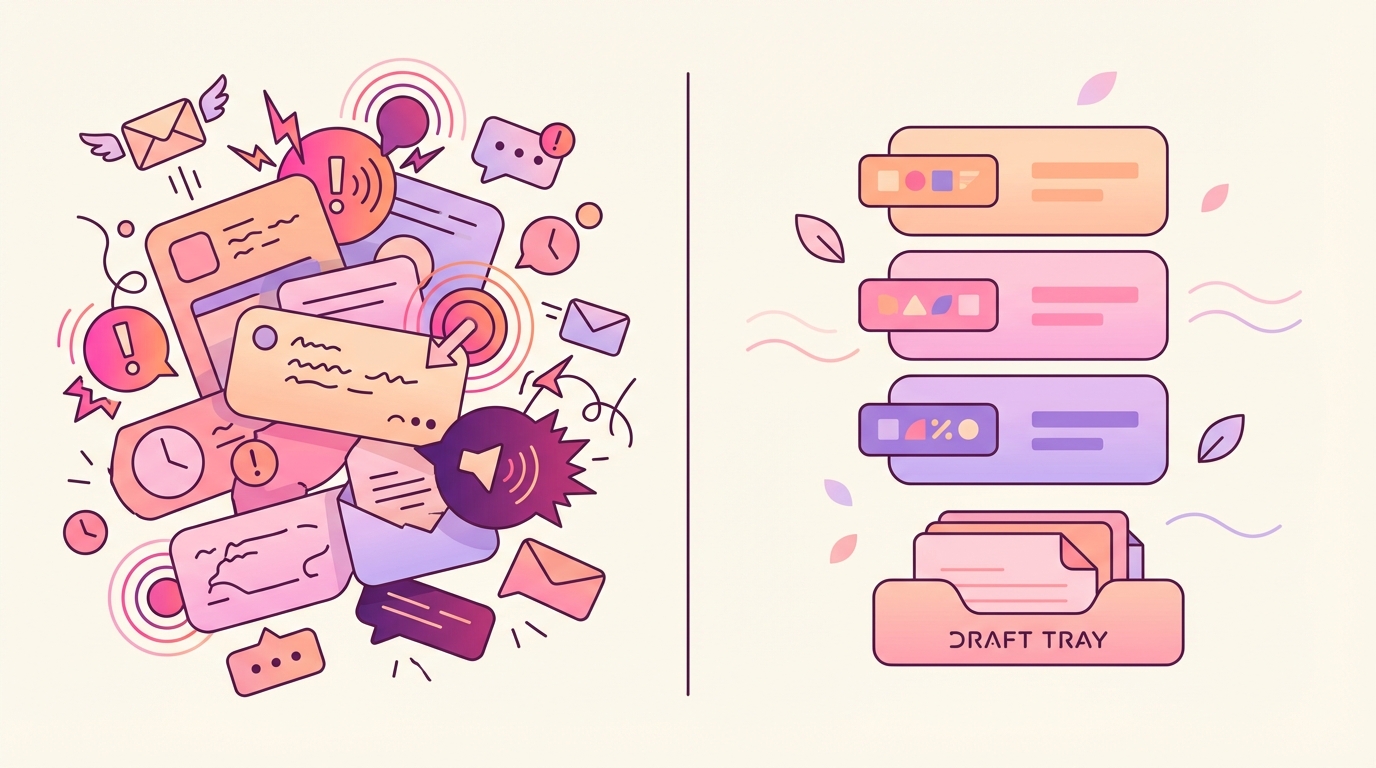
Let's look at three places batching breaks in practice.
The Friday afternoon lead. A warm intro comes in at 4:47 PM. You're done batching for the day. Monday morning you process 60 threads, including that one, but you skim it as "just another intro" because you don't remember it's from your best investor. You send a generic "thanks, let's chat sometime" reply. The lead books a call with your competitor Tuesday morning because they assumed you weren't interested. You didn't miss the email. You missed the context that it mattered.
The contract buried in thread 19. A vendor sends pricing. You reply with questions. They answer. You ask for a formal quote. They send a PDF. You're batching, so you see "Vendor replied" in your queue. You open it, see a short message ("Attached as requested"), assume it's just confirmation, and star it for later. Two weeks pass. The quote expired. The vendor moved on. The PDF sat unread because batching trained you to process messages, not attachments.
The candidate who's interviewing elsewhere. You're hiring. A strong candidate replies to your scheduler link with "I'm excited but I'm in final rounds with two other companies, can we move quickly?" You're batching, so you read it as "candidate confirmed interest, next step is scheduling," send a Calendly link, and move on. The candidate books the soonest slot, which is eight days out. By then they've accepted an offer. You read the thread. You missed the urgency signal because you were optimizing for reply speed, not reply relevance.
None of these failures happen because you're lazy or undisciplined. They happen because batching without context is like speed-reading a legal document. You finish fast, but you miss the clauses that matter.
The Decision-Ready Batching Thesis
Batching works when you review decisions instead of writing them from scratch.
That's the shift. Traditional batching says "process these 40 threads in 60 minutes." Decision-ready batching says "review these 12 drafted replies in 15 minutes, then spend 45 minutes on the three threads that actually need judgment."
The mechanism is simple. Threads that need replies get labeled. The label triggers draft creation. The draft reads the full thread (including quoted replies), checks attachments (PDFs, Word docs, images, text files), and produces a reply structured around four elements: status, risk, next step, and closing question. You review, edit if needed, and approve. Nothing sends automatically.
The result isn't just faster replies. It's better triage. When every draft surfaces what matters (the expired date, the pricing ceiling, the urgency signal), you stop missing things because your brain was in processing mode instead of judgment mode.
The Decision-Ready Draft Framework

Every decision-ready draft includes four elements. Not because it's a format rule, but because these four pieces let you approve or reject a reply in 10 seconds instead of rewriting it from memory.
Status: What just happened. One sentence that confirms what the other person said or did. This proves the draft read the thread correctly. Example: "You asked if we support SSO and whether we can start the trial this week." If that sentence is wrong, you know immediately the draft missed something.
Risk: What could go wrong. One sentence that flags the detail you'd regret missing. Expiring dates. Pricing mismatches. Wrong recipients. Attachments that weren't opened. Example: "The pricing PDF they attached assumes annual billing, but our standard plan is monthly." This is the line that prevents the Friday afternoon lead failure.
Next step: What you're proposing. One concrete action with an owner and a timeframe. Example: "I'll send the SSO documentation by end of day tomorrow and set up the trial environment." This eliminates the "let's chat sometime" reply that sounds collaborative but commits to nothing.
Closing question: What keeps the thread alive. One question that makes it easy for them to reply and hard for the thread to stall. Example: "Does Thursday at 2 PM work for a 20-minute kickoff call?" This is the difference between "let me know what you think" (which invites silence) and "does Thursday work?" (which invites a yes or a counter-offer).
These four elements turn a draft into a decision. You're not reading to understand the thread. You're reading to confirm the draft understood it correctly. That's why review-first batching takes 80% less energy than write-from-scratch batching. Approving a correct decision is cognitively cheap. Writing a decision from memory is expensive.
How Batching Works with Labels
The mechanics are straightforward. Two labels do most of the work: Needs Reply and Waiting.
Needs Reply means this thread requires a response. You apply the label manually or let it auto-apply based on criteria you set (for example, emails from investors, customer requests, any thread where you're cc'd). Once labeled, a draft gets created. You review it in your next batching session. If the draft looks right, you approve. If it needs edits, you edit and approve. If the thread isn't actually urgent, you remove the label and the draft disappears.
Waiting means you sent something and you're expecting a reply. If three days pass and they haven't responded, a follow-up draft gets created. You review it. If you still need their reply, you approve the follow-up. If the thread resolved some other way (they called, they sent a Slack message), you remove the label and move on.
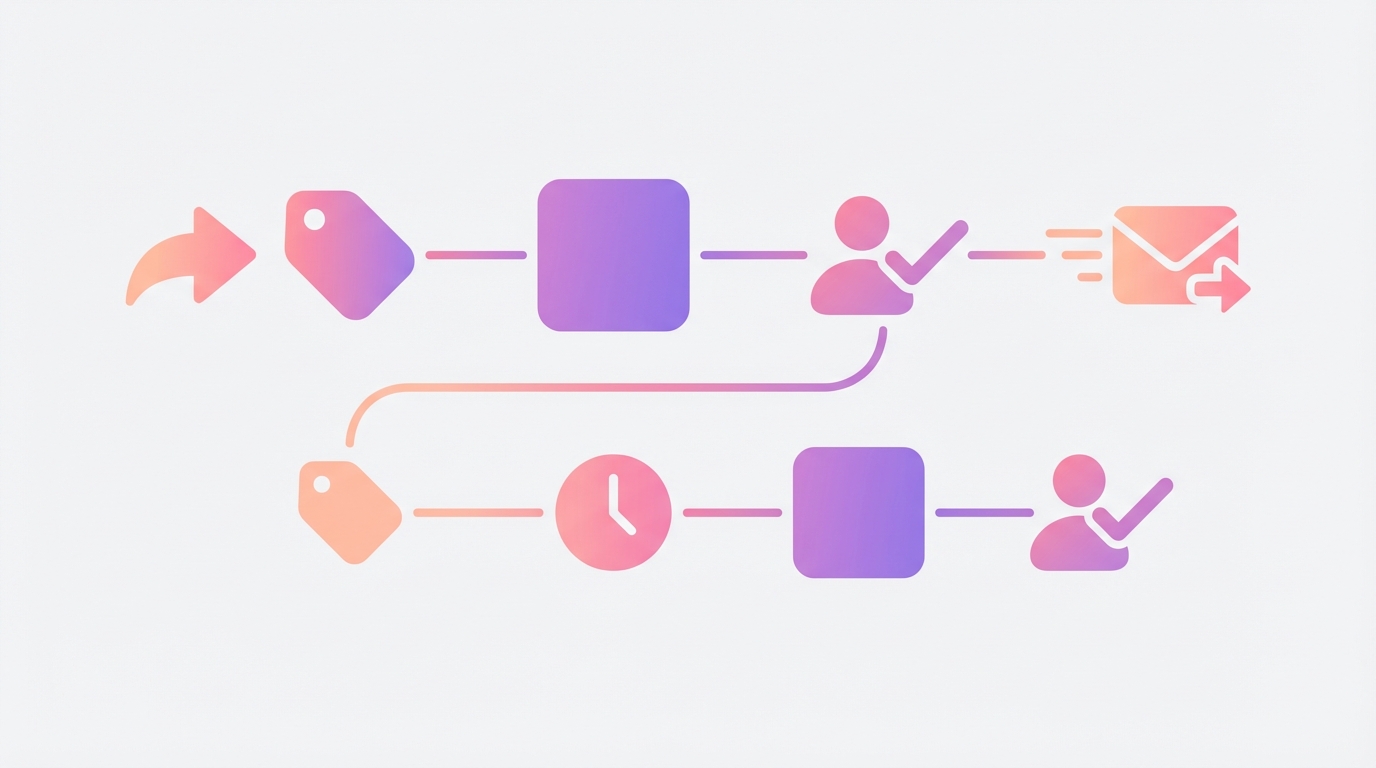
The workflow removes two friction points that make traditional batching fragile.
First, it eliminates the "do I reply now or later?" decision. If it's labeled Needs Reply, a draft exists. You'll see it in your next batch. If it's not labeled, it's not in the batch. That bright-line rule prevents the Friday afternoon lead problem. You're not deciding whether to reply. You're deciding whether to approve a reply that already exists.
Second, it automates the follow-up decision. Traditional batching fails at follow-ups because you batch your inbox, not your sent folder. You clear 40 incoming threads and feel productive. Meanwhile, eight threads you sent last week are sitting in limbo because the recipient didn't reply and you forgot to check. With Waiting, those threads reappear as drafts after three days. You're batching follow-ups the same way you batch replies.
The result is that batching becomes reviewing decisions instead of making them under time pressure. Your 60-minute batch session splits into 15 minutes of draft review (approve/reject/edit), 20 minutes of deep work on the two threads that need original thinking, and 25 minutes of overflow time for attachments, calendar conflicts, or unexpected urgency.
Three Founder Workflows
Let's look at how decision-ready batching changes three common founder workflows: sales, vendor management, and hiring.
Sales: Pipeline Threads
Moment of failure: You batch 50 emails Monday morning. One is from a prospect who replied to your pitch with "This looks interesting, what's the pricing for our team size?" You're in processing mode. You open it, skim it, think "I need to pull our pricing sheet," and star it for later. Later becomes Thursday. The prospect booked a demo with a competitor Wednesday.
Moment of leverage: The thread arrives, gets labeled Needs Reply, and triggers a draft. The draft reads the thread, sees they asked about pricing for a 12-person team, checks your pricing sheet (if it's attached or referenced in earlier emails), and drafts a reply: "For 12 users, the annual plan is X, monthly is Y. Includes Z features. Does a 20-minute call Thursday work to walk through how teams your size typically use this?" You review it Monday morning in your batch. It took 30 seconds. You approve it or tweak the price. The prospect hears back within two hours instead of three days.
Trade-off: You're still reading every draft, which means you're not saving 100% of your time. You're saving 80% of your energy, which is more valuable. Writing "What's our pricing for 12 people?" from memory is hard. Approving a draft that already has the right numbers is easy.
Limitation: If the prospect's question requires a custom package or a judgment call on discounting, the draft will give you a starting point but you'll still need to rewrite it. Decision-ready batching makes easy decisions trivial. It makes hard decisions visible. It doesn't make hard decisions easy.
Vendor: Invoice and Contract Threads
Moment of failure: A vendor emails an invoice PDF on Friday. You batch Saturday morning, see "Invoice attached," download it to your desktop, and plan to review it later. Monday you pay it. Tuesday you realize they charged you for the annual plan instead of the monthly plan you agreed to. You email them. They apologize and refund the difference, but you've now spent 40 minutes across three emails fixing something you could have caught in 10 seconds if you'd reviewed the PDF during batching.
Moment of leverage: The invoice arrives with the PDF attached. The thread gets labeled Needs Reply (because your rule says vendor invoices need review). The draft reads the email, extracts the PDF details, and flags the discrepancy: "They attached an invoice for the annual plan at $5,000. Our last email confirmed monthly at $450. The amount doesn't match." You see this in your Saturday batch. You reply immediately: "I see $5,000 but we agreed on monthly. Can you resend the correct invoice?" The vendor fixes it before you pay. Zero refund friction.
Trade-off: You need to trust the draft actually opened the attachment. That means you should spot-check the first few invoice drafts to confirm the details are accurate. After that, you're checking exceptions (the draft says "This looks wrong") instead of reading every invoice from scratch.
Limitation: The draft reads text-based PDFs and Word docs, but if the invoice is a scanned image with no extractable text, the draft won't catch the discrepancy. You'll still need to open it manually. Decision-ready batching reduces misses. It doesn't eliminate them.
Hiring: Candidate Coordination
Moment of failure: You're hiring for your first sales role. A candidate replies: "I'm excited about this, but I'm in final rounds with two other companies and need to decide by Friday. Can we move quickly?" You're batching, so you read it as "Candidate is interested, send scheduler link." You reply with your Calendly link. The soonest open slot is Tuesday (five business days out). The candidate books it, but by Monday they've signed an offer elsewhere. You lost a strong candidate because you optimized for reply speed instead of reply urgency.
Moment of leverage: The candidate's email arrives, gets labeled Needs Reply, and triggers a draft. The draft reads the thread, sees the urgency signal ("final rounds," "need to decide by Friday"), and flags it: "They're deciding by Friday and interviewing elsewhere. Standard Calendly link won't work. Suggest offering Wednesday or Thursday with a manual calendar hold." You review this during your Tuesday morning batch. You reply: "Thanks for flagging the timeline. I just opened up two slots: Wednesday 3 PM and Thursday 10 AM. Does either work for a 45-minute conversation?" The candidate books Wednesday. You complete two more rounds by Friday. They accept your offer the following Monday.
Trade-off: You're still doing the calendar Tetris manually. The draft doesn't book the slot for you. It just flags that urgency exists so you don't miss it while you're in batch-processing mode.
Limitation: If the candidate didn't explicitly say "I'm deciding by Friday," the draft might not catch the urgency. Decision-ready batching surfaces explicit signals. It doesn't read minds. If someone is urgent but doesn't communicate it, you'll still miss it.
Common Mistakes
Batching without labels (treating everything as equally urgent)
You batch email by time received instead of by priority. That means a customer emergency sits in the same queue as a newsletter confirmation. You process them in order, which means you spend 45 minutes clearing low-stakes threads before you see the emergency. Instead, do this: use Needs Reply to separate threads that require action from threads that don't. Batch the Needs Reply queue first. Everything else can wait.
Skipping attachment review (assuming the message text is enough)
You read the email body but don't open the PDF because you're in batch mode and opening files feels slow. Then you miss that the pricing is wrong or the contract has an auto-renewal clause you didn't agree to. Instead, do this: trust that drafts check attachments for you, but spot-check the first five to confirm they're extracting details correctly. After that, only open attachments manually when the draft flags something unexpected.
Confusing batch size with batch quality (processing 60 threads in an hour and calling it productive)
You measure success by cleared threads per session. That works if all threads are equal, but they're not. Clearing 60 low-stakes threads and missing one high-stakes thread is a bad batch, not a good one. Instead, do this: measure success by decisions made correctly, not threads processed quickly. A 12-draft batch where you caught two urgency signals and one pricing error is better than a 60-thread batch where you missed all three.
Waiting too long to follow up (assuming if it's important, they'll reply)
You send an email and wait. If they don't reply in a week, you assume they're not interested. Two weeks later they email: "Sorry, this got buried, are you still available?" You've now lost 10 days because you didn't follow up. Instead, do this: use the Waiting label so follow-up drafts appear automatically after three days. You don't have to remember to check your sent folder. The system reminds you.
Treating drafts as final (approving without reading because you trust the automation)
You're busy, the drafts usually look good, so you start approving them without reading. Then one goes out with a wrong name, a stale reference, or a tone mismatch. Instead, do this: always read the draft. The goal isn't zero effort. The goal is replacing 10 minutes of writing with 30 seconds of review. You're still responsible for what gets sent. The draft just eliminates the blank-cursor problem.
FAQ
Does it send automatically? No. Every draft waits for human review. You read it, edit it if needed, and approve. Nothing goes out without your explicit confirmation. The workflow is review-first, not send-first.
What triggers drafts? Labels. If a thread is labeled Needs Reply, a draft gets created. If a thread is labeled Waiting and three days pass without a response, a follow-up draft gets created. You control which threads get labeled, either manually or with rules you define.
How does Waiting work? When you send an email and expect a reply, you apply the Waiting label. If the recipient doesn't respond within three days, a follow-up draft is created for you to review. You can approve it, edit it, or remove the label if the thread resolved another way.
How do attachments help? When drafting a reply, the system reads PDFs, Word docs, images, and text files attached to the thread. That means if someone sends a contract, a pricing sheet, or a requirements doc, the draft can reference details from those files instead of forcing you to open them manually and write the reply from memory.
Can I batch across multiple accounts or inboxes? This workflow assumes you're batching one inbox, but you can apply the same labels and review process to any Gmail or Outlook account. The drafts appear wherever the threads live.
What if a draft gets the tone wrong? Edit it before approving. The draft gives you a starting point that includes status, risk, next step, and closing question. If the tone doesn't match your voice or the relationship context, rewrite that part. You're saving 80% of the effort (gathering context, structuring the reply), not 100%.
Conclusion
Batching fails when it optimizes for speed without context. You clear threads fast and miss the details that matter. Decision-ready batching fixes that by giving you drafts that include status, risk, next step, and closing question. You spend your batch session reviewing decisions instead of writing them from scratch.

The workflow is simple. Label threads that need replies. Review the drafts those labels create. Approve, edit, or reject. Use Waiting to automate follow-ups. Check that attachments got read. Measure success by decisions made correctly, not threads cleared quickly.
The result isn't zero effort. It's 80% less decision fatigue, which is more valuable. You stop missing critical threads because you were in processing mode instead of judgment mode.
Try Jace free for 14 days and see how decision-ready batching changes your inbox workflow.
